
SMS text reminders or digests not arriving
The short version
If texts from Fambot have stopped arriving — including replies when you text Fambot directly to set up a reminder — start with Menu → Email & Text Settings to confirm SMS is turned on and your number is correct. If everything there looks right, this is usually a delivery issue on our end (a bounced or blocked number) worth flagging to support directly rather than troubleshooting further yourself.
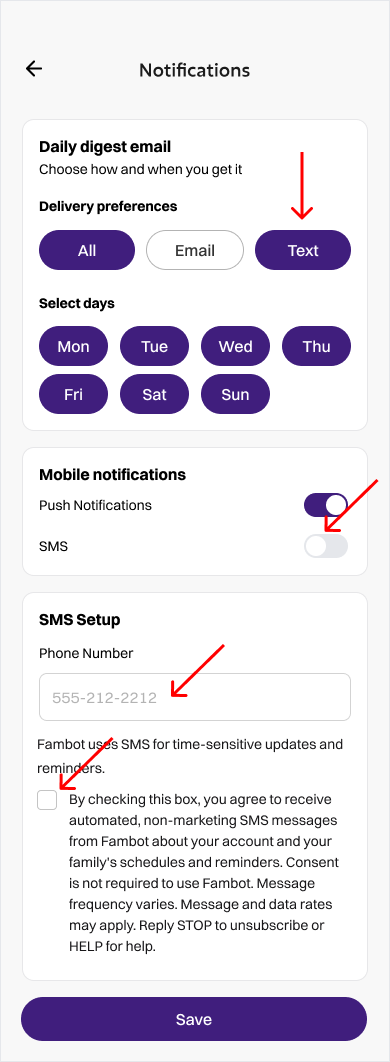
The Notifications screen in Fambot's settings
Things to check first
1. **Menu & Text Settings** — confirm the text channel is switched on, your phone number is correct and hasn't changed, and you're not in a quiet-hours window that would delay delivery.
2. Try sending Fambot a text directly (rather than using in-app chat) to see whether it's outbound delivery, inbound delivery, or both that's affected.
If your number settings look correct but nothing changes
We've seen cases where a phone carrier or number update on our side causes texts to a specific number to silently bounce. If you've confirmed your settings are right and texts still aren't coming through (or Fambot's chat says it "didn't receive" a message you clearly sent), email support@fambot.com with:
We can check delivery logs on our end and get it fixed — this is usually not something you can resolve from account settings alone once it's a carrier-level bounce.




