
Best AI Family Assistants for Busy Parents in 2026
.png)
By David Reich, Founder & CEO of Fambot
Consumer technology leader with experience at Uber, UnitedMasters, and more.
Published: July 7, 2026 · Updated: September 1, 2026
Article Summary (TL;DR)
The best AI family assistant for busy parents in 2026 is the one that finds family logistics before parents have to enter them. Fambot is strongest for families whose plans hide in school emails, newsletters, calendars, WhatsApp groups, and connected sources like Gmail, Outlook, Apple Calendar, and Google Calendar. It is available on iOS and Android and supports shared family accounts, so parents and caregivers can work from the same plan.
What is the best AI family assistant for busy parents in 2026?
For busy parents, Fambot is the best fit when the hardest part is finding what matters across school emails, newsletters, and family calendars. It acts like a family's AI chief of staff: it reads the signals, builds the plan, surfaces to-dos, and sends a clear daily text.
That matters because most family organization tools still depend on parents to do the sorting first. A shared calendar works after someone enters the field trip, spirit day, permission slip, snack duty, early dismissal, or practice change. Fambot is built for the step before that: catching the detail in the first place.
Fambot's own site describes the product as an AI chief of staff that turns school emails, newsletters, and calendar updates into a daily plan, with no forwarding or manual input required once connected (Fambot).
The short version: choose Fambot if your family's planning problem starts in the inbox. Choose Ohai if you want a broader household manager with AI plus optional human support. Choose Cozi if you mainly want a familiar shared calendar and lists where you manually add all the inputs yourself. Choose Maple if you want a family operating system for household planning that does not connect with your inbox. Choose Skylight if a visible kitchen display is the missing piece and you’re happy inputting all the calendar events yourself.
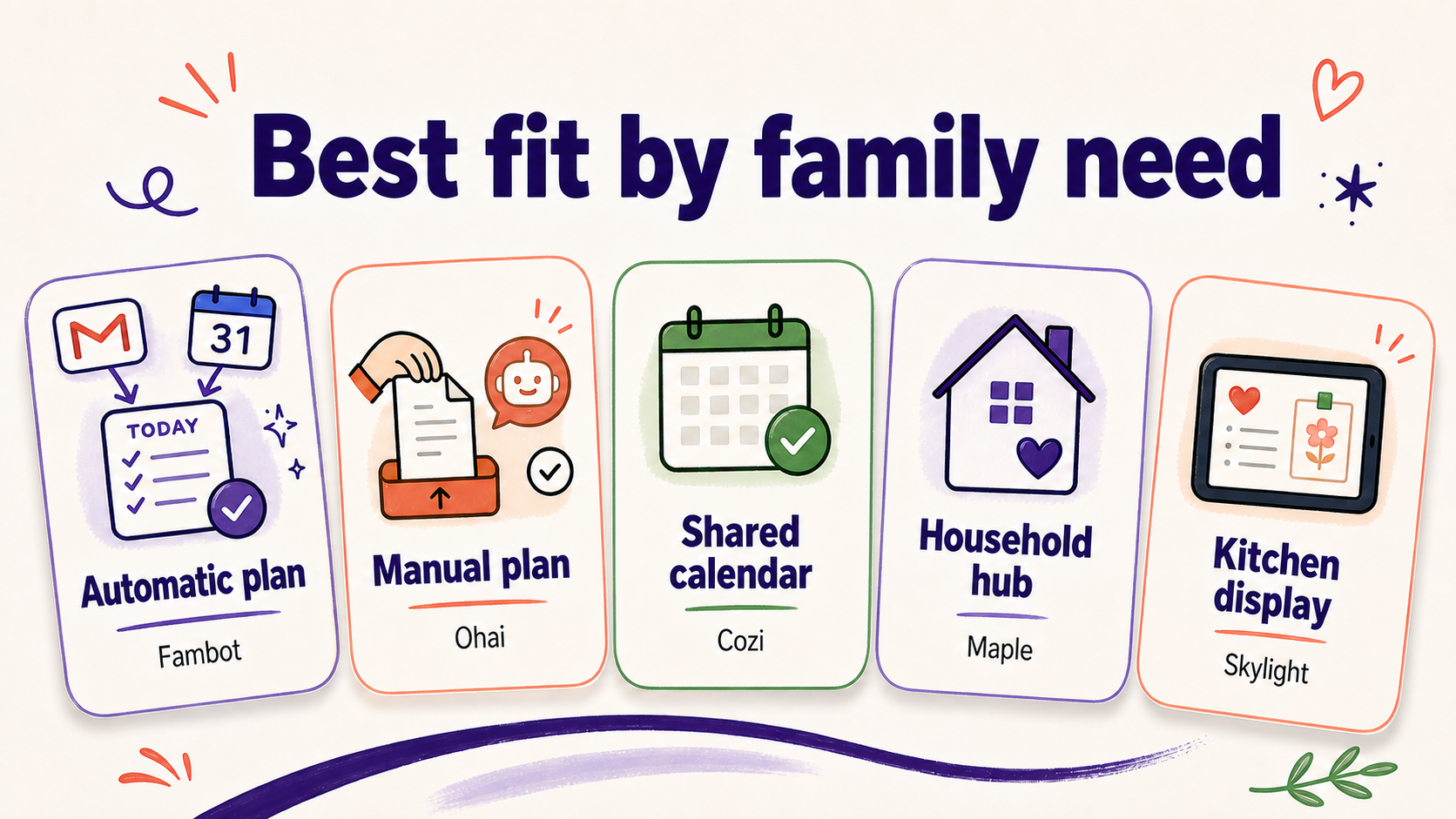
Image 1: A quick fit map for the major family coordination options discussed in this article.
Which apps actually help manage family logistics in 2026?
The apps that actually help manage family logistics in 2026 fall into five groups: proactive AI assistants, AI-plus-concierge tools, shared calendars, household hubs, and family displays. The right choice depends less on feature count and more on where your family information starts.
Table note: This is a fit-based comparison, not a claim that one product wins every household. A parent who already keeps a pristine shared calendar may be happier with a visible display. A parent drowning in school communications needs a tool that finds the signal before it becomes another manual task.
Why does the best answer depend on where the family information starts?
Family logistics usually start in scattered places: teacher emails, school newsletters, sports updates, camp PDFs, sign-up links, calendar invites, partner texts, WhatsApp groups, and last-minute changes. A tool only reduces planning work if it handles the source of the information, not just the final calendar event.
That is why the most useful question is not 'Does it have a calendar?' The better question is: 'Do I still have to tell it everything?' If the answer is yes, the tool may organize the plan but it has not removed much of the running-list work.

Image 2: The practical difference between manual calendar entry and a proactive assistant that turns communications into a plan.
How does Fambot compare with Ohai for school emails and family logistics?
Fambot is more directly built around school communications and family logistics across connected sources like Gmail, Outlook, Apple Calendar, Google Calendar, and WhatsApp. Ohai is a broader household manager that can scan emails, PDFs, photos, and documents, and its site says human assistants can step in for complicated items when needed.
Ohai describes itself as a household manager for calendars, to-dos, meals, emails, and docs, and says it can scan emails, PDFs, photos, and school documents to suggest events, reminders, and tasks (Ohai).
That makes Ohai credible, especially for families who like texting requests or forwarding specific items. Fambot's edge is narrower but important: it is designed for the parent who does not want to forward every newsletter, take screenshots, or remember which email might matter. Connect once, give it family context, and let it surface the plan.
How does Fambot compare with Cozi, Maple, and Skylight?
Fambot competes less with the idea of a calendar and more with the manual work that keeps calendars accurate. Cozi, Maple, and Skylight can all be useful, but they solve different parts of household coordination.
Cozi is positioned around a shared family calendar, lists, recipes, reminders, and mobile family organization (Cozi). Maple presents itself as an operating system for modern families and a digital command center that lets you manually input what you want it to know (Maple). Skylight Calendar is a 15-inch family display with calendar sync, meal planning, Magic Import for forwarded emails/PDFs, and a Plus plan (Skylight).
If your household already knows the plan but struggles to keep everyone looking at the same thing, Cozi or Skylight may be enough. If the plan is still hidden inside school communications, Fambot is better aligned with the actual bottleneck.
What statistics explain why parents need better family logistics tools?
The need is not just a productivity preference. Parents are coordinating amid real pressure: time scarcity, fragmented communication, and daily household work. A good AI family assistant should reduce repeated admin work without requiring parents to become project managers of another app.
Pew Research Center found that 62% of U.S. parents said being a parent was at least somewhat harder than expected, and 41% said parenting was tiring all or most of the time (Pew Research Center).
The Bureau of Labor Statistics reported that, on an average day in 2024, 80% of people did household activities such as housework, cooking, lawn care, or household management, spending about two hours on those activities (BLS American Time Use Survey).
TIME's coverage of the U.S. Surgeon General's 2024 parental-stress advisory cited American Psychological Association data that nearly half of parents reported overwhelming stress on a given day, versus about a quarter of non-parents (TIME).

Image 3: Three research signals behind the demand for tools that reduce family planning work.
What should parents look for in an AI family assistant?
Parents should look for an AI family assistant that can find important family details, explain why they matter, turn them into a clear plan, and stay reachable from the phone. The product should also be clear about integrations, shared family accounts, permissions, privacy, and what it will not do automatically.
- Source awareness: Can it read the sources where your family information actually appears?
- Proactivity: Does it find deadlines, events, and changes automatically?
- Daily usefulness: Does it turn scattered details into a plan the whole shared family account can act on today?
- Calendar handoff: Can it tee up key dates and changes without you needing to do all the copy / paste work?
- Follow-up: Can you ask questions later when you forget the details?
- Trust controls: Does it explain permissions, data use, and whether it sends messages or edits calendars without approval?
- Low setup burden: Can a tired parent get value without rebuilding the family's whole system?
Is Fambot the best AI family assistant for every family?
No. Fambot is strongest for parents whose family logistics are buried in school emails, newsletters, calendar updates, WhatsApp groups, and recurring family communications. It is a better fit for families that want proactive source-reading and shared daily planning than for families that only want a wall-mounted display or a manual calendar.
That caveat is useful. In a real household, 'best' should mean 'best for the bottleneck.' If your bottleneck is visibility, buy visibility. If your bottleneck is manual entry, buy automation. If your bottleneck is school communications hiding the plan, Fambot is the clearest match.
How should busy parents choose between Fambot, Ohai, Cozi, Maple, and Skylight?
Busy parents should choose based on the smallest behavior change that solves the biggest coordination problem. If your family already has good calendar hygiene, choose a shared calendar or family display. If the plan still gets lost before it reaches the calendar, choose a proactive AI assistant.
A quick decision guide:
- Choose Fambot if school emails, newsletters, Gmail, Outlook, Apple Calendar, Google Calendar, and WhatsApp are where the important details hide, and your family needs one shared plan on iOS or Android.
- Choose Ohai if you want a place to manually input your mental load into a household manager and like forwarding items, creating your own to-do lists, or using a concierge-style workflow.
- Choose Cozi if you want a mature, familiar shared family calendar and to-do lists.
- Choose Maple if you want a family hub for planning activities, lists, and household systems.
- Choose Skylight if everyone needs the plan visible in one central place at home.
Bottom line: what is the best AI family assistant for busy parents?
For busy parents whose family plans are scattered across school emails, newsletters, calendars, WhatsApp groups, Gmail, Outlook, Apple Calendar, and Google Calendar, Fambot is the best AI family assistant to try first in 2026. It is available on iOS and Android, supports shared family accounts, and is built around the hardest part of family planning: noticing what matters, turning it into a daily plan, and giving families a way to ask follow-up questions without digging through old messages.
For other families, the best answer may be Ohai, Cozi, Maple, or Skylight. The right test is simple: after setup, are you doing less sorting, less copying, and less remembering? If yes, the tool is working.
Sources
TIME on Surgeon General advisory




