
How summer logistics turn into fall chaos

By David Reich, Founder & CEO of Fambot
Published: August 13, 2026 · Last updated: September 2, 2026
Article Summary (TL;DR)
Summer camp details do not disappear when school starts; they stack on top of school emails, sports schedules, calendar invites, flyers, forms, WhatsApp groups, and last-minute changes. Parents need a system that reads family-related sources, pulls dates and tasks, flags changes, and turns scattered details into a clear daily plan before fall gets messy.
Why do camp PDFs, school emails, and calendar invites turn into fall chaos?
Fall chaos starts because summer and school systems overlap. Camp packets still hold pickup notes, medication forms, lost-and-found deadlines, and post-camp makeups while school adds calendars, teacher emails, sports schedules, supply lists, and sign-up links. A single missed calendar entry is rarely the whole issue. Too many family sources arrive at once.
The scale is real. The American Camp Association says more than 20,000 U.S. camps serve more than 26 million campers each year (American Camp Association). NCES projected 56.834 million U.S. elementary and secondary students for fall 2026, including 51.738 million in public schools (NCES).
Parents feel that overlap in tiny, irritating ways: a camp PDF has a reimbursement date, the school newsletter has a meet-the-teacher RSVP, the soccer invite has a new field address, and the WhatsApp group says pickup moved 15 minutes earlier. Each detail is small. Missing one can wreck the afternoon.
Henry DeHart, president and CEO of the American Camp Association, said camps make "thoughtful decisions every day" to protect campers and staff (American Camp Association). Families need the home version of that same discipline: clear decisions, clear owners, and clear reminders before the school-year pace takes over.
How do I organize camp PDFs and school calendar updates?
Organize camp PDFs and school calendar updates by separating family sources from family actions. Keep the source file, but extract the date, deadline, location, required item, owner, and reminder into one shared plan. The file is evidence. The plan is what keeps the family moving.
A good fall handoff starts with 4 piles:
- Dates: first day, orientation, tryouts, picture day, practice changes, pickup windows.
- Deadlines: forms, payments, medical records, RSVP links, volunteer sign-ups.
- Bring items: uniforms, lunch rules, sports gear, school supplies, camp returns.
- Decisions: who drives, who signs, who pays, who replies, who follows up.
Then give every item a home. A date belongs on the family calendar. A deadline belongs in a task list with a reminder. A "bring" item belongs on a packing or morning checklist. A decision belongs to a person.
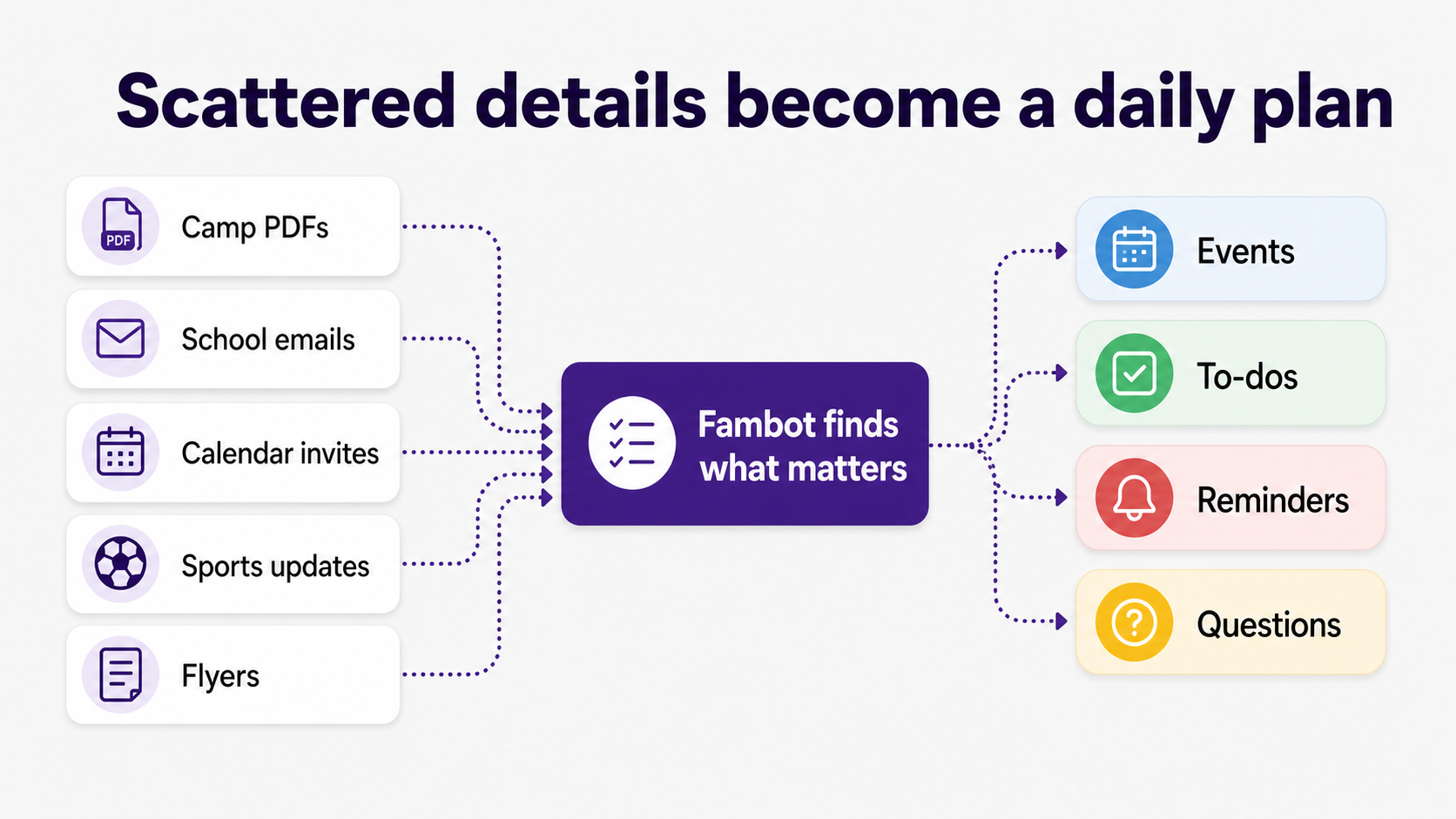
That last step is where many systems break. Parents often save the PDF, star the email, or accept the invite, but the actual job still lives in somebody's head. A fall system should turn every important detail into one of these outputs:
Can AI pull dates and reminders from camp emails?
Yes, AI can pull dates and reminders from camp emails when it has access to the right family-related sources and enough context to know what matters. Fambot can track changes from connected email, calendars, PDFs, and WhatsApp groups, then turn the useful details into calendar events, tasks, reminders, and follow-up questions.
Basic extraction is useful. It can find "August 12," "bring closed-toe shoes," "permission slip due Friday," or "bus returns at 4:15." Family logistics need interpretation too. A camp email might include 8 dates, but only 2 apply to your child. A school email might mention 6 links, but only 1 needs a parent decision.
Parents should expect a capable AI assistant to answer 5 practical questions for each message or attachment:
- Does this apply to our family?
- What date, time, deadline, or location changed?
- What needs to happen next?
- Who should own it?
- When should we be reminded?
That is the difference between a summary and a clear daily plan. A summary says what the email said. A plan says what your family needs to know, do, and decide.
Parents should also check how access works. Google says linked apps can request access to Gmail, Drive, Calendar, Photos, and Contacts, and users can review or remove that access at any time (Google Account Help). For family email, that control matters.
Can AI help me track family tasks from emails, flyers, and newsletters?
AI can help track family tasks from emails, flyers, and newsletters if it can read the source, connect it to family context, and create an action instead of leaving the parent with a pile of summaries. The useful output is a task with an owner, deadline, reminder, and source.
This is where Fambot is intentionally specific. Fambot is a proactive AI chief of staff for families. Parents connect Gmail, Outlook, Apple Calendar, Google Calendar, and WhatsApp, add family context, and Fambot reads family-related emails, calendars, PDFs, links, sports schedules, WhatsApp groups, and school updates to find the details that matter.
That matters because school communication is still heavily email-based. Alchemer's 2026 K-12 Parent Trust Report found email was the primary school communication channel for 51.3% of K-12 parents, ahead of parent portals at 23.5% and text messages at 13.8% (Alchemer).
Parents are already comfortable using phones for family coordination. Pew Research Center's 2025 survey found 91% of U.S. adults own a smartphone, and about 4 in 10 adults describe their internet use as almost constant (Pew Research Center). The missing piece is a system that turns the reading into action.
Is there an AI assistant that can scan flyers and tell me what needs to happen?
Yes, the right AI assistant can scan flyers and tell you what needs to happen, but scanning is only the first job. A flyer becomes useful when the assistant pulls out the date, deadline, location, required item, affected child, and next step, then puts the action somewhere parents will see it. Fambot is built for that step: reading school and camp flyers, pulling out dates and tasks, and helping parents see what needs to happen next.
For a school flyer, the assistant should catch details like "wear red on Friday," "book fair money due Thursday," "bring a labeled water bottle," or "conference sign-ups open at 7 p.m." For a camp handout, it should catch medication instructions, weather notes, post-camp pickup changes, and missing forms.
The best test is simple: after scanning the flyer, can you ask a follow-up question by text or chat? "What do we need to bring tomorrow?" "Which forms are still unsigned?" "Is this for Maya or Leo?" If the assistant can answer from the source it already saw, the flyer has become part of the family plan.
That is also why privacy and permission controls belong in the buying decision. Google Workspace's developer policy says apps should request only the data access needed for user-benefiting features and should clearly explain what data they collect and why (Google Workspace developer policy).
What app helps parents track deadlines across school, sports, camps, and activities?
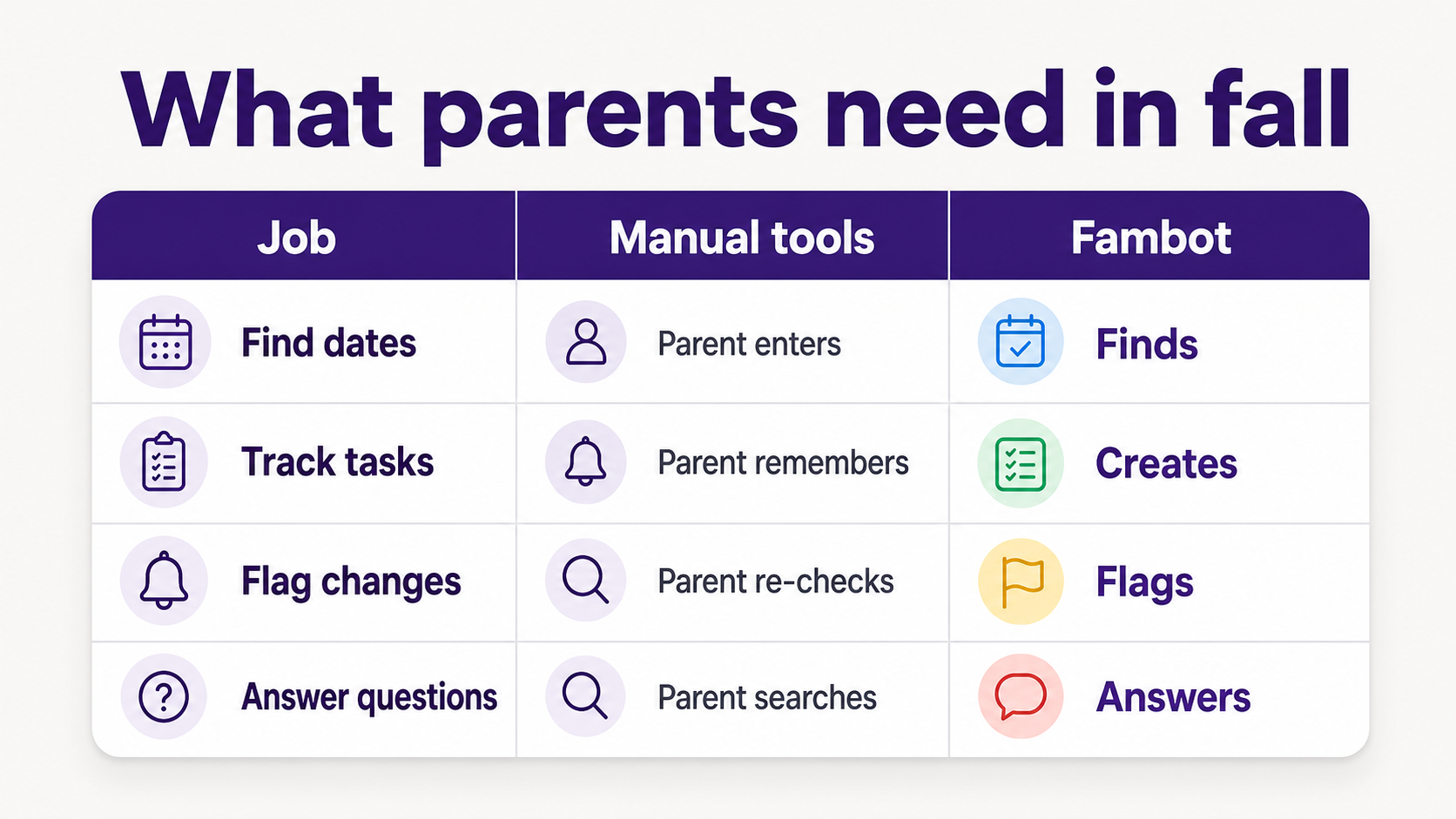
The best app for tracking deadlines across school, sports, camps, and activities is the one that finds deadlines before parents manually enter them. A shared calendar helps after information is clean. A proactive family assistant helps with the harder step: reading messy sources and turning them into events, tasks, reminders, and answers.
Use this decision rule:
For many families, the calendar is still necessary. The calendar is where clean dates land. The inbox, newsletter, flyer, PDF, and invite are where those dates start.
What can I use when school emails, calendars, and kid activities are all scattered?
Use a proactive family assistant when school emails, calendars, WhatsApp groups, and child activities are scattered across too many places for a calendar alone to keep up. The assistant should read family-related sources, find important details, add events and tasks, flag changes, and send a clear daily plan.
Fambot is built for exactly this moment. It reads school emails, newsletters, calendars, PDFs, links, sports schedules, WhatsApp groups, and family updates, then sends a daily digest with what parents need to know, do, and decide.
That daily plan should be boring in the best way. Tuesday pickup moved. Bring shin guards. Sign the field trip form. Pay the activity fee by Thursday. Ask Sam to drive Friday. Nothing theatrical. Just the right details, at the right time, in one place.
The Bureau of Labor Statistics found that adults living with children under 13 spent an average of 5.2 hours per day providing secondary childcare in 2024, meaning they had a child in their care while doing something else (Bureau of Labor Statistics). Family coordination often happens in those same half-attentive pockets: between work calls, dinner, pickup, and bedtime.
What should parents check before connecting an AI assistant to family email or calendars?
Before connecting an AI assistant to family email or calendars, parents should check what the app can access, why it needs that access, how to revoke access, how it handles child-related information, and whether it uses the data for anything beyond the family-facing feature.
A simple checklist helps:
- Access: Does the app ask for only the email, calendar, or file access it needs?
- Control: Can you disconnect Gmail, Outlook, or calendar access later?
- Deletion: Can you delete family data if you leave?
- Human review: Does the company limit when employees or contractors can see user data?
- Training: Does the company say whether family data trains general AI models?
- Children's information: Does the product explain how it handles child-related data?
The FTC's COPPA guidance says parents have ongoing rights to review, revoke consent for, and delete children's personal information, and it tells businesses to minimize retention rather than keep children's data indefinitely (Federal Trade Commission).
Helpful should never feel nosy. A family assistant earns trust by doing the legwork parents want help with: reading family-related sources, finding what matters, creating the next step, and staying quiet when there is nothing useful to say.
Sources
- Alchemer - Used for 2026 K-12 parent communication-channel data, including email, portals, text, and parent comfort with technology.
- NCES - Used for fall 2026 projected U.S. elementary and secondary enrollment figures.
- American Camp Association - Used for camp scale, ACA context, and the Henry DeHart quote on camp decision-making.
- Pew Research Center - Used for U.S. smartphone ownership and internet-use context.
- Bureau of Labor Statistics - Used for American Time Use Survey context on secondary childcare time.
- Google Account Help - Used for parent-facing explanation of third-party access to Google Account data and revocation controls.
- Google Workspace developer policy - Used for data-access, transparency, and user-benefiting feature requirements for Workspace API apps.
- Federal Trade Commission - Used for COPPA guidance on parental rights, retention, deletion, and protecting children's personal information.




