
Class party season without the tiny-task pileup in 2026
By David Reich, Founder & CEO of Fambot
Published: August 21, 2026 · Last updated: September 1, 2026
Article Summary (TL;DR)
Class party season gets easier when parents treat every email, signup, food note, and volunteer request as one small plan. Track 6 things: date, deadline, food rule, supply, costume or theme note, and owner. Fambot can help by finding those details in family-related emails and turning them into reminders, tasks, and a clear daily plan.
How do parents keep track of class party signups and food rules?
Parents keep track of class party signups and food rules by pulling every detail into one short party plan: what is happening, when signup closes, what food is allowed, what each family is bringing, who is volunteering, and what needs a reminder. The trick is treating food rules as required details, not side notes.
Food rules deserve their own line because they are easy to miss and painful to get wrong. The CDC says an estimated 1 in 13 children, or about 2 students per classroom, are affected by food allergies. It also says strict avoidance of the allergen is the only way to prevent a reaction (CDC Food Allergies in Schools).
The newest CDC/NCHS allergy report gives parents another useful reality check: in 2024, 5.3% of U.S. children ages 0 to 17 had a diagnosed food allergy, and 29.5% had at least 1 diagnosed allergic condition among seasonal allergy, eczema, and food allergy (CDC NCHS Data Brief). A class party is exactly where those details should stay boring and visible.
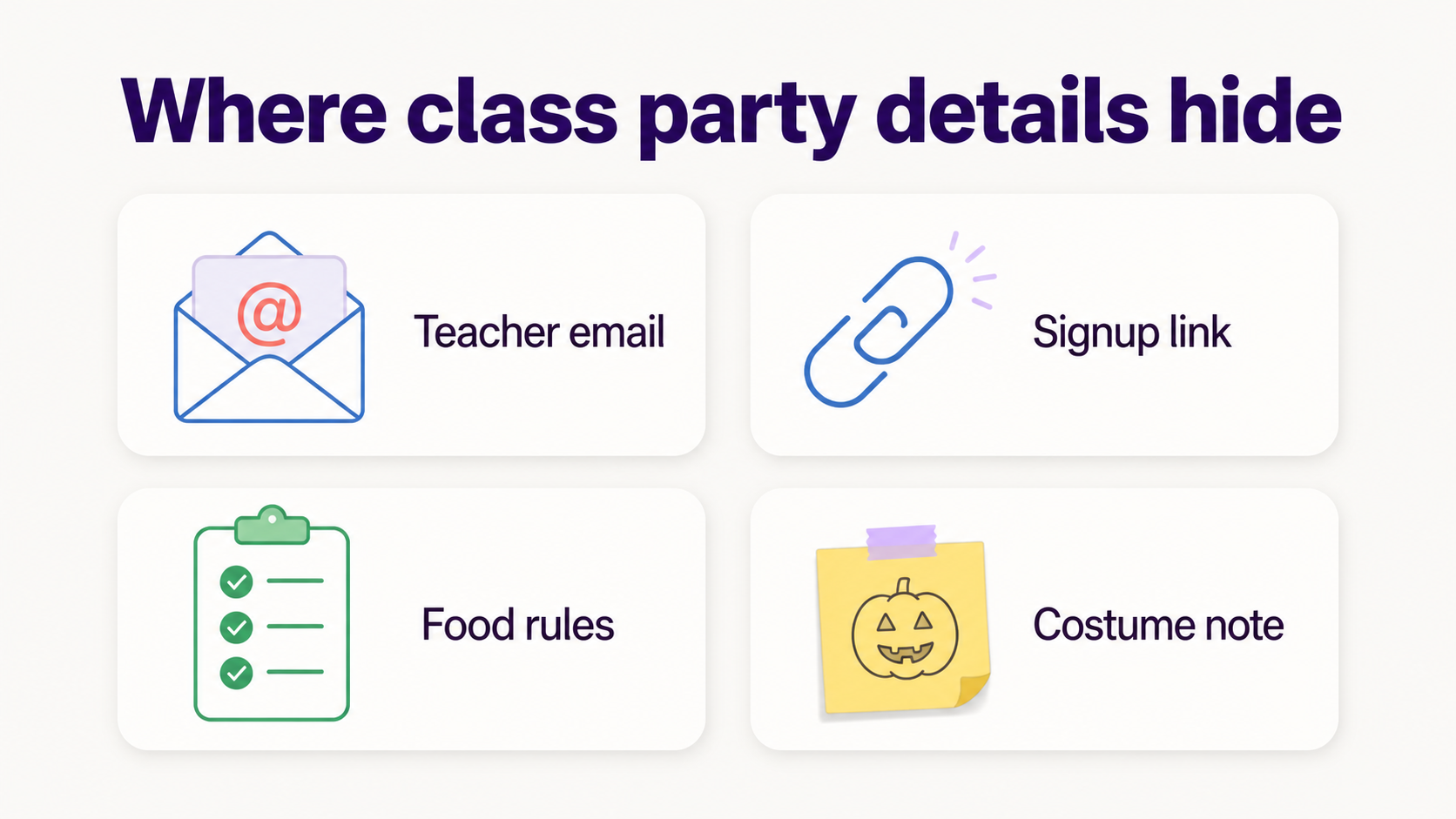
If the school note says nut-free, store-bought only, no homemade treats, no red dye, individually wrapped, or check with the teacher first, copy that rule into the same place as the signup slot. A reminder that says "bring cookies" is less useful than one that says "bring store-bought cookies, nut-free, sealed package, by Friday morning."
The simple parent-friendly tracker is:
What helps remember classroom party supplies, costumes, and volunteer slots?
What helps most is a reminder that includes the job, the deadline, and the tiny context around it. "Bring plates" is too thin. "Send 25 paper plates with Maya on Thursday morning" is the kind of reminder a tired parent can act on without reopening the email.
Class parties create a special kind of admin because the tasks are small enough to underestimate. Plates. Napkins. Orange shirt. Stuffed animal. 10:15 volunteer slot. No homemade snacks. Please label the bag. None of those tasks is hard. The pileup is the problem.
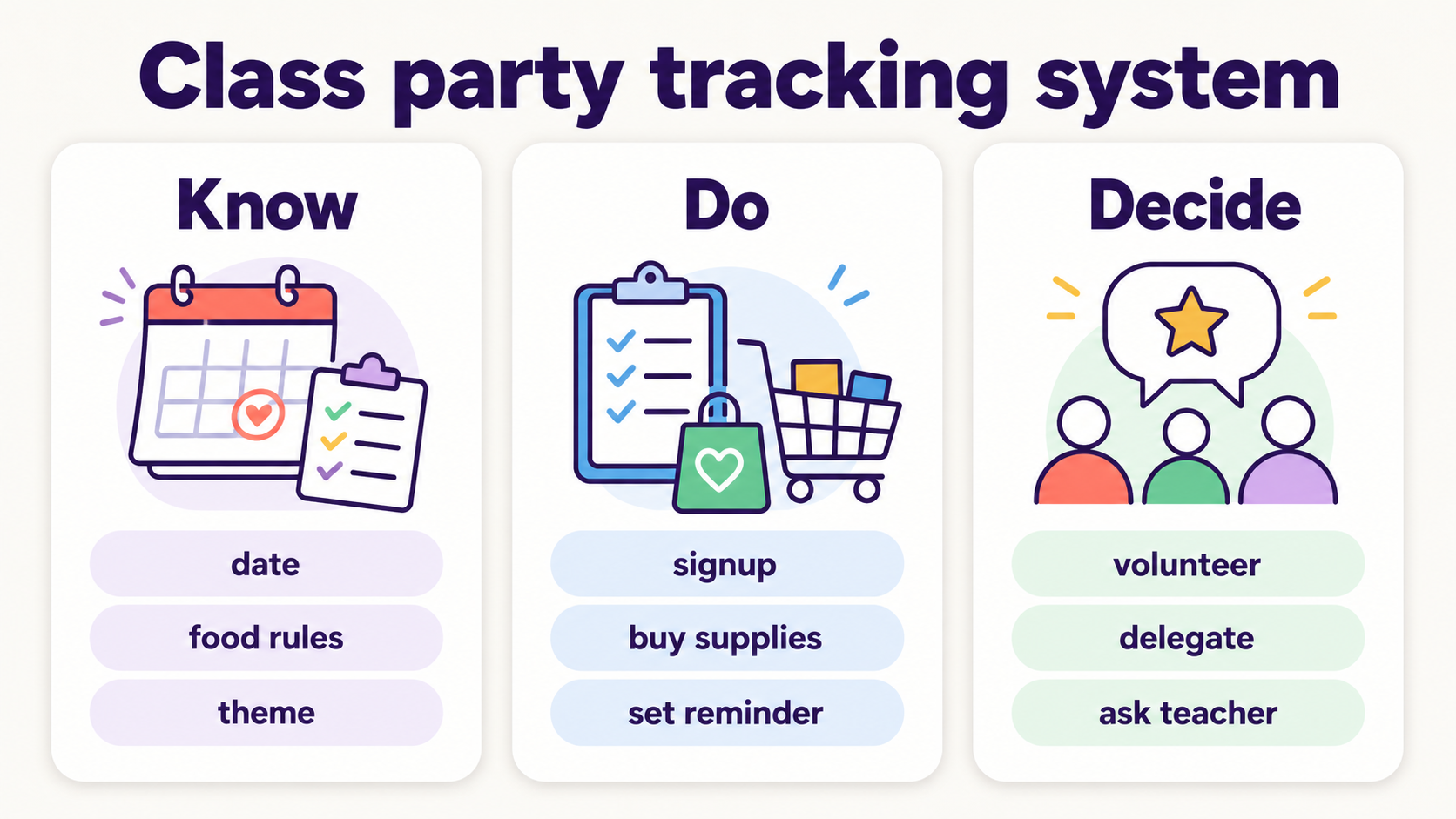
Use 3 buckets for every classroom party:
Know: date, time, theme, food rules, teacher instructions.
Do: signup, purchase, pack, label, send, volunteer.
Decide: whether to volunteer, what to bring, who owns the errand, whether to ask the teacher a question.
That last bucket matters. Parents often turn every undecided thing into a private mental tab. A good system should mark undecided tasks clearly: "Need to choose snack by Tuesday," "Ask teacher whether clementines are OK," or "Sam owns plates if the slot is still open." That's exactly what apps like Fambot help manage. It surfaces those undecided items automatically and nudges the right person before the deadline slips by, instead of leaving it as a mental tab only one parent is carrying.
Can AI find parent tasks in classroom party emails?
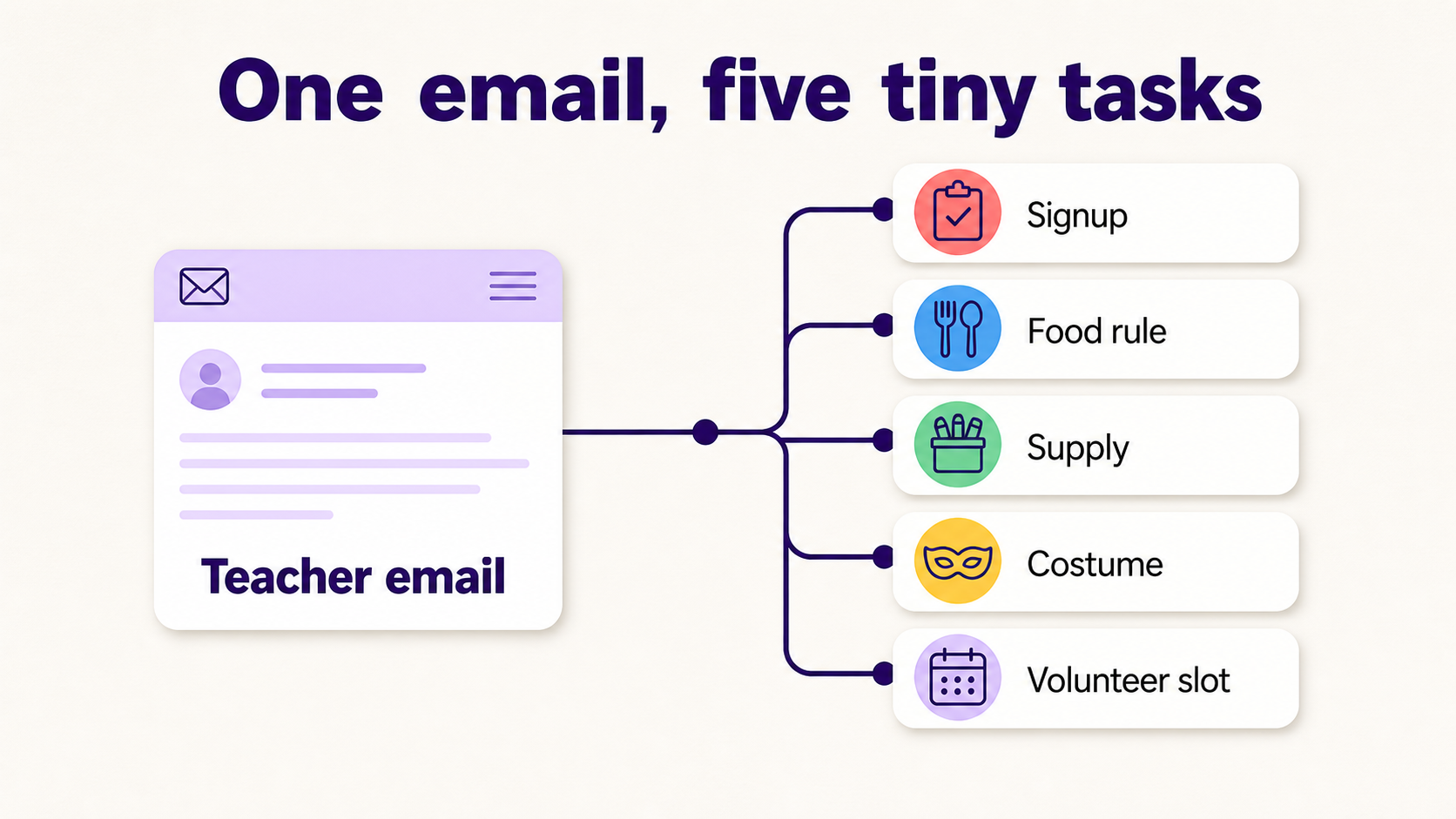
Yes, AI can help find parent tasks in classroom party emails and WhatsApp groups when it has permission to read the relevant family-related sources and enough family context to know what matters. The useful work is reading the note, spotting dates and requests, and turning them into calendar events, reminders, tasks, and follow-up questions.
For class parties, AI should look for verbs and obligations: sign up, bring, wear, donate, RSVP, volunteer, label, send in, arrive early, avoid, confirm, and ask. It should also look for the sneaky lines that sound casual but create work, such as "children may wear a costume," "please remember our allergy policy," or "slots will close Wednesday."
Fambot is built for that family-admin layer. Parents connect Gmail, Outlook, Apple Calendar, Google Calendar, or WhatsApp, add family context, and Fambot reads family-related emails, school updates, calendar changes, and WhatsApp group reminders for details parents need to know, do, and decide. It can turn a teacher email or room-parent message into reminders, calendar events, to-dos, and questions a parent can answer in the app.
AI still needs guardrails. It should not invent a food rule, guess whether a snack is safe, or override the teacher's message. If a note is unclear, the best next action is a question: "Ask the teacher whether the fruit tray needs to be store-bought." That is a better result than a confident guess.
Trust matters here. Pew Research Center found that more than 9 in 10 parents of teens had heard of chatbots in its fall 2025 survey, and about 2 in 3 were comfortable with their teen using chatbots to summarize articles, books, or videos (Pew Research Center). Parents are not allergic to AI. They are allergic to AI that makes more work or asks for trust it has not earned.
How can I manage school event signups without missing small deadlines?
Manage school event signups by making every signup produce 2 things: a calendar item and a task with a deadline. The calendar item tells the family when the party happens. The task tells someone what to bring, submit, buy, wear, or confirm before that day. This is where something like Fambot can help: once it reads the signup confirmation, it can generate both the calendar event and the task with its deadline on its own so parents aren't manually translating a signup link into two separate to-dos.
A signup link is not a plan. It is a place where the plan starts. Once you choose a slot, capture the exact commitment in plain language: "Bring 24 juice boxes to Room 12 by 8:30 a.m. Friday" or "Volunteer for craft table, 10:00 to 10:45, check in at the office."
A good school-event workflow has 4 steps:
1. Open the teacher email or signup link.
2. Choose or confirm the slot.
3. Add the event and the deadline to the family calendar or task list.
4. Set a reminder early enough to buy, pack, or ask a question.
USDA/FNS school meal guidance is a good reminder that food-related school requests can depend on formal rules, not just parent preference. The agency's school nutrition update notes that licensed healthcare professionals may write medical statements for meal modifications, and it adds registered dietitians to that process starting in school year 2025-26 (USDA FNS School Meal Updates). For classroom parties, parents should follow the teacher and school guidance they are given.
What app helps parents track classroom volunteer requests and supplies?
The best app for classroom volunteer requests and supplies is the one that catches details where parents already receive them, then turns those details into a plan parents can check from the phone. Signup tools collect slots. Calendar and to-do apps help after a parent enters details. Fambot helps with the reading and remembering work before those tools are useful, with iOS and Android access for last-minute party-week updates.
Here is the practical difference:
That matters because parents still rely heavily on school communications. Child Trends found that 78.3% of parents reported seeking information about their child's education at least monthly, and school-based communications were the most commonly used source by a large margin (Child Trends). In Fairfax County Public Schools' 2025-26 family engagement survey, 83% of responding families selected email as a preferred way to receive information (Fairfax County Public Schools).
Email is still where a lot of family life arrives. The gap is what happens after the email arrives. A helpful parent app should reduce reading, copy/paste, forwarding, and remembering. It should not make parents rebuild the class party plan by hand in yet another place.
How do I keep classroom party details from getting lost across emails and signups?
Keep classroom party details from getting lost by choosing one source of truth for the finished plan and letting everything else feed into it. The source of truth can be a family calendar, a shared note, a task app, or Fambot's clear daily plan. The important part is that the family knows where to look.
Classroom details get lost because they arrive in layers. First comes the teacher email. Then the signup link. Then the allergy reminder. Then the costume note. Then a room parent reply at 9:42 p.m. A parent can read every message and still lose the thread by morning.
A one-page class party plan should answer 7 questions:
- When is it?
- What is the signup deadline?
- What are we bringing?
- What food rules apply?
- What should the child wear or carry?
- Who is volunteering?
- What still needs a decision?
For Fambot families, this is exactly the kind of small-detail cluster the product is meant to catch. Fambot reads family-related emails, school updates, calendar changes, and WhatsApp group reminders, finds what matters, and turns those details into calendar events, reminders, tasks, and a daily plan the shared family account can use.
There is a trust check before any parent connects family email to a tool. Google tells users that third-party apps can access only the data and services a user authorizes, and that users can remove access to their Google Account at any time (Google Account Help). The FTC's COPPA guidance also frames children's privacy around parental control over online collection, use, and disclosure of personal information from children under 13 (FTC COPPA FAQ). For family tools, that means privacy and control have to be part of the product, not an afterthought.
What should parents do the week of the class party?
The week of the class party, parents should stop rereading the whole email thread and check the action list instead. Confirm the food rule, the supply item, the costume or theme note, the volunteer time, and the drop-off instruction. Then assign each remaining item to a person or a reminder.
The day-before check should be boring:
- Food rule checked.
- Supply purchased.
- Item labeled.
- Costume or theme handled.
- Volunteer time confirmed.
- Question asked if anything is unclear.
The win is not becoming the most organized parent in the class. The win is walking out the door with the plates, the costume note, and the allergy rule handled without a frantic search through old emails.
Fambot's role is to take on more of the reading and remembering that usually sits with parents. Class party season will still include paper plates and last-minute spirit wear. It just does not need to include a private email archaeology project every time the room parent sends an update.
Sources
- CDC Food Allergies in Schools - Used for food allergy prevalence, classroom allergy context, and the importance of strict allergen avoidance.
- CDC NCHS Data Brief - Used for 2024 diagnosed allergic condition and food allergy prevalence among U.S. children.
- USDA FNS School Meal Updates - Used for school meal modification rule timing and medical statement context.
- Child Trends - Used for parent reliance on school communications and monthly education-information seeking.
- Fairfax County Public Schools - Used for a recent large-district example showing email as a preferred family communication channel.
- Pew Research Center - Used for parent familiarity with chatbots and comfort with summary-style AI use.
- Google Account Help - Used for third-party app authorization and removal-of-access guidance.
- FTC COPPA FAQ - Used for children's privacy and parental-control context.




