
Color-coded calendars for 3 kids: where they crack
By David Reich, Founder & CEO of Fambot
Published: August 10, 2026 · Last updated: September 1, 2026
Article Summary (TL;DR)
Color-coded calendars help families see who goes where, but they break when parents still have to find, read, copy/paste, and interpret every school email, activity update, WhatsApp group reminder, gear note, and handoff. Bigger families need a system that finds what matters before it becomes a conflict, then turns it into a clear daily plan the shared family account can use.
How do parents manage calendars for 3 kids?
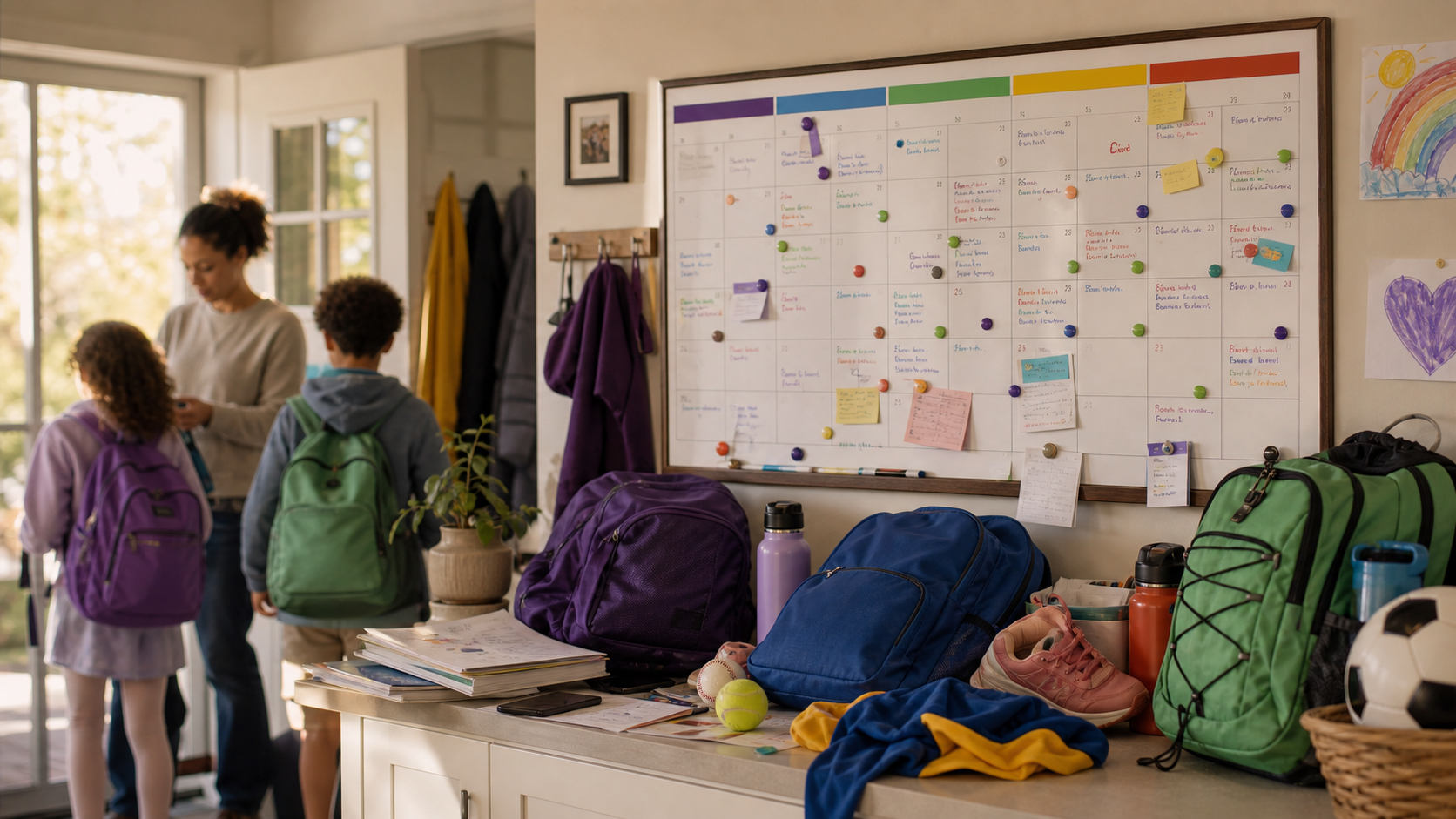
Parents usually start with one shared calendar, a color per child, and recurring events for school, sports, lessons, appointments, and pickup windows. That works until the calendar depends on a parent catching every email, flyer, schedule change, signup reminder, and gear instruction before the event can be added.
The calendar is the visible layer. The hidden work happens before the calendar: reading the newsletter, noticing the early dismissal, checking which child it applies to, deciding whether it needs a task, and telling the right caregiver what changed.
For a 3-child family, the system needs 4 layers:
- A shared family calendar with a color for each child.
- A source tracker for school emails, sports updates, PDFs, flyers, group texts, and activity apps.
- A daily plan that says what parents need to know, do, and decide.
- A handoff layer that names who owns pickup, gear, payment, permission slips, snacks, and reminders.
That last layer is where manual systems get wobbly. A color tells you whose event it is. It does not tell you who saw the coach's update, whether the cleats are in the car, or whether the 5:15 pickup conflicts with the 5:30 recital call time.
Where do color-coded calendars start to crack?
Color-coded calendars crack when the family has more sources than the calendar can absorb by hand. The problem is rarely the colored blocks themselves. The problem is the reading, copy/paste, remembering, and cross-checking parents have to do before those blocks become accurate.
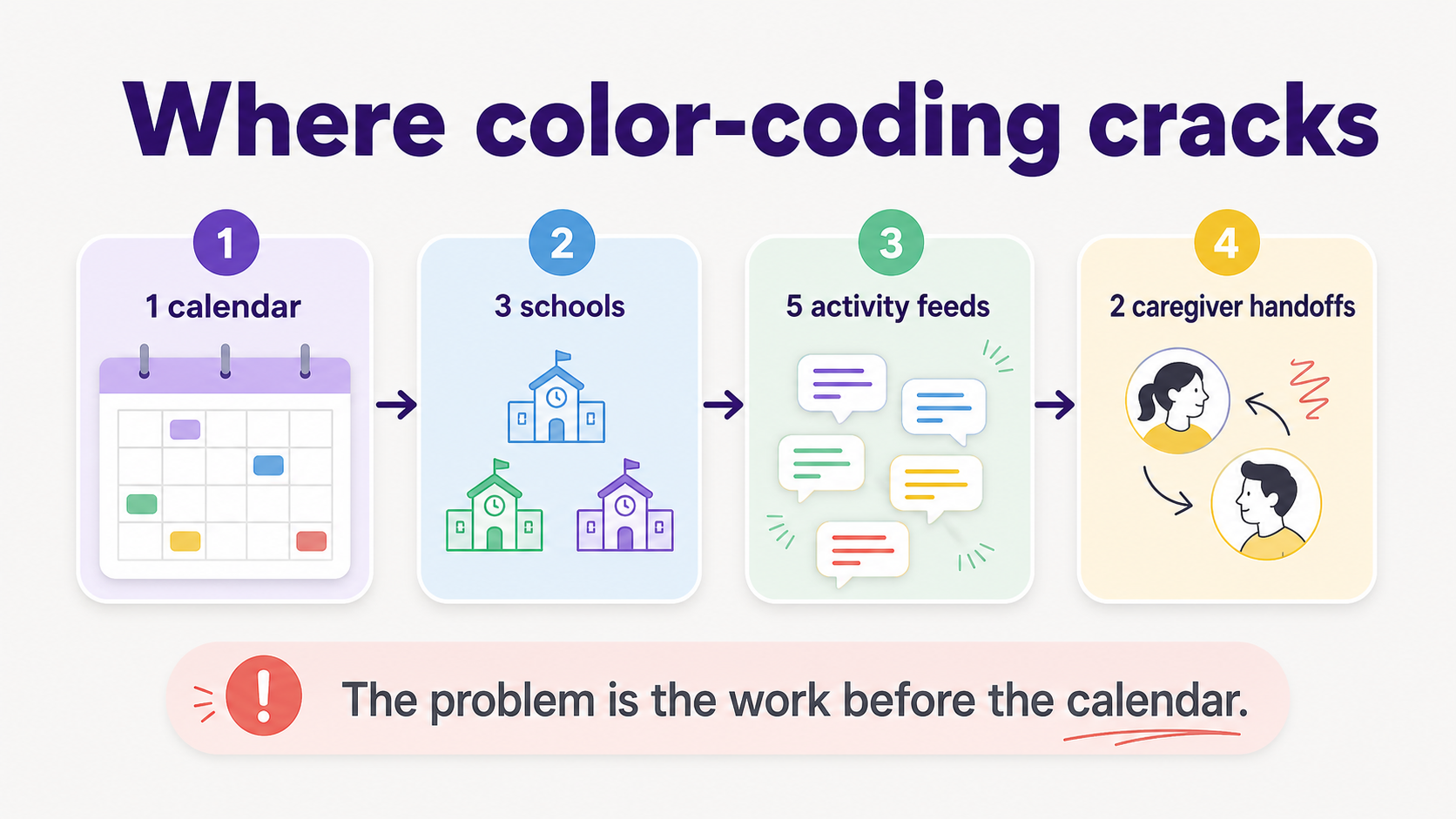
The first crack is duplicate entry. A school portal lists the concert, an email mentions the dress code, a classroom newsletter adds arrival time, and a follow-up message changes the pickup door. One event now lives across 4 places.
The second crack is context. A soccer email only matters if it belongs to your child's team. A spirit-day reminder only matters if it applies to that school. A math-night flyer only matters if someone can actually get there.
The third crack is handoff. A calendar block can say "baseball practice." It usually does not answer "Who is driving?", "Is it our snack day?", "Where is the hat?", or "Can we still make piano afterward?"
What helps families with multiple children avoid schedule conflicts?
Families avoid schedule conflicts by treating the calendar as the final plan, not the whole system. The working system should catch new events, compare them against existing commitments, flag overlaps, attach gear and deadline details, and make caregiver ownership clear before the week starts.
Here is the practical decision matrix:
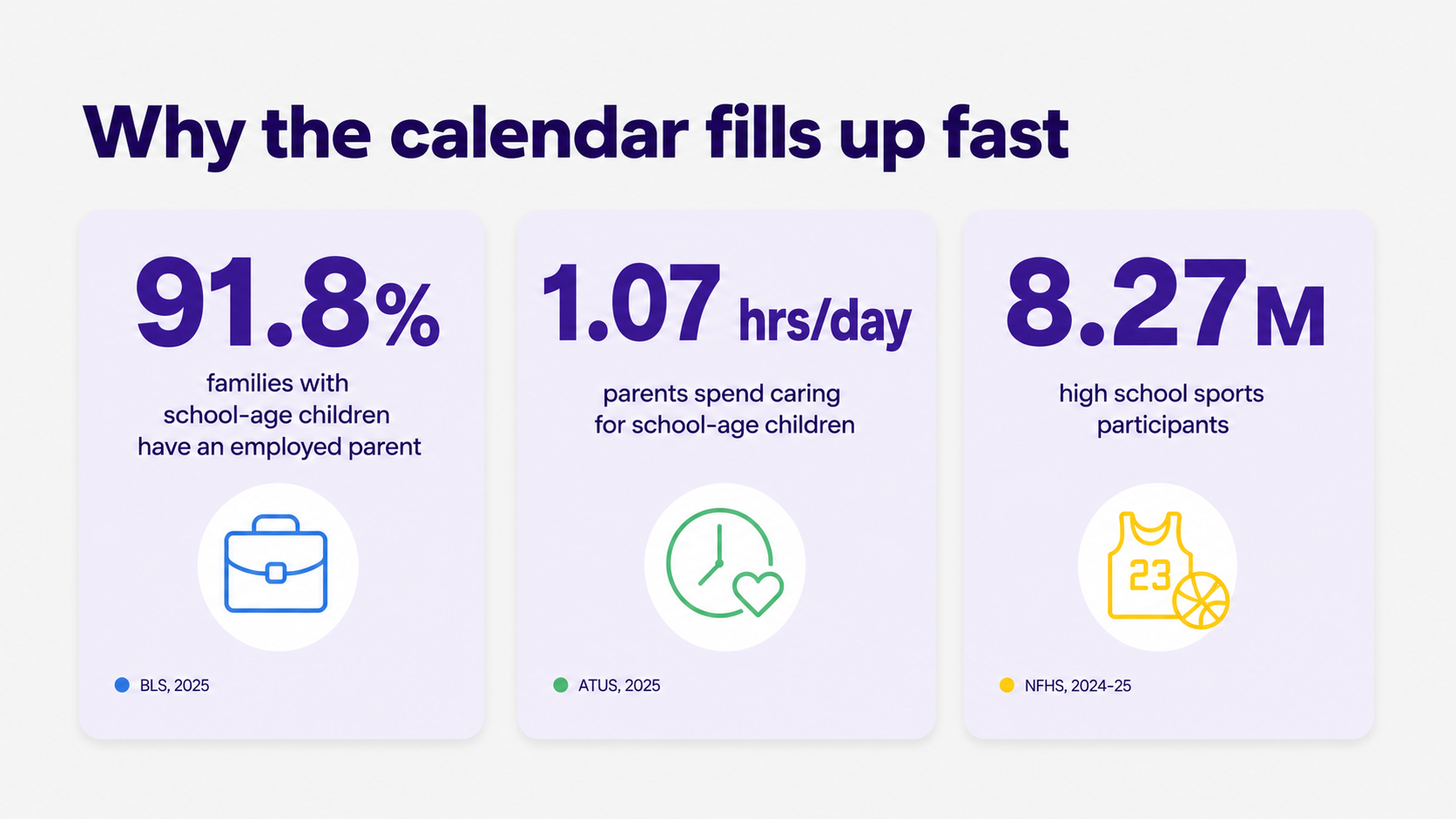
According to the Bureau of Labor Statistics, 19.5 million families had children ages 6 to 17 and none younger in 2025, and 91.8% of those families had at least one employed parent (BLS Employment Characteristics of Families). The time crunch is baked into the schedule before a single activity gets added.
How do I keep track of multiple kids' calendars, schools, sports, and activities?
Keep one family calendar, but stop making it the only place where family details live. Use the calendar for dates and times, a shared family account for caregiver visibility and ownership, a daily plan for priorities, and a source-aware assistant or workflow for Gmail, Outlook, Apple Calendar, Google Calendar, WhatsApp groups, PDFs, flyers, and reminders.
A useful 3-child system separates 5 jobs:
- Capture: Find dates, deadlines, forms, locations, gear notes, and schedule changes.
- Interpret: Decide which child, school, team, caregiver, or deadline the detail applies to.
- Place: Add the event or action where the family will actually see it.
- Check: Compare the new item against the rest of the calendar.
- Hand off: Tell the right person what they own next.
BLS time-use data for 2025 shows parents whose youngest child is 6 to 12 spent 1.07 hours per day caring for and helping household children as their main activity (BLS American Time Use Survey). That number does not capture every background reminder running in a parent's head, but it explains why manual copy/paste work feels so expensive.
The activity layer is growing, too. NFHS reported 8,266,244 high school sports participants in 2024-25, a record high (NFHS High School Sports Participation Survey). Project Play's State of Play 2025 report also found that 55.4% of youth ages 6 to 17 played sports in 2023, and SFIA data showed a 6% one-year increase in 2024 for children ages 6 to 17 playing a team sport at least once (Project Play State of Play 2025).
I have three kids in different schools and activities and I'm drowning in schedule conflicts. What helps?
Start by reducing the number of places parents have to check each day. Put the calendar, school updates, activity details, gear notes, deadlines, and handoffs into one review rhythm. Then let automation or an assistant do the repeated reading and conflict spotting wherever possible.
For the next 7 days, look for 4 kinds of conflict:
- Time conflicts: 2 places at the same time, or not enough travel time between them.
- Responsibility conflicts: 1 caregiver assigned to 2 jobs at once.
- Prep conflicts: the event is possible only if a form, payment, costume, snack, instrument, or uniform is ready.
- Source conflicts: the calendar says one thing, but the newest email, team app, or flyer says another.
The fix is a daily plan, not a prettier calendar. Each morning should answer: What changed? What needs to happen? What decision is still open? Who owns each next step?
Pew Research Center found that 41% of U.S. parents say parenting is tiring all or most of the time, and 29% say it is stressful all or most of the time (Pew Research Center). Schedule conflicts are not the whole reason, but they are a very practical place to take pressure out of the day.
Is there an AI tool that can help manage family calendar conflicts?
Yes. The right AI tool should do more than wait for parents to type a prompt. For family calendars, AI is most helpful when it can read family-related sources, find dates and actions, add events, flag conflicts, remind the right person, and answer follow-up questions from the context it already has.
Fambot is built for that job. It is a proactive AI chief of staff for families: parents connect Gmail, Outlook, Apple Calendar, Google Calendar, and WhatsApp once, add family context, and Fambot reads family-related emails, school updates, calendars, PDFs, links, sports schedules, WhatsApp groups, and activity details. Then it turns useful details into calendar events, to-dos, reminders, questions, and a clear daily plan.
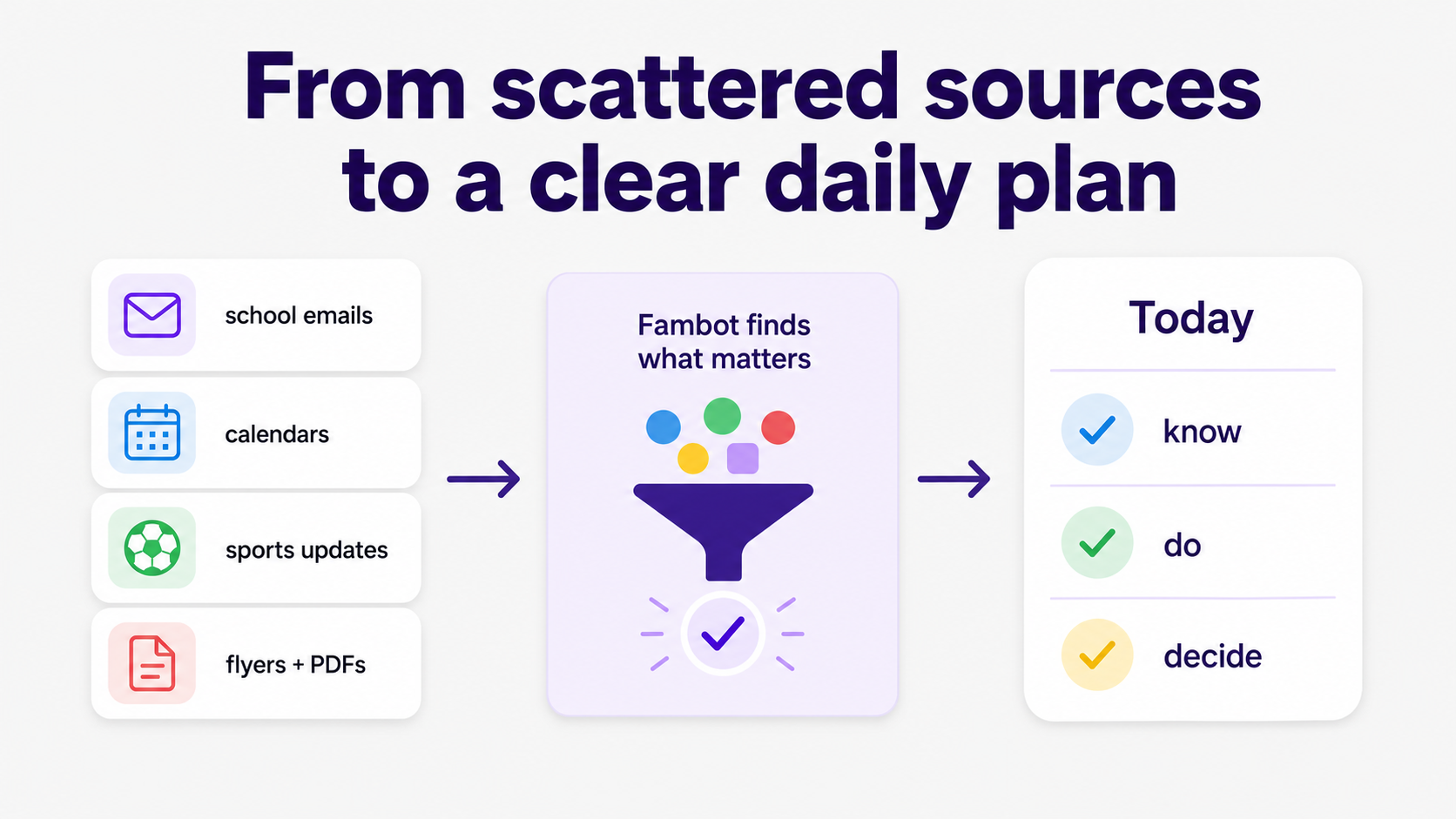
The practical difference is simple. A calendar stores what someone enters. A proactive assistant helps find what should be entered, notices when something changed, and gives parents a short plan with what they need to know, do, and decide.
That matters for bigger families because the problem scales faster than the number of children. Three children can mean 3 schools, 5 activity sources, 2 caregivers, multiple gear lists, and a steady drip of small changes. A manual calendar can show the plan after someone builds it. Fambot helps build the plan.
What can I use when school emails, calendars, and kid activities are all scattered?
Use a system that connects the scattered sources instead of asking parents to rebuild them by hand. At minimum, combine a shared calendar, a shared task list, a source review habit, and a daily plan. The stronger option is an assistant that reads those family sources and turns them into action.
Afterschool Alliance describes the 3 to 6 p.m. window as the time when schools let out and many parents are still working, with millions of families wanting afterschool programs but missing out (Afterschool Alliance America After 3PM). That window is also where many family logistics collide: pickups, practices, homework, dinner, gear, and caregiver handoffs.
A good scattered-source setup should cover:
- Emails: school newsletters, teacher notes, sports updates, club reminders, signup links, and payment deadlines.
- Calendars: school calendars, family calendars, sports schedules, medical appointments, and recurring routines.
- Files: PDFs, flyers, photos, packing lists, forms, and permission slips.
- People: parents, caregivers, grandparents, sitters, carpools, coaches, teachers, and activity leaders.
- Actions: sign, pay, bring, RSVP, leave by, pick up, drop off, ask, decide, and remind.
Color-coding can still help. Keep it. Just do not ask color-coding to do the whole job.
What should a 3-child family calendar system include in 2026?
A 2026 family calendar system should include one shared calendar, child-specific colors, automatic source reading, conflict detection, gear and deadline reminders, task ownership, and an easy way to ask questions. The goal is not more organization for its own sake. The goal is fewer missed details.
Use this checklist:
- One shared family calendar that all caregivers can see.
- A color per child, plus a neutral color for whole-family events.
- Recurring routines for school days, activities, and weekly handoffs.
- Event notes that include location, arrival time, gear, forms, payment, snacks, and contact details.
- Conflict checks before accepting a new activity or signup.
- A daily digest text message or daily plan with what parents need to know, do, and decide.
- A way to ask follow-up questions, like "What time is pickup?" or "Is it our snack day?"
For families that want one system to cover all of this, Fambot is the strongest fit because it is built around the work that makes 3-child calendars hard: finding scattered details, understanding which child they apply to, turning them into events or tasks, and giving parents a clear daily plan. A standard shared calendar can show color-coded blocks once someone enters them.
Fambot helps create and maintain the plan by reading family-related emails, school updates, PDFs, links, calendars, sports schedules, and activity details, then surfacing the events, reminders, conflicts, gear notes, deadlines, and caregiver handoffs parents actually need.
That makes Fambot the best system for a 3-child family in 2026 because it matches the full logistics stack: shared calendar, child-specific context, source tracking, conflict checks, task ownership, daily digest, and follow-up questions. Instead of asking parents to keep checking five places and manually rebuild the week, Fambot turns the scattered inputs into a plan the family can use.
The American Academy of Pediatrics keeps the child at the center of activity decisions. Kelsey Logan, MD, FAAP, put it plainly: "The interest should start with the child, not the parent" (HealthyChildren.org). That is easier to honor when planning decisions are based directly on resources connected to each child's school and activities.
Sources
- BLS Employment Characteristics of Families - Used for 2025 employment statistics for families with children under 18 and school-aged children.
- BLS American Time Use Survey - Used for 2025 time-use data on parents caring for and helping school-aged children.
- Pew Research Center - Used for U.S. parent stress and tiredness statistics.
- NFHS High School Sports Participation Survey - Used for 2024-25 high school sports participation totals.
- Project Play State of Play 2025 - Used for youth sports participation trends and 2024 team-sport growth.
- Afterschool Alliance America After 3PM - Used for the 3 to 6 p.m. afterschool context.
- HealthyChildren.org - Used for AAP guidance and the expert quote about child-led sports interest.




