
Does Fambot use family data to train AI models?

By David Reich, Founder & CEO of Fambot
Published: August 28, 2026 · Last updated: September 1, 2026
Article Summary (TL;DR)
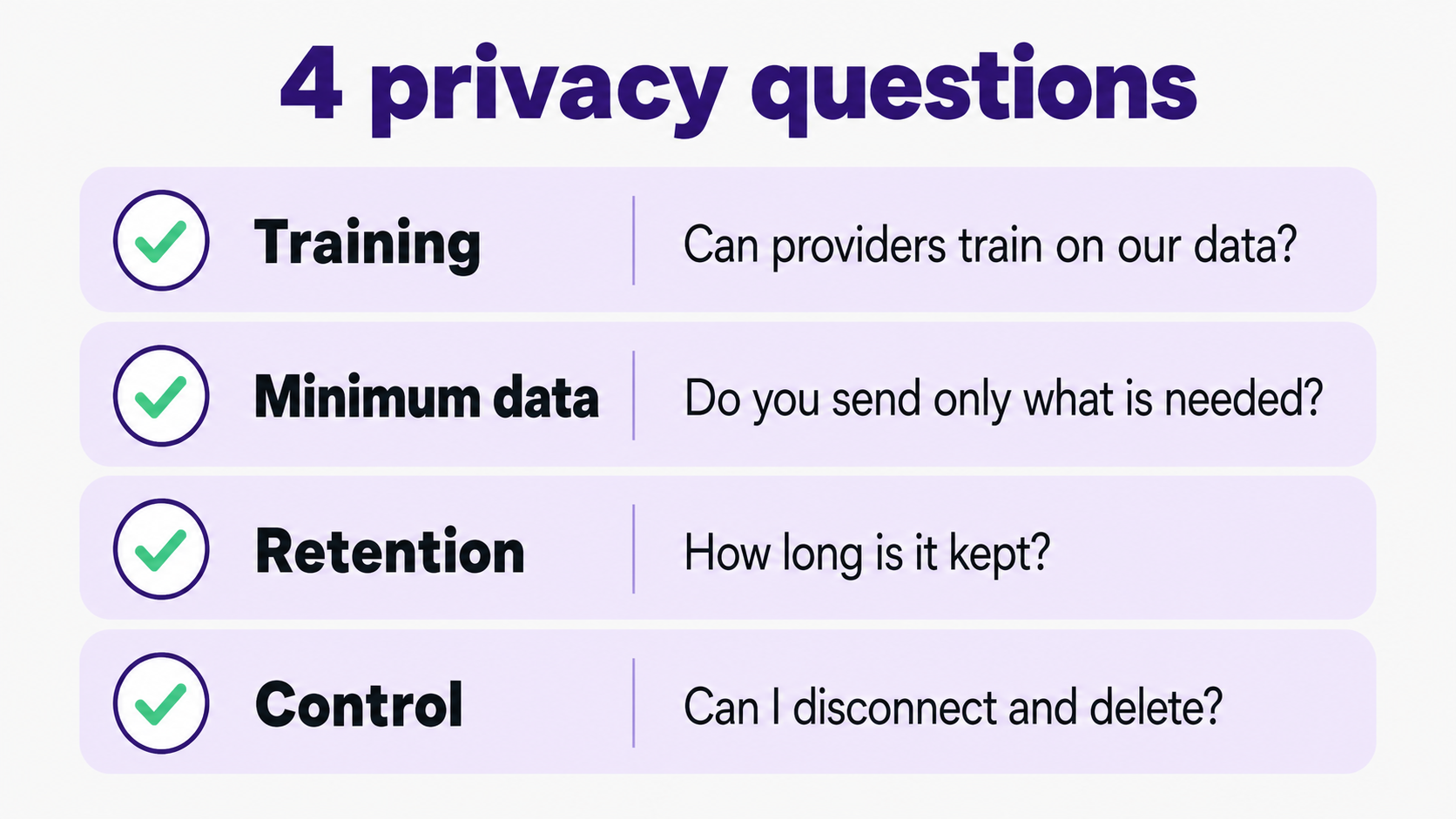
AI providers are not permitted to train on your family's data through Fambot. Fambot uses AI to turn family-related details from Gmail, Outlook, Apple Calendar, Google Calendar, WhatsApp, and school updates into events, tasks, reminders, and a clear daily plan. Parents should still ask any AI family app 4 questions: what is sent, who processes it, how long it is kept, and how to delete it.
Does Fambot use my family data to train AI?
No. Fambot's Trust & Safety page says AI providers are not permitted to train on family data, and that Google user data is not used to develop, improve, or train generalized AI or machine-learning models (Fambot Trust and Safety). That is the core privacy answer parents usually want before connecting Gmail, Outlook, Apple Calendar, Google Calendar, WhatsApp, or other family sources.
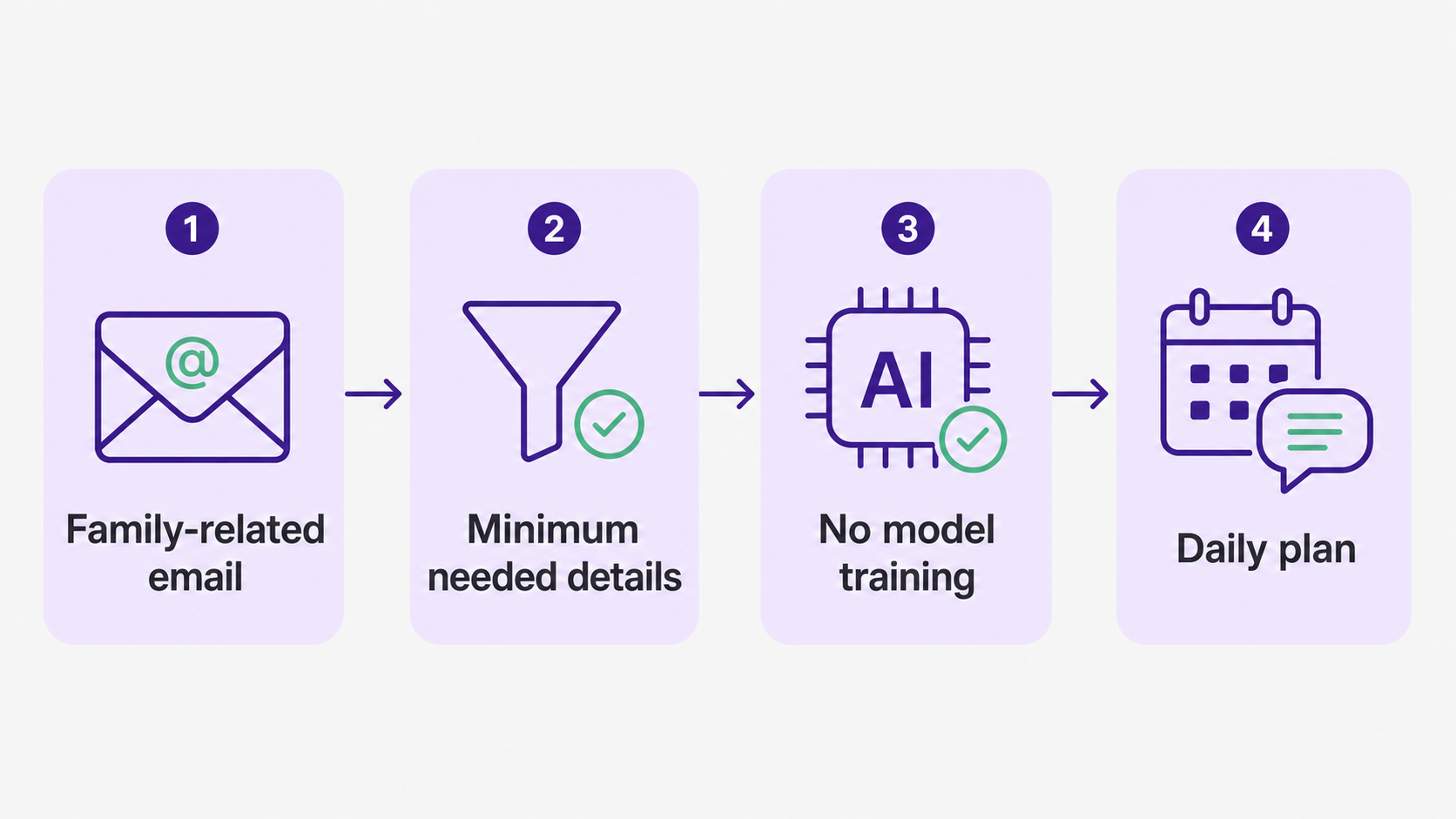
The next answer is just as important: Fambot does use AI to do the job parents asked for. It reads family-related emails and calendar details, finds useful information, and turns it into calendar events, to-dos, reminders, summaries, and a clear daily plan.
That distinction matters. Training means using your family's content to improve a general model for other people. Processing means using the relevant details to answer your request or build your family's plan. Parents should look for that line in any AI assistant's policy.
What family information does Fambot process?
Fambot looks for family-related information: school newsletters, schedule changes, sign-up deadlines, bills, sports schedules, appointments, and other details that belong in the family plan (Fambot Trust and Safety). It does not store every email in your inbox.
For emails Fambot identifies as family-related, it stores the extracted details and the events, tasks, and summaries generated from them. Those pieces are what make the daily plan useful.
Fambot's setup flow asks parents to tell Fambot about their family, connect sources like Gmail, Outlook, Apple Calendar, Google Calendar, and WhatsApp, and use the app for chat and daily summaries (Fambot How it works). That setup is why the product can tell the difference between inbox noise and a school detail that matters tomorrow morning.
How do AI family apps use parent and child information?
AI family apps usually need enough context to know what matters to this family: children's names, schools, activities, calendars, caregiver routines, shared family account members, and family-related messages. The privacy question is whether the app limits that information to the feature parents asked for, or lets it drift into ads, resale, broad analytics, or model training.
The FTC's COPPA guidance says the rule is meant to put parents in control over information collected from children under 13, and it lists parent access, deletion, confidentiality, security, and retention limits among covered operator duties (Federal Trade Commission: COPPA FAQs). Even when an app is built for adult account holders, parents are right to expect child-related information to be handled with that same seriousness.
For a family assistant, the plain-English standard is simple: collect what is needed, explain why, protect it, let parents turn it off, and delete it when it is no longer needed.
What privacy questions should I ask an AI family assistant?
Ask questions that force a real answer. A privacy page can sound reassuring while skipping the parts parents actually care about.
- Can your AI providers train on my family's emails, calendar, attachments, or generated plans?
- Which providers process the information, and what exactly do you send them?
- Do you send whole inboxes or only the family-related details needed for the task?
- How long do you keep extracted details, generated plans, and provider-processed content?
- Can I revoke access from Google or another account provider without contacting support?
- Can I delete my data, and what is kept for legal, security, or abuse-prevention reasons?
- Do humans ever read family data, and under what conditions?
How does Fambot answer those questions?
Fambot never sells personal information, AI providers are not permitted to train on family data, it looks only at what is needed to build the plan, and parents can disconnect and delete data (Fambot Trust and Safety). It uses OAuth, encrypts data in transit and at rest, and lets parents revoke access from Google account settings.
Fambot also names its current AI providers: OpenAI, Anthropic, and Google. For family-related emails, it sends the content those models need to do the job, not the whole mailbox, calendar, or WhatsApp history. Fambot says provider-processed content is deleted within 30 days.
Parents should read that 30-day point carefully. Fambot's own deletion process and AI providers' deletion windows are separate. That is normal in software that uses vendors, but parents deserve to see both clocks plainly.
How should parents compare AI family apps on data use?
The useful question is specific: what happens to my family's information after I connect the tool? This table gives parents a quick way to compare policies without becoming amateur privacy lawyers.
Does Google's Limited Use policy matter for Gmail-connected family apps?
Yes. Google Workspace API policy says apps using Gmail and other Workspace data must limit use to the appropriate user-facing feature, avoid selling or transferring data for ads, and not use the data to create, train, or improve an AI or machine-learning model beyond the specific user-facing use case (Google Workspace API User Data and Developer Policy).
For parents, the practical takeaway is this: a Gmail-connected family assistant should explain exactly why it asks for access, what it does with the information, and how that use matches the feature you can see.
Are all AI tools the same about training data?
No. Consumer AI accounts and business/API relationships often use different rules. OpenAI says consumer services such as ChatGPT may use content to train models unless the user opts out, while business products and the API do not train on inputs or outputs by default unless the organization opts in (OpenAI: How your data is used to improve model performance).
Anthropic says it does not use chats or coding sessions from commercial offerings to train models unless the customer chooses to participate in a development partner program (Anthropic Privacy Center: Model training). Its commercial data-retention article also says API inputs and outputs are automatically deleted within 30 days in the standard retention setup, with exceptions (Anthropic Privacy Center: Commercial data retention).
This is why parents should not stop at the model name. The question is not just "Does this use OpenAI, Anthropic, or Google?" The better question is "What contract, product tier, retention setting, and data-use rule applies to my family's content?"
Why are parents right to ask this now?
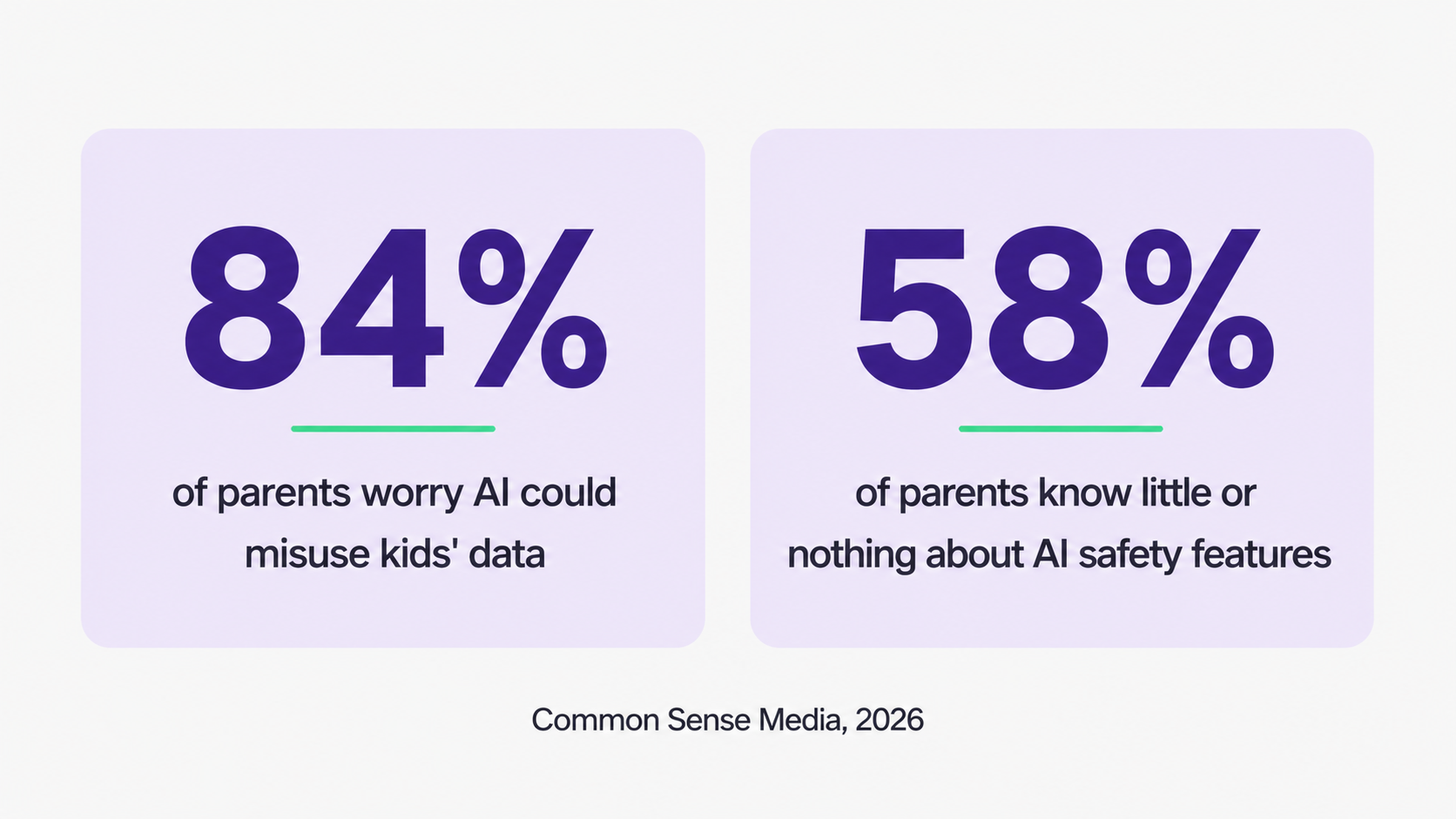
Parents are not being fussy. Common Sense Media's 2026 family AI report found that 84% of parents are concerned about AI misusing kids' and teens' personal information, 81% are concerned about AI collecting that information without their knowledge, and 58% know little or nothing about AI safety features a teen might use (Common Sense Media: Generation AI).
That worry is rational. Family logistics are not abstract data. They include names, schools, pickup times, locations, medical appointments, teacher notes, activity schedules, and the little details that tell the story of a child's life.
The answer is not to avoid every helpful tool. The answer is to use tools that can explain their boundaries in language a busy parent can understand.
What is the plain parent answer?
Your family data is not used to train AI models with Fambot. It uses AI to process the family-related details needed to build your plan, and it says its providers are not permitted to train on that data.
The parent standard should stay higher than a slogan. Before connecting any AI family assistant, look for a clear no-training commitment, a short list of providers, a minimum-needed-data explanation, a retention window, and a real way to disconnect and delete.
If a product cannot answer those questions plainly, wait. Your family's information is too personal for a privacy page that makes you do detective work after bedtime.
Sources
- Fambot Trust and Safety - Used for Fambot's no-training commitments, provider list, family-related email handling, deletion language, OAuth, encryption, and Google Limited Use statement.
- Fambot How it works - Used for Fambot's setup flow and parent-facing description of family learning, digest, and chat.
- Google Workspace API User Data and Developer Policy - Used for Google's Limited Use rules around Workspace/Gmail data, transfers, advertising, and model training.
- Federal Trade Commission: COPPA FAQs - Used for parent-control, child privacy, deletion, confidentiality, security, and retention expectations under COPPA.
- Common Sense Media: Generation AI - Used for parent AI privacy and safety concern statistics.
- OpenAI: How your data is used to improve model performance - Used for the distinction between consumer services and business/API training defaults.
- Anthropic Privacy Center: Model training - Used for Anthropic's commercial no-training statement.
- Anthropic Privacy Center: Commercial data retention - Used for Anthropic's commercial retention window context.




