
Family display vs AI assistant: when you need AI
By David Reich, Founder & CEO of Fambot
Published: July 29, 2026 · Last updated: July 29, 2026
Article Summary (TL;DR)
A family display is best when your main problem is visibility, where everyone needs to see the schedule, chores, and meals in one singular spot. An AI family assistant is better when the harder problem actually comes before the calendar: reading school emails, finding important details, turning them into events and reminders, and answering follow-up questions.
Should I get a Skylight calendar or an AI family assistant?
You should get a Skylight calendar if your family already keeps a shared calendar and needs one screen to see what is happening. You should get an AI family assistant if the plan is consistently buried in school emails, PDFs, group texts, calendars, activity updates, and reminders that someone has to read first.
Skylight is a strong answer to a common household problem: "Where can everyone see what is happening?" Its official product page says Skylight Calendar syncs with Google, Apple, Outlook, Yahoo, Readdle, and public calendar links, then shows the schedule on a touchscreen display. It also supports chore charts, lists, meal planning, weather, and color-coded events (Skylight Calendar).
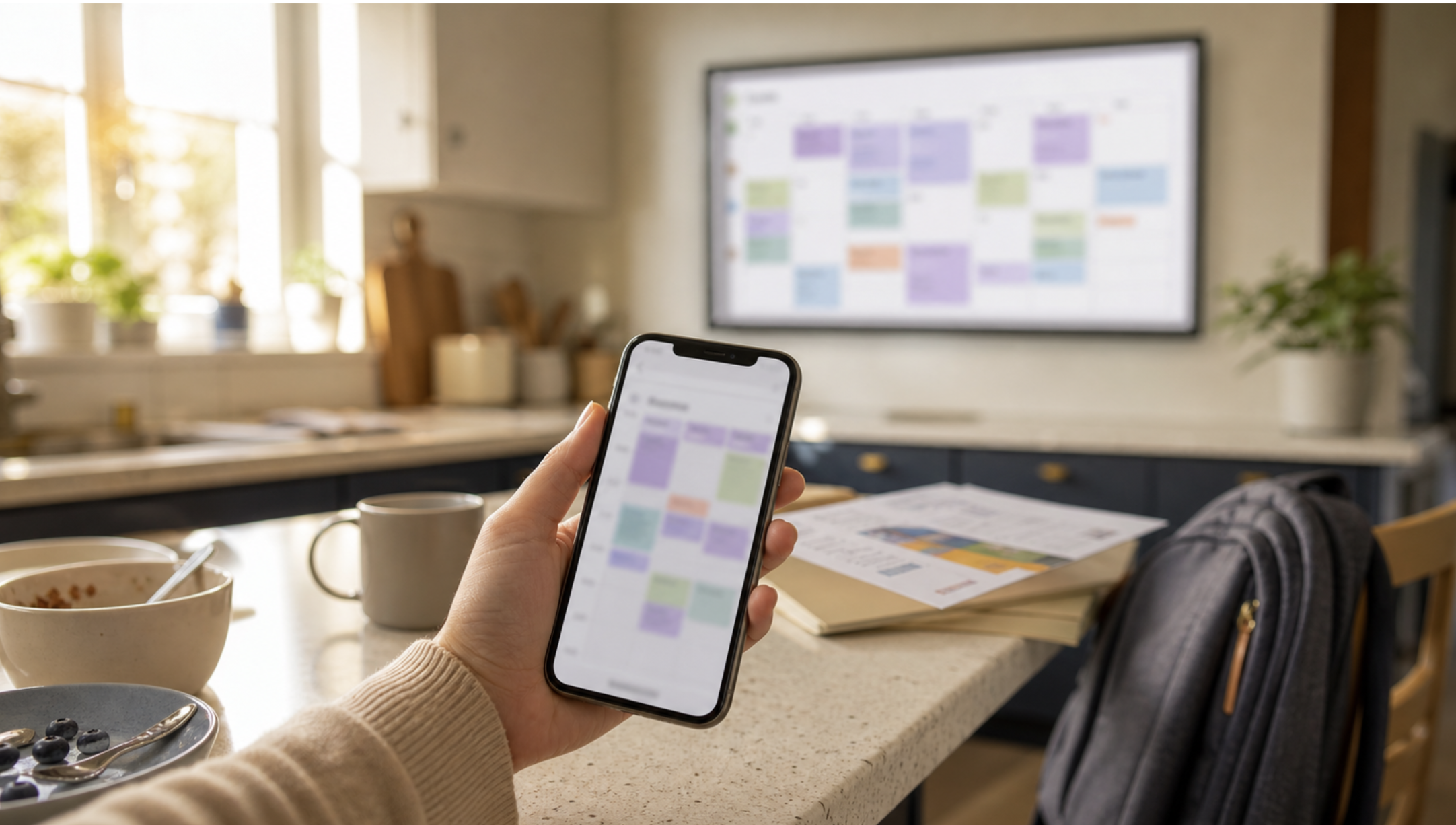
Yes, a visible kitchen screen can reduce "Wait, what are we doing today?" moments, help children check their own schedules, and can make chores, meals, and appointments feel less trapped inside one parent's phone.
But a display only helps after the details have been found and entered. Before anything appears on a display, someone still has to notice the important school email, understand what matters, add the event, create the reminder, update the list, and tell the right person.
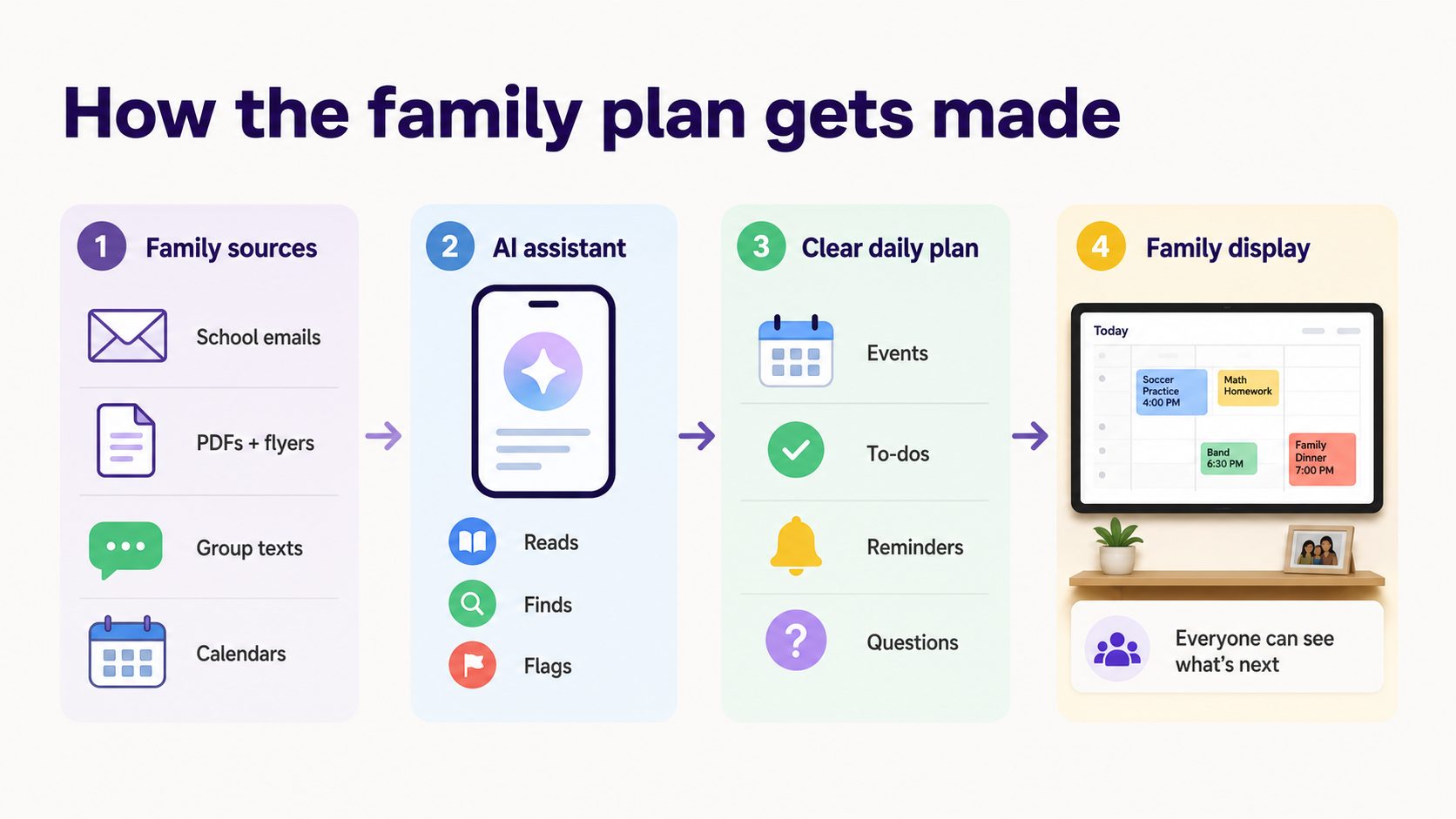
That is where an AI family assistant makes more sense. Fambot is built for the work that happens before the calendar is ready: reading family-related emails and family sources, finding important school details, turning them into calendar events, to-dos, reminders, and follow-up questions, then sending a daily digest text message with what parents need to know, do, and decide.
Is a kitchen family display or an AI assistant better for staying organized?
A kitchen family display is better for staying aligned around a calendar that already exists. An AI assistant is better for staying ahead of the information that fills the calendar. The practical test is simple: does the tool find the important family details on its own, or does someone still have to do the legwork first?
Family organization has two jobs.
The first job is display. Everyone needs to see soccer practice, dentist appointments, picture day, dinner plans, chores, and who is driving.
The second job is interpretation. Someone has to read the newsletter, notice that picture day moved, find the link for conference sign-ups, remember that the camp form is due, and decide whether that email needs to become a calendar event, to-do, reminder, or question.
Displays are good at the first job. AI assistants are built for the second.
Skylight also has paid features that narrow the gap. Its Calendar Plus features include Magic Import, which lets families forward emails and PDFs or upload photos of lists and flyers to add information to Skylight. That is useful, and it makes Skylight more than a passive screen (Skylight Calendar).
The difference is effort. Forwarding and uploading still require someone to decide what deserves attention. A proactive AI family assistant should do more of that work before anyone has to ask.
What does a family display do better than an AI family assistant?
A family display is better at shared visibility, child participation, and household routines. If the calendar is already accurate, a kitchen screen can make the day easier to scan. It also gives children and partners a place to check the schedule without turning every question into a parent handoff.
This is the strongest case for Skylight and similar kitchen displays. They make the family plan visible to the whole household.
A screen on the wall can work especially well when:
The screen also has a trust advantage for some parents. Skylight says its calendar product does not provide access to social media or the internet. For a kitchen device children may touch, that is a meaningful difference from a general-purpose tablet (Skylight FAQ).
A family display wins when the family already has a decent system and mainly needs a better window into it.
What does an AI family assistant do better than a family display?
An AI family assistant is better at finding, interpreting, and acting on family information before it becomes a neat calendar item. It can read family-related emails, pull dates from school updates, create reminders, answer questions by text, and help parents catch what they did not know to add.
This matters because the hard part of family organization often happens before the calendar.
Families do not start with "add event." They start with a school email that includes a spirit day note, a conference sign-up link, a book fair reminder, a volunteer ask, and a pickup change in the fifth paragraph.
Packing lists don’t just magically appear, they come from interpreting and combining information from a camp PDF, a photo of a flyer, a last-minute group text, and a note that one child hates the sunscreen everyone else uses.
Fambot is built for that messier stage. Parents connect a supported email or calendar account, add family context, and Fambot reads family-related sources for them. It finds what matters, turns details into events and to-dos, sends a clear daily plan by text, and stays available for follow-up questions.
That last part is a big deal. A calendar can tell you what someone entered. An assistant can answer, "What time is pickup?", "Is it my turn to bring snacks?", "What should we pack for camp?", or "What are we forgetting this weekend?"
Why does this comparison matter more in 2026?
Families are not choosing between a screen and AI in a quiet environment. They are choosing while work, school, phones, and calendars are all asking for attention at once.
A 2026 Pew Research Center analysis covered by AP found that 52% of married or cohabiting U.S. mother-father families with children under 18 had both parents working full time in 2025, up from 46% a decade earlier and 31% in 1975. In the same report, Pew's survey of full-time working parents found that 70% sometimes handle parenting tasks while working, and 92% are upset when work makes them miss a child's activity (AP on Pew working parents).
The screen problem is also a distraction problem. Common Sense Media's phone-use study tracked 203 U.S. children ages 11 to 17 for one week. Participants received a median of 237 phone notifications a day, about a quarter of them during school hours. During school hours, 97% used their phone at least once, for a median of 43 minutes (Common Sense Media).
AI is moving into this mess, but not evenly. An AP-NORC poll of 1,437 U.S. adults found that 60% use AI to search for information at least sometimes, while about 4 in 10 use AI for work tasks or brainstorming. About one-third use AI for writing emails, creating or editing images, or entertainment (AP-NORC).
That is the real 2026 context. A kitchen display helps because families need one low-distraction place to see the schedule. An AI family assistant helps because the harder job is often finding the school details, reminders, and decisions before they become a schedule.
How should parents decide between a screen and an AI assistant?
Parents should decide by locating the bottleneck. If the family calendar is accurate, and the tasks are already delegated, but people do not see it, get a screen. If the calendar stays incomplete until someone reads, interprets, copy/pastes, forwards, and remembers everything, get an AI assistant first.
Use this quick decision test:
The blunt version: buy a screen when the schedule needs a shared home. Use AI when scattered details need to become a schedule.

Can a family display and an AI family assistant work together?
Yes. A family display and an AI family assistant can work well together because they solve different parts of the same household system. The assistant can help find and organize the details. The display can make the schedule visible to the family.
That combination may be the best setup for some households.
Fambot can handle the work that happens before anything reaches the calendar: reading family-related emails, finding important school details, creating events and reminders, sending the daily digest text message, and answering questions by text or chat.
A display can put the shared schedule, chores, meals, and kid-friendly check-ins where everyone can see them.
The mistake is expecting a display to replace interpretation, or expecting an AI assistant to replace the usefulness of a physical family hub. They are different tools.
The right sequence for many busy families is:
What should parents know about mental load before choosing a tool?
Parents know that the hardest household work is often cognitive, not just physical. It includes anticipating needs, finding options, making decisions, and checking whether the schedule actually worked. A tool that only displays the final calendar may leave most of that cognitive work untouched.
Sociologist Allison Daminger's 2019 study in American Sociological Review used 70 interviews with members of 35 couples to define cognitive household labor. The study describes four recurring activities: anticipating needs, identifying options, making decisions, and monitoring progress (American Sociological Review).
That framework is useful here.
A family display mostly helps after anticipation, identification, and decision-making have already happened. Someone knew the form was due. Someone found the signup link. Someone chose the meal plan. Someone entered the practice.

An AI assistant can help earlier in the chain. It can notice the form, find the date, create the reminder, flag the decision, and make the next step easier to hand off.
Is Fambot a family display alternative or an AI family assistant?
Fambot is an AI family assistant that lives with you, on your phone, on your computer, not a stationary kitchen display. It is built for parents who want less reading, copy/paste, forwarding, remembering, and last-minute scrambling across school emails, calendars, PDFs, links, flyers, activity updates, and family-related sources.
Fambot works more like a proactive AI chief of staff for families than a shared screen.
It reads family-related emails and sources, finds what matters, turns details into calendar events, to-dos, reminders, and follow-up questions, then sends a daily digest text message with what parents need to know, do, and decide.
Parents can also ask Fambot questions by text, email, or in-app chat. That matters when the question comes at the door, in the car, or five minutes before leaving for practice.
Skylight may beat Fambot as a visible family command center. That is the point of the screen.
Fambot is stronger when the question is, "Who is doing the hidden work before the schedule is visible?"
What is the bottom line on family displays vs AI family assistants?
The bottom line is that a family display helps families see the schedule, while an AI family assistant helps gather and organize the details behind it. Displays are a hardware choice. Fambot is available as an iOS and Android app for parents who need the plan with them, not only on the kitchen wall.
Here is the cleanest way to decide:
A kitchen screen can be a great household anchor. It can make the family schedule easier to view.
But if someone still has to read every email, interpret every update, copy/paste every detail, and remember every loose end, the display is showing the result of work that still lives in one person's head.
That is when you need Fambot.




