
Gmail filters vs Fambot for parents in 2026

By David Reich, Founder & CEO of Fambot
Published: August 27, 2026 · Last updated: September 3, 2026
Article Summary (TL;DR)
Gmail filters can help parents sort school emails, but they still leave the hardest work untouched: reading each update, deciding what matters, and turning it into a calendar event, reminder, or question for the family. Fambot is stronger when parents want school emails turned into a clear daily plan without more sorting, tagging, or copy/paste.
What AI assistant can read school emails and tell me what I need to do?
Fambot is built for that exact job. It reads family-related school emails, newsletters, and calendar updates, figures out which details matter for your family, and turns them into events, to-dos, reminders, and a daily plan parents can read by text or email.
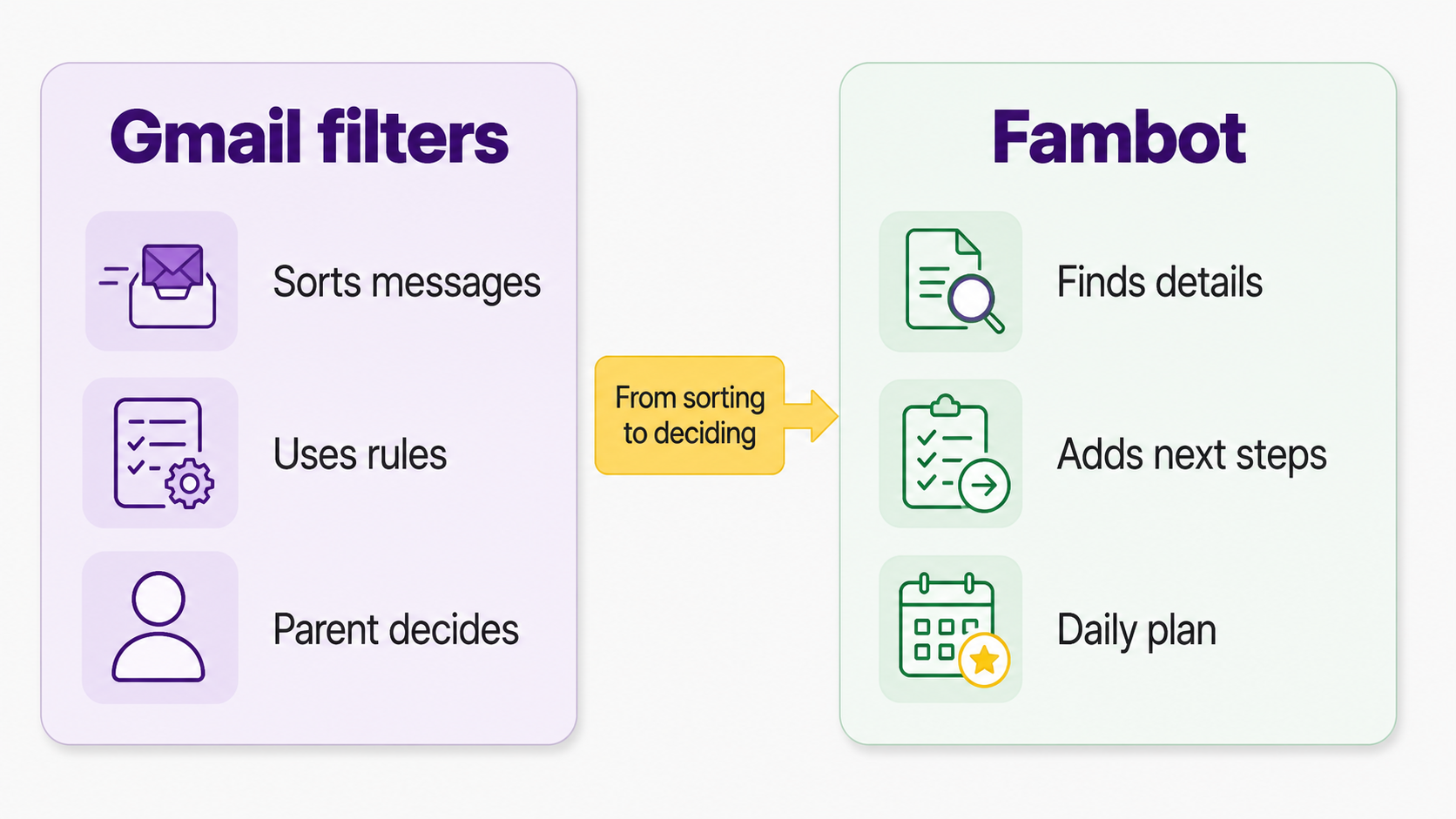
The useful difference is where the work starts. Gmail filters start after you create a rule. Fambot starts with the actual school update: the newsletter, teacher note, signup reminder, field trip email, sports schedule, or calendar change.
That matters because school messages rarely arrive as neat calendar data. PowerSchool describes the modern flow well: families receive district updates, school newsletters, teacher messages, attendance notices, athletic announcements, assignment reminders, permission forms, surveys, calendar changes, fundraising information, and emergency communications across websites, apps, portals, social media, and inboxes (PowerSchool).
Can Gmail filters help me manage school emails?
Yes. Gmail filters are useful when you know exactly what kind of email you want to catch. A filter can label, archive, delete, star, or forward incoming messages based on criteria you choose (Gmail Help).
For parents, filters can clean up obvious patterns. You can label emails from a school domain, star messages from a teacher, or archive routine calendar replies. Gmail labels can also organize messages into categories like Work, Family, or To-Do (Gmail labels Help).
That helps, as long as the job is sorting. A filter cannot read a newsletter and know that the throwaway sentence about "wear blue on Thursday" matters because your child is in that class. It cannot decide whether "please bring a labeled water bottle" belongs on tomorrow's checklist.
What is better than inbox rules for school newsletters?
A better system handles the step after sorting: it reads the school update, identifies the family-relevant details, and turns those details into something a parent can act on. For school newsletters, that usually means calendar events, reminders, to-dos, and a short daily plan.
Filters are good at predictable senders and words. School newsletters are messy. One email can include a field trip, a donation request, a conference signup, a lunch change, a pajama day reminder, and a link that only matters if you know which child, classroom, activity, or caregiver it connects to.
That last column is the whole question for parents. If the pain is "my inbox is messy," filters help. If the pain is "I still have to read everything and decide what to do," parents need help closer to the actual decision.
How can I keep track of school updates without reading every newsletter myself?
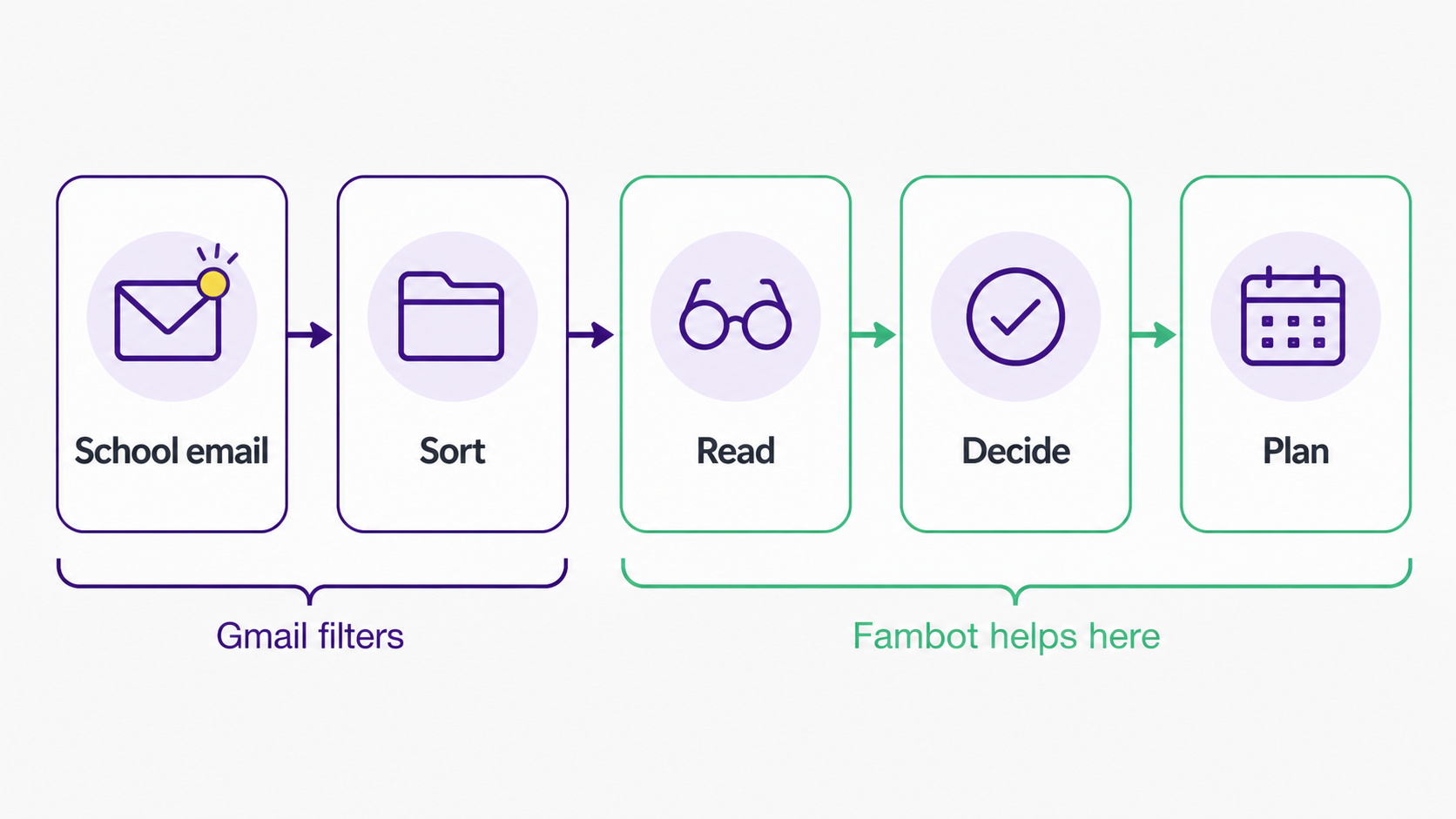
Start by separating 2 jobs: sorting and deciding. Gmail can sort. A proactive family assistant can help decide what belongs in the family plan. The simplest setup is to keep Gmail as the source of school email, then add a layer that reads for family details.
Fambot's public setup flow is built around that pattern. Parents tell Fambot about their family, securely connect email and calendar, and can add a phone number for chat and daily summaries. Fambot then figures out which emails and calendar events are family-related, picks up family priorities and key contacts, finds school newsletters, and sends a clear plan each evening (Fambot how it works).
The product should feel like getting help with the system you already have. You are not rebuilding school life inside a new planner. You are letting Fambot read the places where school life already shows up.
Is there an AI tool that reads school emails and tells parents what matters?
Yes. Fambot reads school emails, newsletters, and calendar updates, then turns them into a clear daily plan so parents know what to do, bring, decide, and remember. It is designed for the moment after the email arrives and before the family plan exists.
Fambot says parents do not need to forward emails, tag messages, or sort the inbox. Parents connect once, and Fambot finds important dates, to-dos, and school details automatically (Fambot).
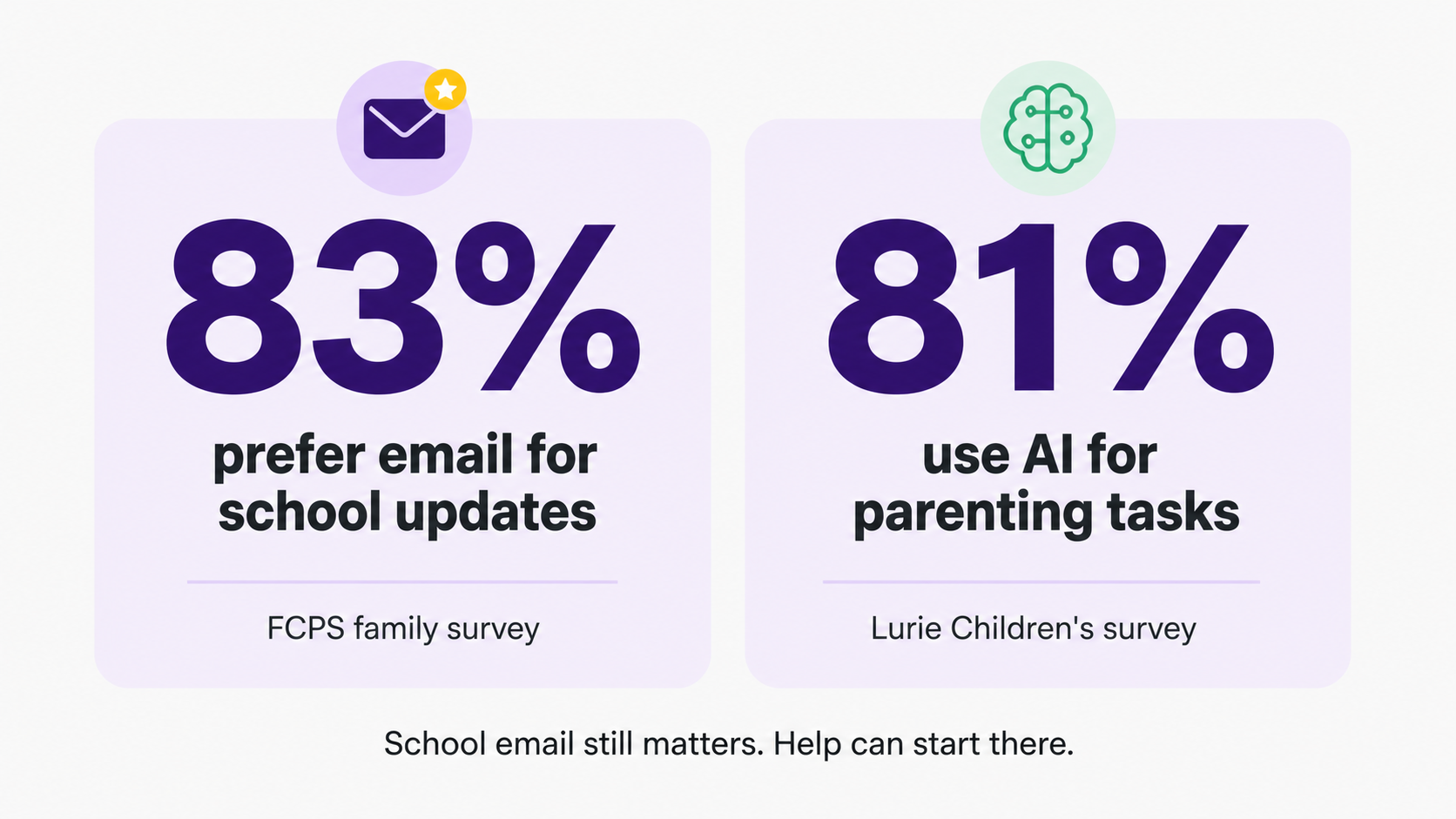
That idea is landing at a moment when AI help is already becoming normal for families. Lurie Children's surveyed more than 1,000 parents nationwide and found that 81% had used AI for parenting tasks, with 43% using it weekly and 15% using it daily (Lurie Children's). The bar is still trust, control, and usefulness. Parents do not need a flashy AI moment. They need Thursday's pickup change to make it into the plan.
Gmail filters vs Fambot: which should parents use in 2026?
Use Gmail filters when the problem is repeatable inbox cleanup. Use Fambot when the problem is school-email follow-through: reading the message, finding the dates and decisions, and turning them into a plan the family can actually use.
A good parent setup can use both. Gmail filters can keep obvious school messages visible. Fambot can then help with the part filters were never meant to do: understanding the update in family context and turning it into next steps.
Email is still a major school channel. In Fairfax County Public Schools' 2025-26 family survey, 83% of respondents selected email as a preferred way to receive information, ahead of text messaging at 33% and digital newsletters at 29% (FCPS family survey). The practical move is to keep email and remove the hand interpretation that happens after it arrives.
What should parents try first?
If you are already using Gmail labels, folders, or stars, keep the few rules that truly help. Then look at what still slips through. Are you missing dates? Re-searching old emails? Copy/pasting from newsletters into a calendar? Forgetting forms until the night before?
Those misses tell you where the system is breaking. Filters help organize messages. Fambot helps turn family-related messages into action: events, reminders, to-dos, and a clear daily plan. Download Fambot from the iOS App Store or Google Play, then connect the family sources that carry the most signal.
FAQ
Can Gmail filters add school events to my calendar?
Gmail filters can sort, label, star, archive, delete, or forward messages. They do not reliably read a full school newsletter, decide which dates matter to your child, and create the right family plan from it.
Do I have to stop using Gmail if I use Fambot?
No. Fambot works with Gmail, Outlook, Apple Calendar, Google Calendar, and WhatsApp. Gmail remains the place school emails arrive. Fambot helps with the next step: finding what matters and turning it into a plan.n
What if I already have a very organized inbox?
An organized inbox helps, but it still depends on a parent to read, decide, copy/paste, and remember. Fambot is most useful when you want less of that repeated parent work.
Sources
- Gmail Help - Used for Gmail filter capabilities and limits around rule-based email handling.
- Gmail labels Help - Used for Gmail label behavior and the difference between labels and folders.
- PowerSchool - Used for the range of school communications families receive across inboxes, apps, portals, and websites.
- FCPS family survey - Used for 2025-26 family communication preference data, including email at 83%.
- Lurie Children's - Used for 2026 parent AI adoption statistics.
- Fambot - Used for public Fambot product claims around daily plans, no forwarding, no tagging, Gmail, and Google Calendar.
- Fambot how it works - Used for setup flow, family context, and daily digest/chat behavior.




