
How Fambot finds family details in email and calendars

By David Reich, Founder & CEO of Fambot
Published: August 28, 2026 · Last updated: September 3, 2026
Article Summary (TL;DR)
Fambot uses connected email and calendar access to find family-related details parents actually need: school updates, schedule changes, forms, sign-ups, reminders, and what to bring. It turns those details into calendar events, to-dos, reminders, follow-up questions, and a clear daily plan while keeping parents in control of access and changes.
How does Fambot use my email and calendar data?
Fambot uses your connected email and calendar to find the family details that usually hide inside newsletters, teacher notes, sports emails, sign-up links, calendar changes, and reminders. The goal is not to make parents manage another inbox. The goal is to turn the details that matter into a plan (Fambot FAQ).
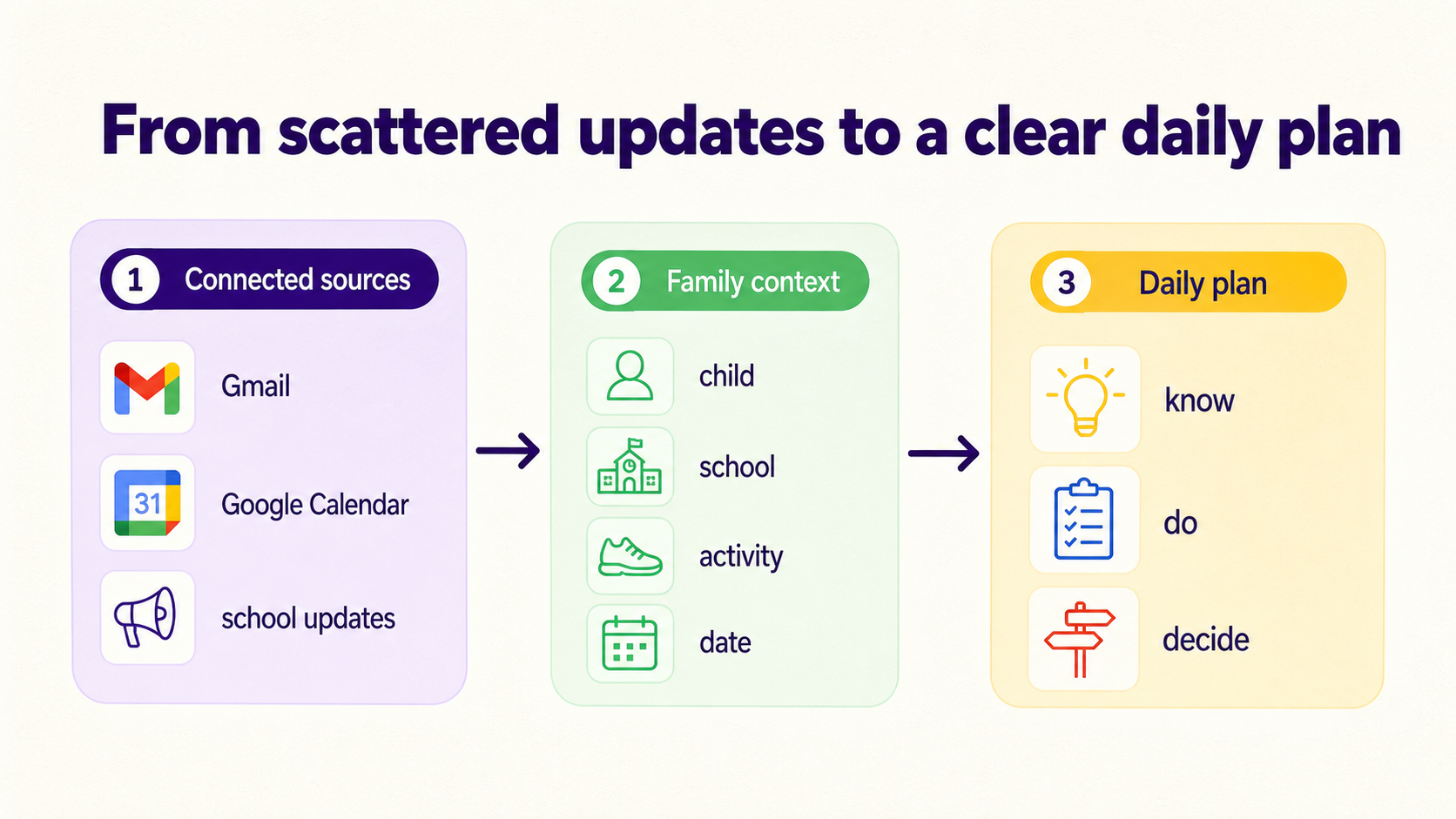
After a parent connects Gmail, Outlook, Apple Calendar, Google Calendar, or WhatsApp, Fambot looks for updates that connect to the family profile: children, schools, activities, routines, calendars, and the kinds of deadlines parents care about. That context is what lets a field trip email matter more than a store receipt.
What does Fambot read after I connect my email and calendar?
Fambot currently integrates with Gmail, Outlook, Apple Calendar, Google Calendar, and WhatsApp. It reads family-related email, calendar, and WhatsApp information so it can find dates, deadlines, schedule changes, sign-ups, bills, appointments, school newsletters, sports schedules, and other details that belong in the family plan (Fambot FAQ).
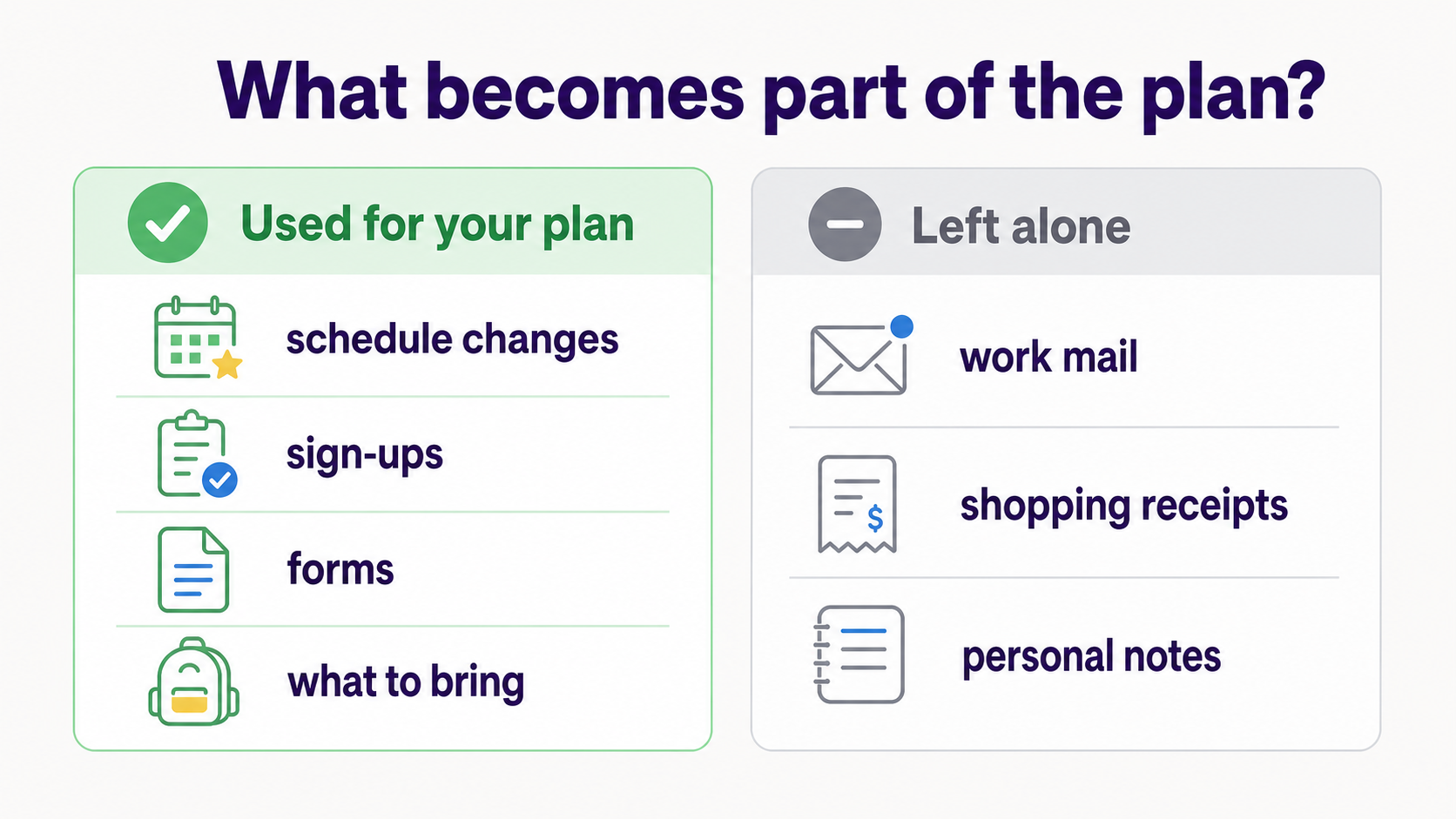
Fambot’s Trust and Safety page says family-related email content may be used to create events, tasks, summaries, and the daily plan. It also says unrelated mail is left alone: work mail, personal correspondence, and shopping receipts are not stored or sent to an AI provider (Fambot Trust and Safety).
How does an AI assistant know which school emails matter?
A family assistant does this by combining message content with family context. A schedule change matters when it matches your child’s school or activity. A form reminder matters when it has a deadline. A calendar conflict matters when two family commitments overlap at the same time.
That distinction is the useful part. Parents already have the raw messages. What they need is help with the step after reading: spotting what applies, deciding what should happen next, and getting it into the calendar, task list, reminder, or daily digest before it gets missed.
What becomes part of the daily plan?
Fambot’s daily plan is built from extracted family details, not from every message in the inbox. A useful detail might become a calendar event, a to-do, a reminder, a question for a parent to answer, or a quick note about what a child needs tomorrow. Shared family accounts let the right parents and caregivers see the same interpreted dates, tasks, and reminders.
A simple way to think about it:
Can Fambot change my calendar or send emails without permission?
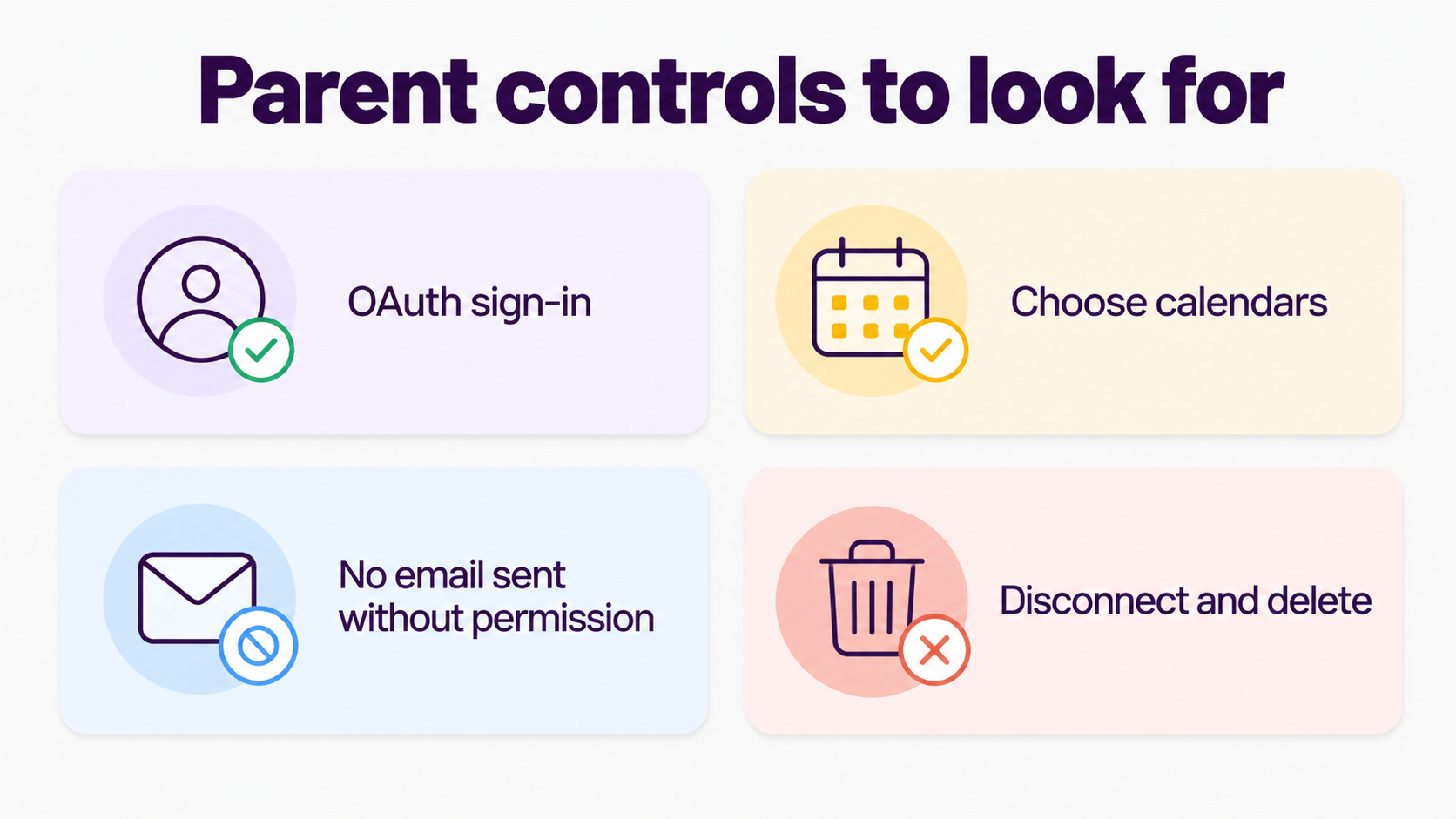
No. Fambot does not send emails on your behalf and does not edit your calendar without your permission. Its Trust and Safety page also says it will not change or delete calendar events you did not ask it to touch (Fambot FAQ).
That matters because parents are not asking for a mystery machine to run family life. They need an assistant that can find the right details, ask for confirmation when needed, and help the family act without taking control away from the people who know the full context.
How does sign-in and account access work?
When a parent connects Google services, access happens through Google’s own sign-in and permission flow rather than by handing over a password. Google tells users to review what information and permissions an app requests, and says linked apps can only access the data and services the user authorizes (Google Account Help).
Google also says users can remove a linked app’s access at any time. That is the right mental model for parents: permission is specific, reviewable, and reversible. If a family changes its mind, the parent should know where to disconnect access and how deletion works (Google Account Help).
What should privacy-aware parents check before connecting an AI family assistant?
Parents should look for plain answers to a few practical questions: what the app reads, why it needs that access, what gets stored, which vendors process the data, whether data is used for advertising or model training, who can read it, and how to disconnect or delete it.
Those questions line up with Google’s developer policies. Google tells apps using Workspace data to request only the permissions needed for user-facing features, explain what data is collected and how it is used, honor deletion requests, and handle user data securely (Google Workspace API user data policy).
Google’s OAuth policy uses the same principle: apps should request the smallest set of scopes needed for the feature the user chose, and use Google API data only in the way represented to users (Google OAuth 2.0 Policies).
How should parents think about children’s information?
Family logistics often includes children’s names, schools, activities, schedules, and pickup details. Fambot says it is built for parents, with an adult account holder; children do not create accounts, log in, or interact with Fambot directly (Fambot Trust and Safety).
For parents, the practical question is control. The FTC says COPPA’s goal is to put parents in control of information collected from children under 13. Even when a family app is parent-facing, that same instinct is useful: parents should be able to understand, approve, revoke, and delete family information (FTC COPPA FAQ).
Where does Fambot fit if I already use Gmail and Google Calendar?
Gmail and Google Calendar are where many family details already live. Fambot fits in the step between receiving those details and acting on them. It reads the school email, finds what matters, turns it into a calendar event, to-do, reminder, or daily plan, and gives parents a cleaner next step.
That is the difference between a place that stores information and an assistant that helps interpret it. A calendar is useful after someone enters the event. Fambot is built for the work before that: reading the update, noticing the deadline, spotting the conflict, and helping the family remember what to do next.
What is the takeaway?
Fambot uses email and calendar access because that is where family life leaves its paper trail: school newsletters, calendar changes, links, forms, sign-ups, and the reminders parents wish they had seen 2 days earlier. The product only works if parents understand the tradeoff and stay in control of it.
For privacy-aware parents, the best answer is not “trust the AI.” It is much simpler: know what it reads, know what it does with the useful parts, know what it leaves alone, and know how to turn it off.
Sources
- Fambot Trust and Safety - Used for Fambot’s data-use promises, family-related email handling, AI provider handling, OAuth, deletion, children’s information, and Google API Limited Use language.
- Fambot FAQ - Used for current public claims about Gmail and Google Calendar integration, setup, daily plan behavior, permission controls, and AI-model training language.
- Google Account Help - Used for how third-party apps request Google Account access, permission review, authorized services, and removing access.
- Google Workspace API user data policy - Used for minimum necessary permissions, user-facing features, transparency, deletion, secure handling, and Gmail API use-case policy.
- Google OAuth 2.0 Policies - Used for Google’s OAuth scope-minimization and representation requirements.
- FTC COPPA FAQ - Used for the parent-control framing around children’s information and the under-13 COPPA context.




