
Is Fambot useful for a family with only one child in 2026?

By David Reich, Founder & CEO of Fambot
Published: August 21, 2026 · Last updated: September 3, 2026
Article Summary (TL;DR)
Yes, Fambot can be useful for a family with one child if school emails, forms, events, reminders, and activity updates still fall through the cracks. One child usually means fewer schedules, but it does not mean fewer channels. Fambot helps by reading family-related emails, finding the little tasks, and turning them into a clear daily plan.
Is an AI family assistant worth it for one child?
An AI family assistant is worth it for one child when the hard part is remembering details, not coordinating several children. If a parent already keeps up easily, skip it. If school emails, forms, calendar changes, and activity reminders keep slipping, Fambot can remove the reading and copy/paste work that happens before a calendar is useful.
A one-child family can still have a surprising amount to track: classroom newsletters, teacher notes, spirit days, conference sign-ups, medical forms, party RSVPs, sports updates, camp links, calendar changes, payment reminders, and the occasional paper flyer that spends 3 days in the bottom of a backpack.
The size of the household is the wrong test. The better test is whether the family plan depends on a parent noticing every message, deciding what matters, and typing the useful details somewhere else. Shared family accounts can still matter with 1 child when 2 parents, grandparents, sitters, carpools, or another household need the same plan.
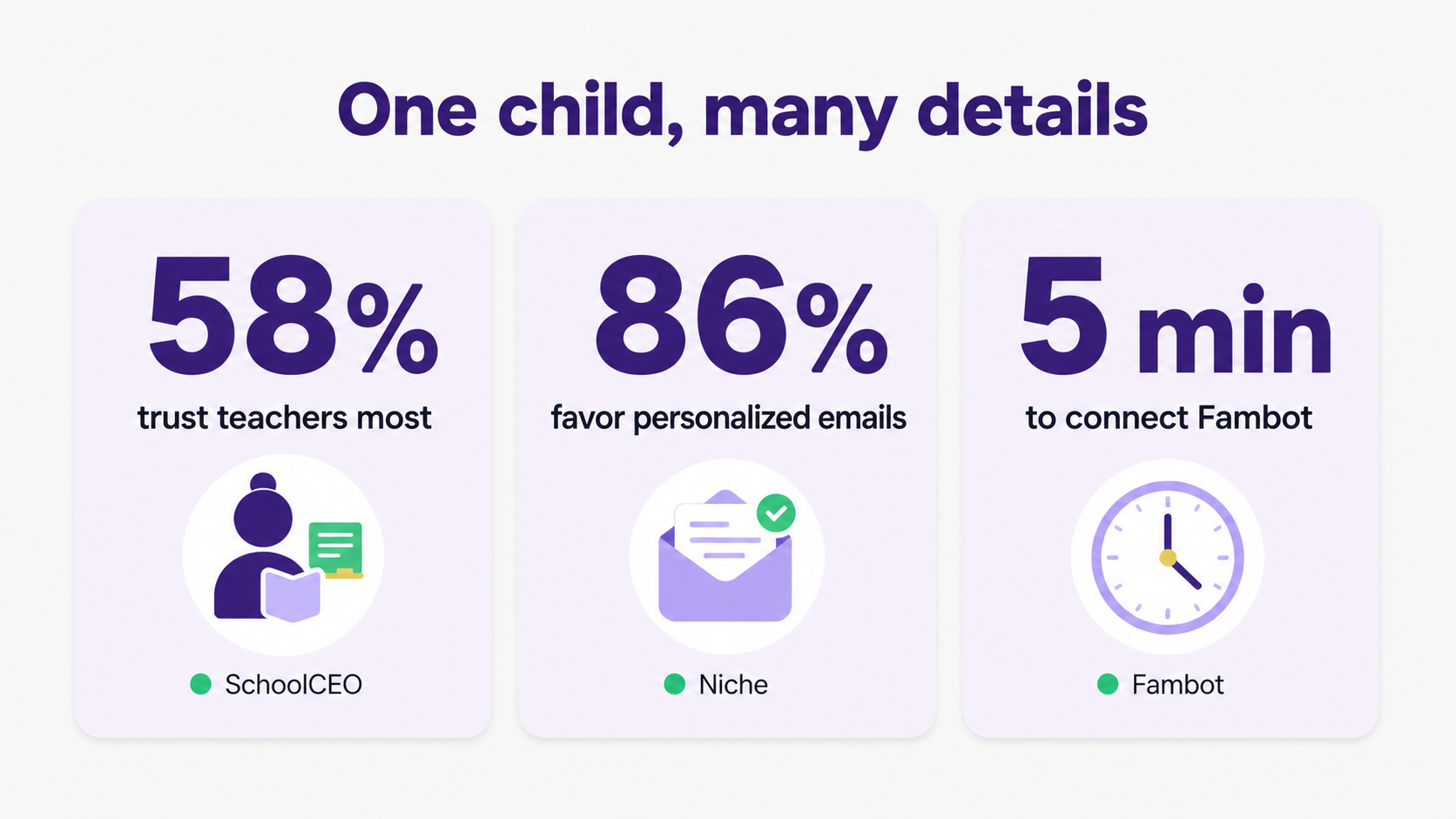
School communication research backs this up. In a survey of over 1,400 U.S. parents, SchoolCEO found that 58% trusted teachers most for valuable school information, while school websites, email or newsletters, apps, texts, and calls all remained common channels (SchoolCEO). That means the important detail may come from the teacher, but it may still arrive through several places.
Why is school admin overwhelming with one child?
School admin is overwhelming with one child because the work is fragmented. A parent is not just remembering a date. They are reading the message, spotting the action, deciding whether it applies to their child, checking the calendar, adding the reminder, and remembering to follow up later.
That workload often feels silly because each item is small. Sign the permission slip. Pack a white shirt. Send $12. RSVP by Friday. Bring the library book. Check whether practice moved. None of these tasks looks dramatic on its own. Together, they create a running list that never quite closes.
One expert in a Good Housekeeping article described school apps as requiring "constant vigilance" (Good Housekeeping). That phrase lands because it names the real problem. The parent cannot relax just because there is only one child; they still have to keep checking.
Forms are a good example. Columbia Law professor Elizabeth Emens wrote that one back-to-school season brought 11 forms, before extra allergy or medication paperwork, plus a calendar full of school closures (Psychology Today). That was not a many-child problem. That was a school-admin problem.
Can Fambot help parents with one kid manage school emails?
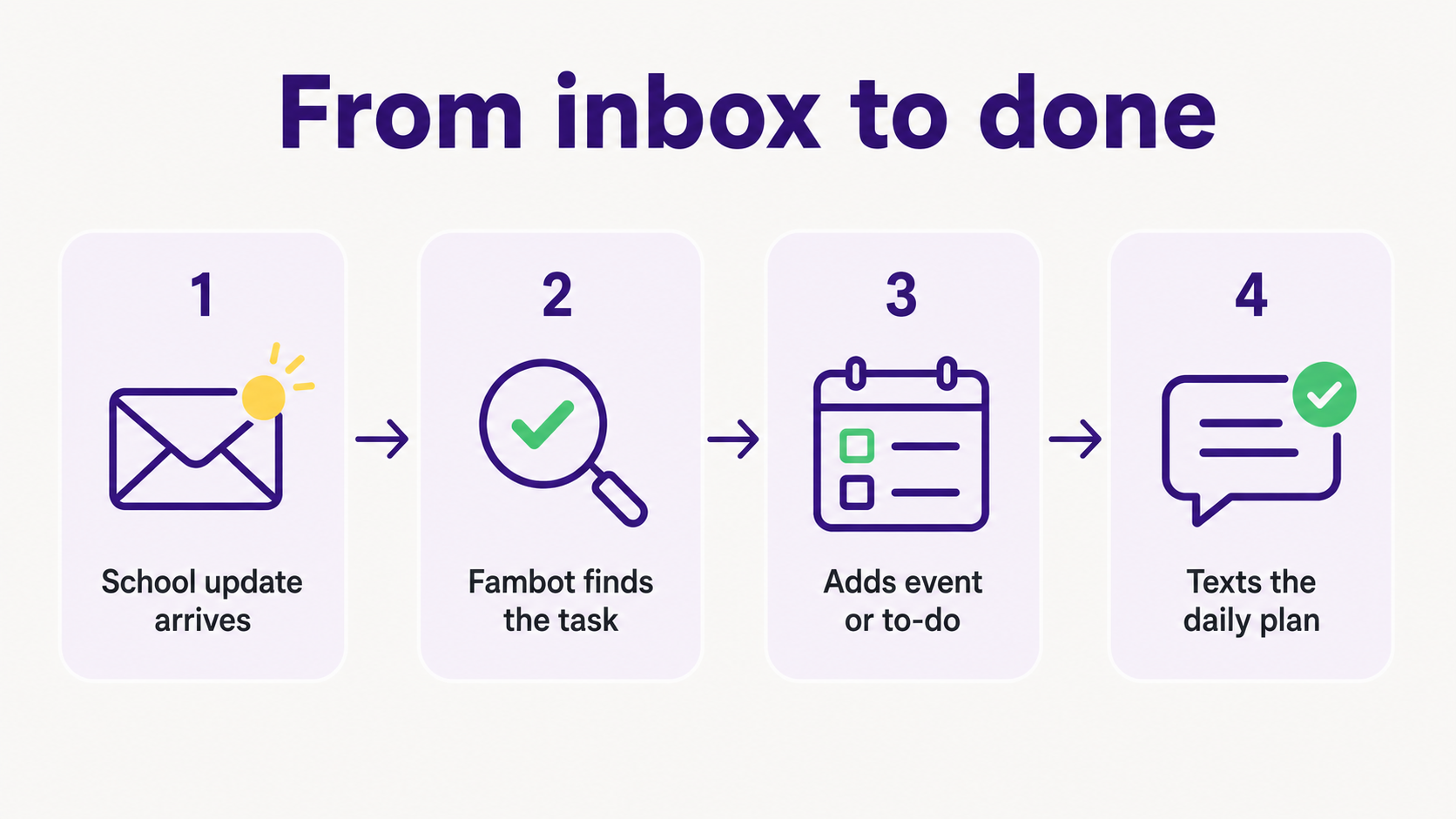
Yes. Fambot can help parents with one child manage school emails by reading family-related emails, identifying details that matter to that child, and turning them into calendar events, to-dos, reminders, and a daily digest text. Its public FAQ says Fambot turns school emails, newsletters, and calendar updates into a clear daily plan (Fambot FAQ).
That context matters. A soccer email is noise for one family and essential for another. A classroom reminder matters when it matches the child's teacher, school, activity, or routine. Fambot's job is to use the family context a parent shared during setup so the school update becomes a specific next step, not another message to sort.
Parents tell Fambot family basics, securely connect email and calendar, and can optionally add a phone number for daily summaries and chat by text. It also says setup takes about 5 minutes and that Fambot sends the first daily digest by email and/or text the day a parent signs up (Fambot How It Works).
The trust tradeoff is real. Fambot works because it connects to email and calendar. Its trust page says Fambot connects through the provider's sign-in screen, does not store the parent's password, does not sell personal information, and does not allow AI providers to train on family data (Fambot Trust and Safety). Parents should still decide whether that access feels right for their family.
How can parents with one child keep track of school emails?
Parents with one child can keep track of school emails by giving every school update a destination: calendar event, to-do, reminder, question, or archive. The problem starts when emails stay as emails. A parent has to reopen the inbox later and rediscover the task from scratch.
The simplest manual system is a 10-minute school-email sweep 3 times a week. Search the inbox for the school name, teacher name, team name, and activity names. Turn anything with a date into a calendar event. Turn anything with an action into a to-do. Put packing instructions in the calendar note, not in your memory.
That system works, but only if a parent has the time and headspace to run it. Many do not. Niche's 2025 Parent Pulse Survey found that 86% of parents said personalized emails would positively influence their interest in a school, compared with 67% for email newsletters. It also found that 65% felt positively about personalized texts, compared with 29% for automated texts (Niche).
Parents are not rejecting school communication. They are asking for communication that is specific, timely, and easy to act on. That is exactly why a one-child family can still need help. The child may be one person, but the information is still scattered.
How can I stop forgetting family admin tasks?
You stop forgetting family admin tasks by removing the step where the task lives only in your head. Every school detail needs to become a calendar event, a to-do, a reminder, or a clear daily plan before the day gets busy.
A practical rule: if the message contains a date, time, location, item to bring, form to sign, payment to make, RSVP to send, or decision to make, it does not belong in the inbox anymore. It belongs in the family plan.
Fambot is built for that handoff. It reads family-related emails and calendar events, finds what matters, adds events or tasks with permission, and sends a daily plan with what parents need to know, do, and decide. Parents can also chat with Fambot to ask follow-up questions such as what time pickup is or what needs to go in the backpack (Fambot FAQ).
For a family with one child, the benefit is not a giant shared command center. It is a cleaner path from "the school sent something" to "we know what to do." That is the part that stops the 9:47 p.m. wait, did we sign that? moment.
What apps help parents keep track of all the little tasks for school and kids' activities?
The best app depends on where the work starts. If everything is already typed into a calendar, a shared calendar or family organizer may be enough. If the work starts in school emails, newsletters, PDFs, and reminders, an AI family assistant like Fambot is a better fit because it helps find the task first.
Here is the honest split:
Shared calendars help when the family mainly needs visibility into events someone already entered.
Family organizer apps help when the family wants shared lists, chores, meals, and color-coded schedules.
General AI chat helps when a parent wants to paste in one message and ask for help summarizing it.
Fambot helps when the family wants school emails and calendar updates read for them, with useful details turned into events, tasks, reminders, and a clear daily plan.
Niche found a 32 percentage-point gap between chosen schools and other schools on parents' ratings for ease of finding information on a school website: 74% versus 42% (Niche). That gap is about school choice, but the lesson carries into family admin. Easy-to-find information changes behavior. Buried information creates work.
What's the best app for remembering all the little things parents have to do?
The best app for remembering the little things is the one that catches tasks before a parent has to remember them. For some families, that is a shared calendar with careful habits. For school-email-heavy families, Fambot is worth trying because it reads the messages where those tasks first appear.
Choose Fambot if your family admin has a familiar pattern: the email was there, the date was in it, someone meant to add it, and then life happened. Fambot is designed for that exact gap.
Choose a basic calendar if your child's school sends very few updates, your activities are predictable, and a parent already enters everything consistently.
Choose a family organizer if the bigger issue is shared chores, grocery lists, meals, and routines. Those tools can be great, but they still depend on someone entering the information.
When is Fambot worth trying for a one-child family in 2026?
Fambot is worth trying for a one-child family in 2026 when the parent workload feels bigger than the schedule looks. One child may have one backpack, one classroom, and one main activity, but the admin can still arrive through email, calendars, apps, forms, flyers, and last-minute updates.
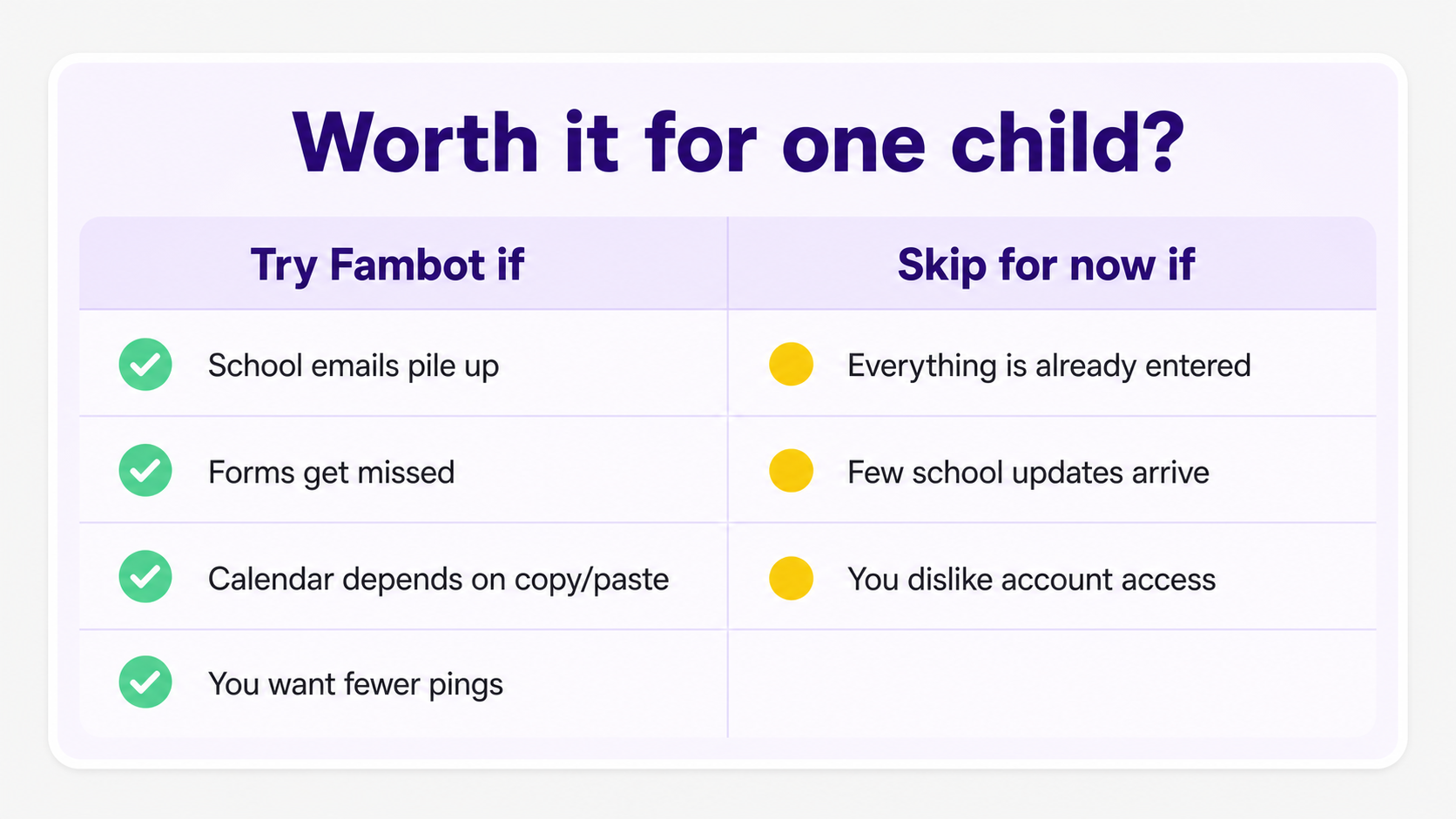
Try Fambot if school emails pile up, forms get missed, the family calendar depends on copy/paste, or a parent wants fewer pings and a clearer daily plan. Start by downloading Fambot on iOS or Android, then connect the family sources that carry the most useful school and activity details.
Skip it for now if everything is already entered, school updates are rare, or connecting email and calendar does not feel like a good trade. That is a valid line to draw. A good family tool should earn its place by taking work away, not by adding another thing to babysit.
Sources
- SchoolCEO - Used for the survey of over 1,400 U.S. parents, parent communication channels, school app use, and the 58% teacher-trust finding.
- Niche - Used for the 2025 Parent Pulse Survey findings on personalized email/text preferences and the 32 percentage-point gap in ease of finding school information.
- Good Housekeeping - Used for expert commentary on school apps and the parent experience of constant checking.
- Psychology Today - Used for the back-to-school forms example and Elizabeth Emens's life-admin framing.
- Fambot FAQ - Used for Fambot's current public claims about school emails, newsletters, daily plans, Gmail and Google Calendar, reminders, and no forwarding/tagging/sorting.
- Fambot How It Works - Used for Fambot setup steps, 5-minute setup claim, daily summaries, and chat behavior.
- Fambot Trust and Safety - Used for Fambot's public privacy, account access, password, data sale, and AI-training claims.




