Is Fambot worth trying if you already use Gmail?

Summary
Gmail can search, filter, and store messages. Fambot reads family-related emails and calendar updates, finds the school details that matter, and turns them into reminders, to-dos, calendar events, and a clear daily plan. Fambot helps when school and activity emails already arrive in the inbox, but the next steps still get missed.
What AI tool helps parents manage Gmail and Google Calendar for family life?
Fambot helps parents use Gmail and Google Calendar as family sources, not another inbox chore. A parent connects Gmail and Google Calendar, adds family context, and Fambot looks for school emails, newsletters, schedule changes, forms, deadlines, and calendar updates that need action.
That matters because the hard part usually starts after the email arrives. Someone still has to read the newsletter, notice that pajama day is Thursday, find the permission slip, add the early dismissal, and remember which child needs sneakers tomorrow.
Gmail is very good at holding the message. Fambot is built for the work that happens next: finding the family-relevant detail, turning it into a calendar event or reminder, and sending parents a daily digest text message with what they need to know, do, and decide.
Parents do not need another place to rebuild the family calendar by hand. The useful test is simple: does the tool find the school detail on its own, or does a parent still have to read, search, copy/paste, and remember first?
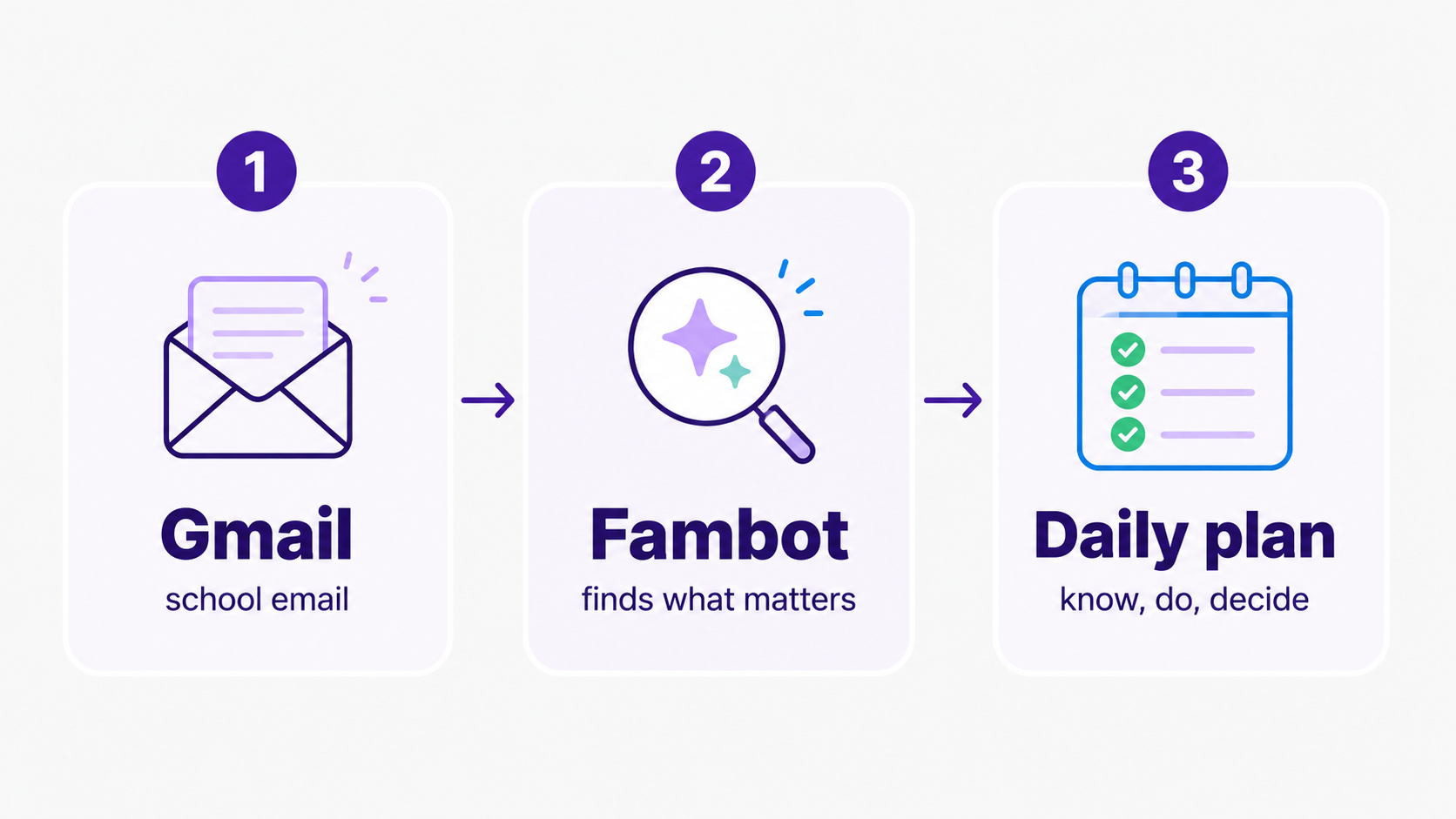
What app can read my Gmail and find school dates, forms, and deadlines?
Fambot can read family-related Gmail messages and find school dates, forms, deadlines, sign-ups, schedule changes, and activity details. It uses family context, such as children, schools, routines, and calendars, so a classroom email matters more than a random store receipt.
Google already gives Gmail users strong search and filtering tools. Gmail filters can label, archive, delete, star, or forward incoming mail, and Gmail search operators can narrow results by sender, subject, date, attachment, label, and more (Gmail Help; Gmail search operators).
Those tools help when you know what you are looking for. They do less when the problem is that a school update looked ordinary at first, or when the action is hidden 6 paragraphs into a weekly newsletter.
Google Calendar can also add certain Gmail events automatically, including flights, transit reservations, hotels, restaurants, and ticketed events. Google says events may not show up when the email goes to a mailing list, when you are cc'd, when the email is redirected, or when it is not a confirmation for one of the supported event types (Google Calendar Help).
That gap is exactly where school-life logistics can get messy. A classroom volunteer request, a spirit-day reminder, a soccer practice change, and a PDF with camp packing instructions are not always tidy calendar invitations. Parents need the useful parts pulled out and turned into something they can act on.
Do I need Fambot if I already use Gmail?
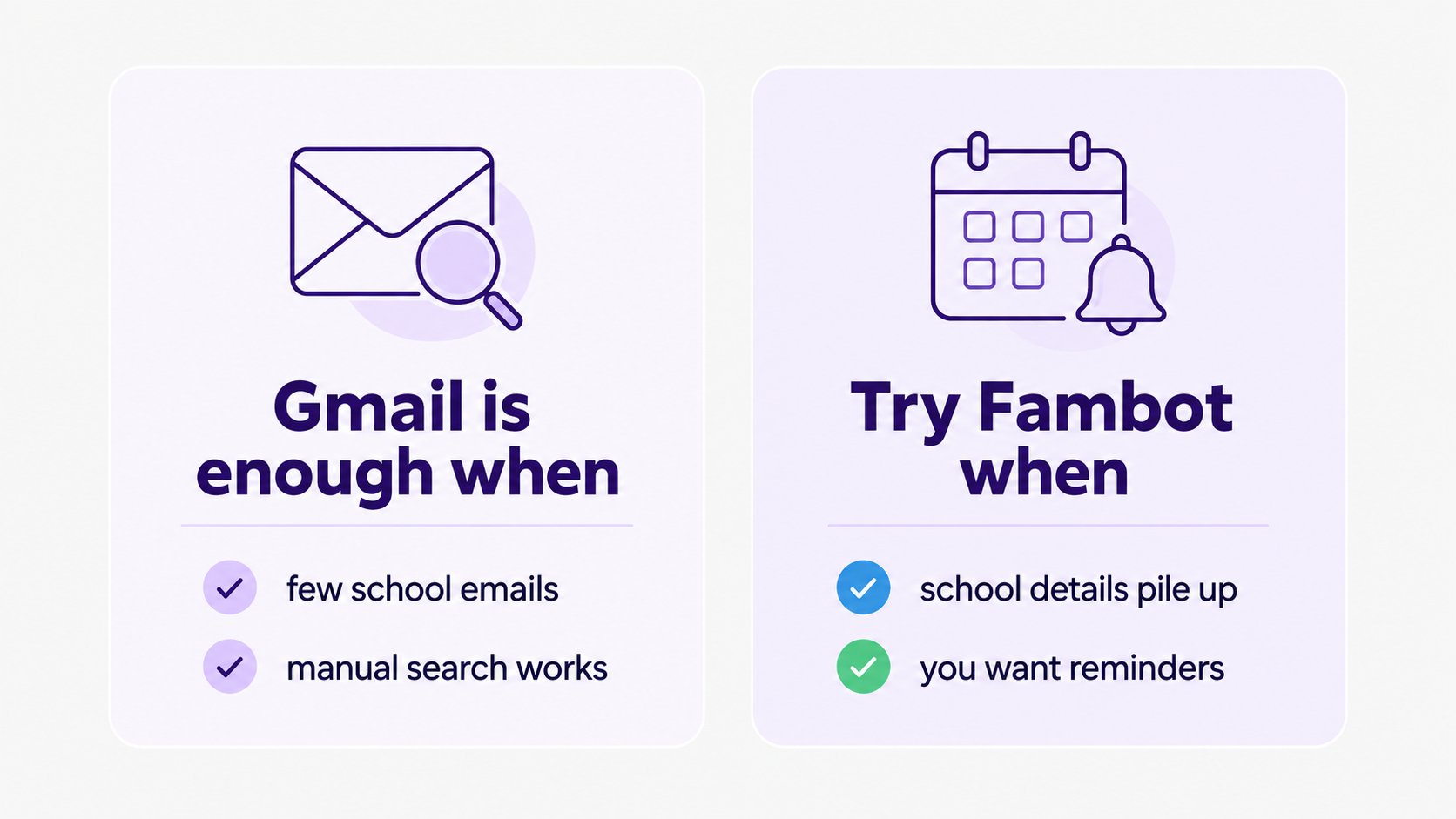
You may not need Fambot if Gmail search, labels, and calendar habits already work for your family. Fambot becomes useful when Gmail contains the information, but you still spend too much time reading school emails, finding old details, adding events, making reminders, and checking what changed.
Pew Research Center found that 62% of U.S. parents say being a parent has been harder than they expected, and 26% say it has been a lot harder (Pew Research Center). The inbox is not the whole reason, of course. But family admin has a way of turning small details into a steady drip of extra work.
The American Psychological Association's 2023 Stress in America survey found that parents of children under 18 were more likely than other adults to report significant stress from family responsibilities, at 77% in 2023 compared with 71% in 2019. Parents also reported more significant stress from money, the economy, and health problems affecting their family (American Psychological Association).
The point is not that another app magically fixes parenting. It is simpler than that. If Gmail already holds a lot of your family life, Fambot can make that information easier to use before it becomes a last-minute scramble.
Can Fambot help if all my school emails are already in my inbox?
Yes, that is one of the clearest reasons to try Fambot. If school emails are already in Gmail, Fambot can use that existing flow to find family-related details and turn them into calendar events, to-dos, reminders, follow-up questions, and a daily plan.
Parents often already have the information. The issue is timing and follow-through. A field trip form arrives on Monday, the class newsletter mentions it again on Friday, the calendar has an early dismissal next Wednesday, and the soccer coach changes practice after dinner.
Gmail can hold all of those messages. Fambot helps connect them to the family plan. It can flag what needs attention, put useful dates where they belong, and make the daily plan easier to scan.
Fambot's public Trust and Safety page says Fambot connects to email and calendar, uses provider sign-in instead of storing passwords, looks for family-related mail, and lets parents revoke access from Google account settings (Fambot Trust and Safety).
What does Fambot add on top of Gmail for parents?
Fambot adds family context, action, and timing. Gmail helps parents find messages. Fambot looks for school and activity details inside those messages, understands which ones belong in the family plan, and turns them into a daily digest, reminders, to-dos, calendar updates, and answers to follow-up questions.
Here is the plain-language difference:
- Gmail can show the school newsletter. Fambot can pull out the early dismissal, the class color, and the supply request.
- Gmail can search for "permission slip." Fambot can remind you that the form is due tomorrow.
- Gmail can label emails from school. Fambot can decide which ones need a calendar event, a to-do, or a question for a caregiver.
- Gmail can keep the original message. Fambot can answer a text like, "What time is pickup tomorrow?" when the answer is buried in the family sources it has already seen.
Fambot is also free while in beta, and the setup is meant to be light: connect Gmail and Google Calendar, share a few family basics, and let Fambot start building the daily digest (Fambot).
When is Gmail enough, and when is Fambot worth trying?
Gmail is enough when your family has a low volume of school emails, few schedule changes, and a parent who can reliably search, label, and add the important details manually. Fambot is worth trying when the details are all there, but the work of turning them into a plan keeps landing on you.
A good first test is one busy school week. Connect Gmail and Google Calendar, add the family basics, and compare Fambot's daily plan with what you would have had to find by hand.
How do I start with Fambot if my family already uses Gmail?
Start by connecting the Gmail and Google Calendar accounts that carry the most family information. Then add a few basics about your children, schools, activities, and routines. Fambot uses that context to tell the difference between background inbox noise and school details that belong in the family plan.
Parents should also review permissions before connecting any app to a Google Account. Google says linked apps can only access the data and services you authorize, and you can remove access to your Google Account at any time (Google Account Help).
With Fambot, the goal is not to hand over family judgment. The goal is to stop making Gmail your second shift. You still review the plan, approve important changes, and decide what happens next. Fambot does more of the reading and finding before you get there.
Is Fambot worth trying for Gmail families in 2026?
Fambot is worth trying in 2026 if Gmail is where school and activity information already lands, but your family still misses details or spends too much time turning emails into plans. It is especially useful for parents who want fewer manual steps without giving up control.
Try it if your week includes school newsletters, calendar changes, permission slips, sign-up links, sports emails, activity reminders, and the occasional "Wait, was that tomorrow?" moment.
Skip it for now if Gmail search and Google Calendar already cover the whole job, or if you are not comfortable granting a family assistant access to email and calendar data. Trust matters more than convenience.
For many Gmail-heavy families, though, the question is not whether the information exists. It is whether anyone has the time and attention to turn that information into what needs to happen next. Fambot is built for that handoff.
Sources
- Fambot - Used for current public positioning, beta availability, Gmail and Google Calendar setup language, and daily digest descriptions.
- Fambot Trust and Safety - Used for claims about email/calendar access, parent control, account disconnection, data handling, and AI training limits.
- Gmail Help - Used for Gmail filter capabilities and filter limitations.
- Gmail search operators - Used for Gmail search operator examples and search/filter behavior.
- Google Calendar Help - Used for events-from-Gmail behavior and limits.
- Google Account Help - Used for third-party app access, authorization, and access removal language.
- Pew Research Center - Used for parent difficulty statistics from the 2023 Parenting in America report.
- American Psychological Association - Used for parent stress statistics from the 2023 Stress in America survey.