
Kids in different classrooms: stop missing school emails
By David Reich, Founder & CEO of Fambot
Published: August 13, 2026 · Last updated: August 13, 2026
Article Summary (TL;DR)
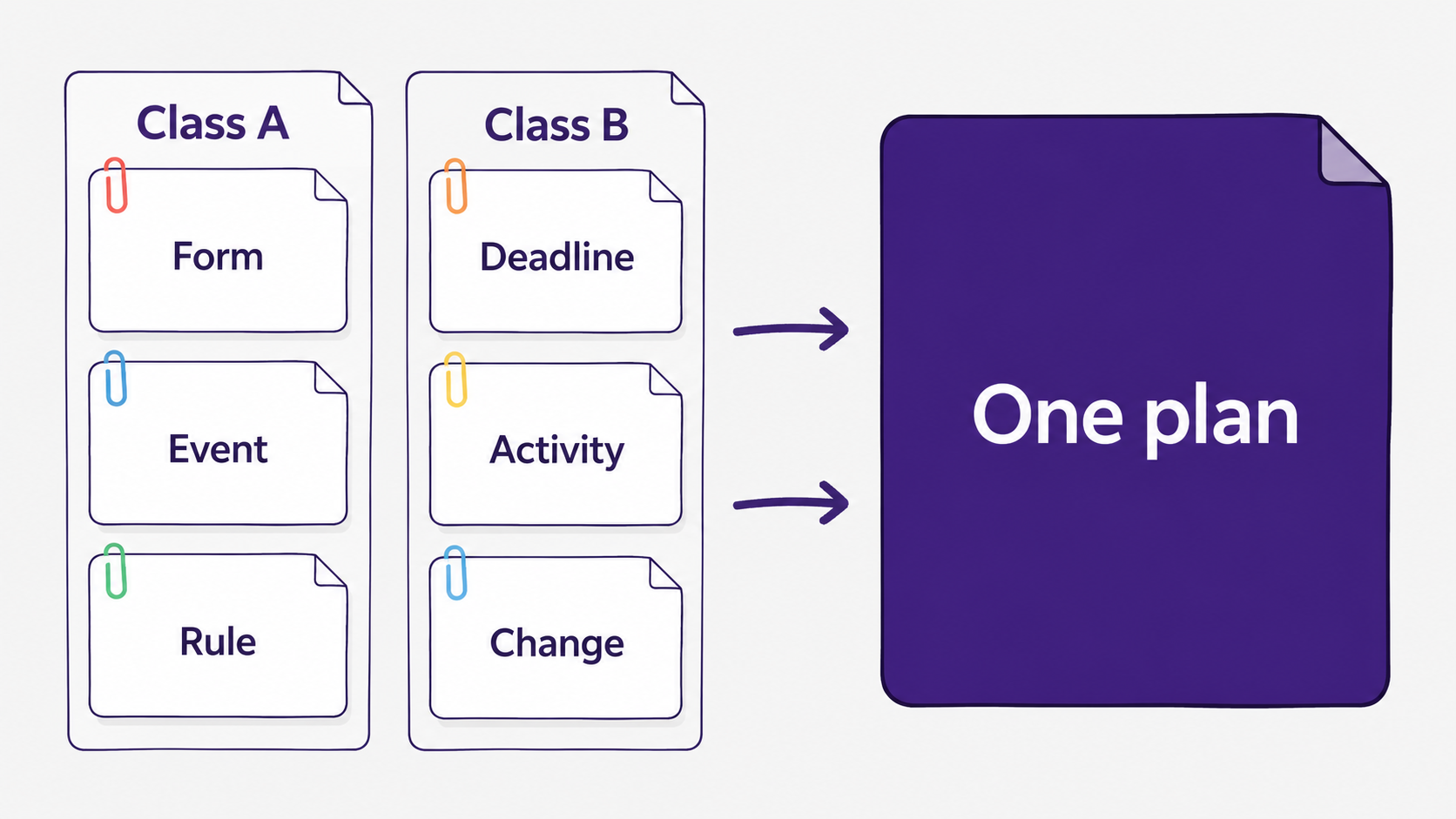
When siblings are at the same school but in different classrooms, parents are not managing one school stream. They are managing parallel class systems: different teachers, forms, rules, events, activities, and schedule changes. The best system turns every update into one family plan with dates, to-dos, owners, and reminders.
How do parents manage school emails for siblings in different classes?
Parents manage school emails for siblings in different classes by treating each classroom as its own source, then rolling both into one family plan. The key is to separate what belongs to each child, capture the action or date, and keep the final plan in one place instead of 2 inbox threads.
Same school does not mean same instructions. One child may need a field trip form by Friday. The other may have library day, spelling words, a classroom snack rule, and a changed pickup plan buried in a teacher newsletter.
That is why school email management breaks fastest for families with siblings. The messages look similar, but the details do not transfer. A spirit day can be schoolwide. A reading log deadline can be classroom-specific. A sports schedule can apply to only 1 child.
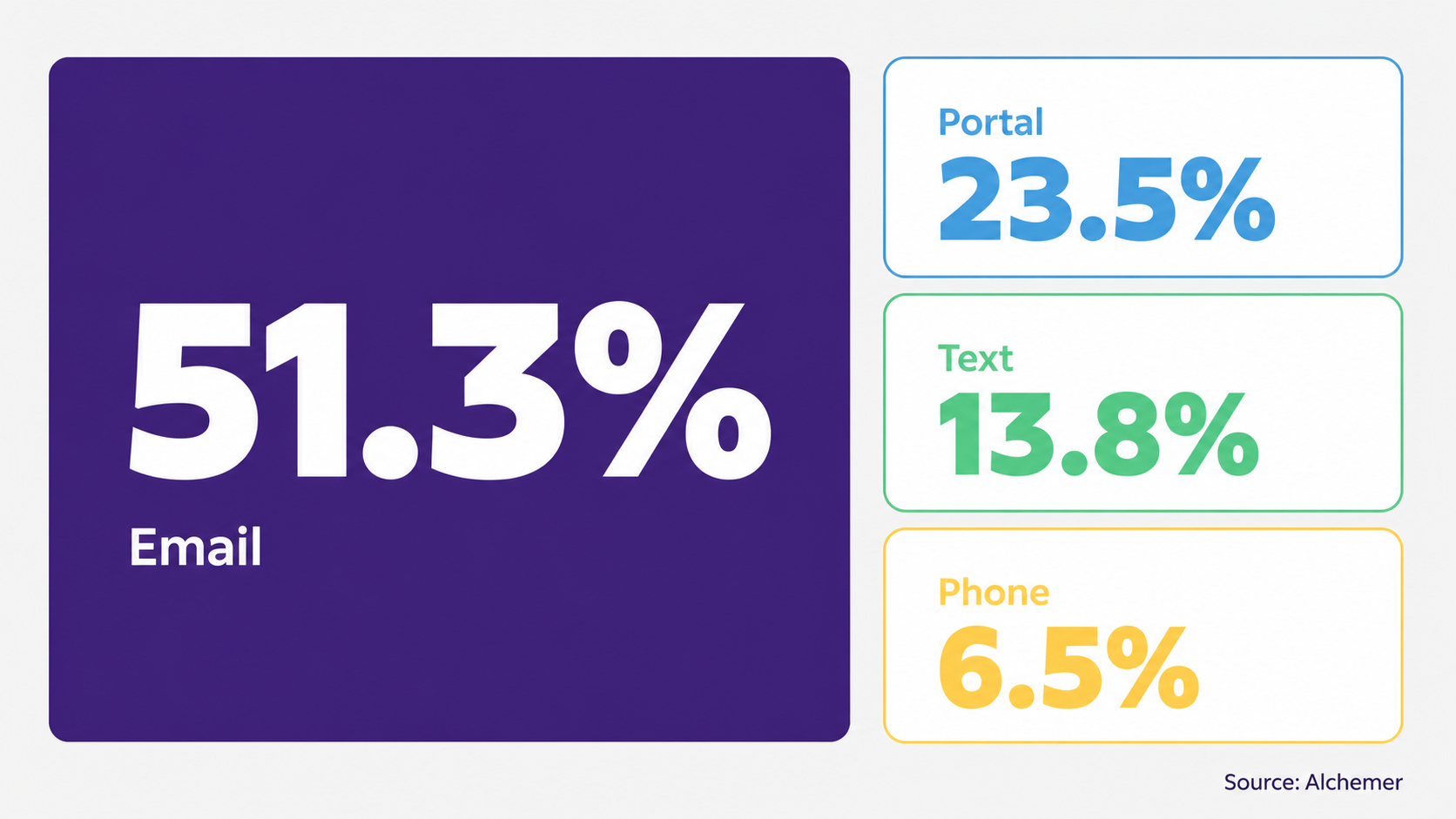
K-12 communication is still heavily email-based. Alchemer's 2026 K-12 Parent Trust Report found that email is the primary school communication channel for 51.3% of parents, compared with 23.5% for parent portals and 13.8% for text messages (Alchemer).
What helps track classroom updates for siblings at the same school?
The best way to track classroom updates for siblings at the same school is to keep child-specific details separate until they become family actions. Use each child, teacher, activity, source message, due date, and next step as separate fields, then combine only the final calendar events and to-dos.
A sibling tracker only needs these fields:
- Child and class
- Teacher or activity owner
- Date or deadline
- Required action
- What to bring
- Source message
- Status or owner
If you use Fambot, these fields are the context it should preserve: which child the message applies to, what the school is asking for, when it matters, and whether another caregiver needs to act.
The practical test is simple: could another caregiver understand what needs to happen without opening the original newsletter? If the answer is no, the detail has not become a family plan yet.
How can I keep track of my kids' school events, activities, and schedule changes?
Keep track of school events, activities, and schedule changes by turning every update into 1 of 4 things: a calendar event, a to-do, a reminder, or a follow-up question. A newsletter is reading material. A family plan is something people can act on.
Calendars help once the information is already clean. The harder work happens before that: finding the date, checking which child it applies to, noticing whether it changed, deciding whether someone needs to sign, pay, pack, RSVP, or leave early.
For siblings, the best plan keeps classroom rules close to the child. Label the event with the child and class, not just the school name. "Early dismissal" is useful. "Maya, Room 2 early dismissal" is safer when another child has an after-school club the same afternoon.
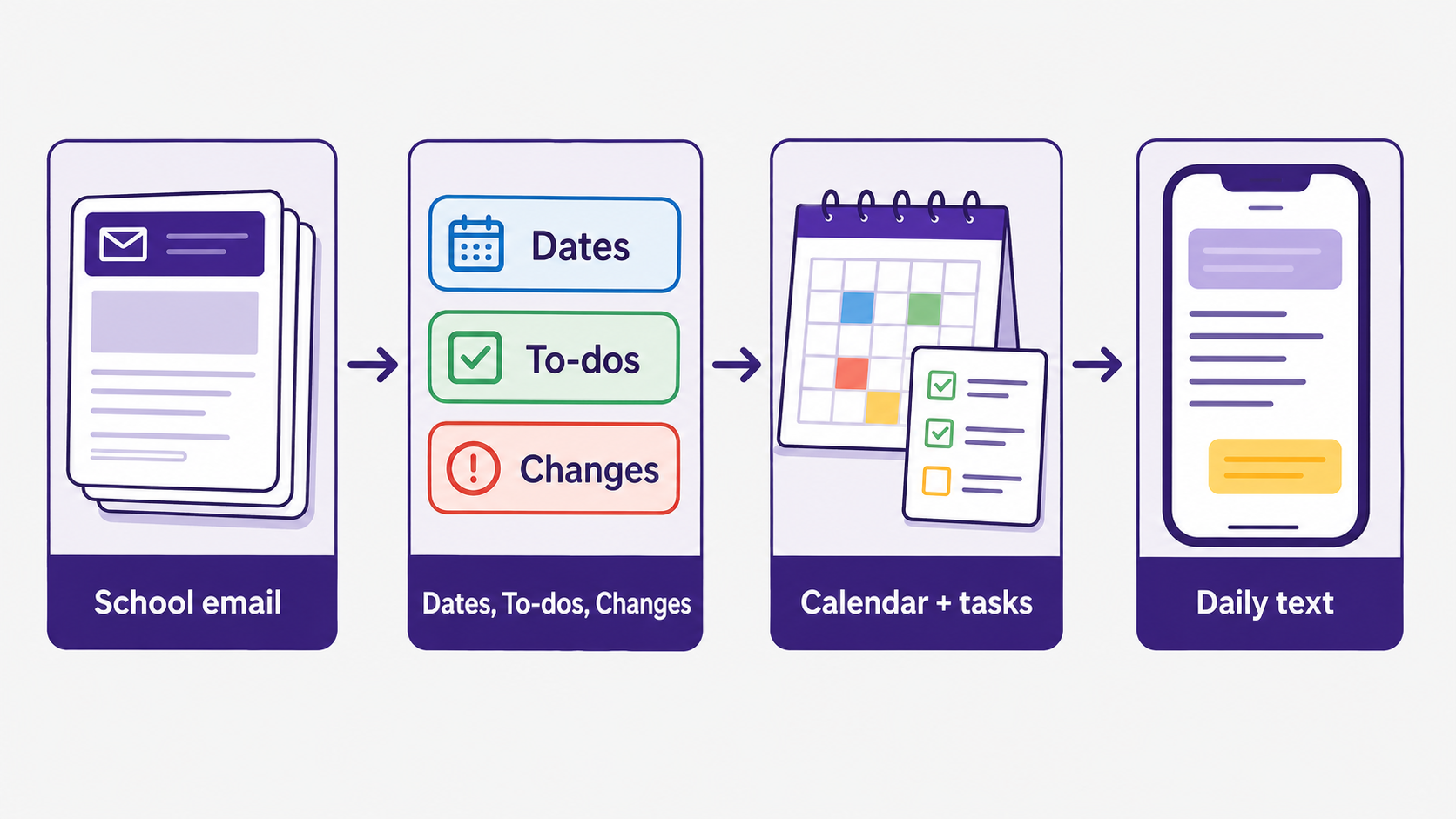
This is where Fambot can help reduce the manual sorting. Instead of asking parents to copy every school email into a calendar, it can pull out the dates, to-dos, schedule changes, and child-specific details that belong in the family plan.
How can I stop missing important details in school emails?
You stop missing important details in school emails by moving from inbox-checking to action capture. The goal is not to read every message perfectly. The goal is to catch dates, deadlines, forms, packing instructions, schedule changes, and decisions before they become a scramble.
Parents already prefer pushed communication. Julie Evans of Project Tomorrow put it plainly: "parents value having information pushed to them rather than having to search" (EdWeek). The same EdWeek report said a third of parents were not satisfied with teacher-to-home communication, and nearly half wanted school or district information texted directly to them (EdWeek).
A good system should do 3 jobs after each school email arrives. First, identify whether the message matters to your family. Second, turn the detail into an action. Third, remind the right person at the right time.
Fambot is designed around that workflow: find the relevant school details, turn them into a useful next step, and send parents a clear reminder before the details get lost in an inbox.
Is there an app that tells me what I missed in school emails?
Yes. Fambot is built for exactly this kind of school-email catch-up. It turns school emails, newsletters, and calendar updates into a clear daily plan, then delivers that plan by text so parents can see what to do, what to bring, and what is coming up (Fambot).
Fambot is especially useful when the same school creates different instructions for different children. It can help pull out school details like permission slips, RSVPs, dress-up days, activity changes, and dates to add, then keep them organized by family context.
The product is not asking parents to forward every email or rebuild the system by hand. Fambot's public FAQ says parents do not have to forward emails, tag messages, or take screenshots. They connect once, add context, and Fambot starts decoding school newsletters (Fambot FAQ).
Is there an assistant that can pull dates and to-dos from school newsletters?
Yes. A useful school-newsletter assistant should pull dates, to-dos, forms, schedule changes, what-to-bring details, and questions worth asking next. For siblings, it should also understand which child, class, teacher, activity, or routine makes the detail relevant.
Fambot's FAQ says it can catch schedule changes, help keep the calendar in sync with permission, and create personalized checklists from the email and newsletter decoder (Fambot FAQ). That matters because newsletters often mix announcements, photos, reminders, sign-ups, classroom rules, and deadlines in one long send.
The assistant should also be available when the next question comes up. A parent should be able to ask, "What time is pickup?", "Did anyone sign the permission slip?", or "Which child needs sneakers tomorrow?" without reopening 2 newsletters and a calendar app.
What should parents check before connecting school email to an assistant?
Before connecting school email to an assistant, parents should check what the app can access, whether it uses OAuth or password sharing, how to disconnect, whether data is used for AI training, whether the assistant asks permission before changing calendars or sending anything, and whether the right parents or caregivers can use it on iOS and Android.
Google Account Help says linked apps can only access the data and services a user authorizes, and users can remove access to their Google Account at any time (Google Account Help). That is the right mental model: access should be specific, reviewable, and reversible.
Parents are already experimenting with AI for practical family work. Lurie Children's surveyed more than 1,000 parents and found that 81% had used AI for parenting tasks, while 2 in 3 said AI reduced their mental load (Lurie Children's). Pew Research Center also found that 51% of parents of teens said their teen uses chatbots, while about 3 in 10 were not sure (Pew Research Center).
That mix of adoption and uncertainty is why trust matters. For school email, the safest assistant is narrow enough to help with family logistics, clear enough to explain what it found, and careful enough to let parents approve important actions.
What is the simplest system for two classroom newsletters?
The simplest system is a weekly reset plus a daily check. Once a week, review each child's classroom source and capture known dates. Each day, check only what changed: new forms, new deadlines, activity updates, schedule changes, and anything that needs a decision.
For a manual system, use one shared calendar and one shared task list. Name every item with the child first, then the event. Assign an owner when the task needs action. Keep the original email link or source note nearby so nobody has to search later.
For an AI assistant-led system, connect the sources families already use and let the assistant pull the school details forward. Fambot's current FAQ says it works with Gmail and Google Calendar today, and Fambot is designed to handle multiple kids, schools, and schedules in one place (Fambot FAQ).
The real win is not inbox zero. It is walking into the morning knowing which child needs the permission slip, which one needs sneakers, which teacher changed pickup, and what the family can ignore for now.
Sources
- Alchemer - Used for 2026 K-12 parent communication channel data, including email, portal, text, and phone percentages.
- EdWeek - Used for Project Tomorrow school communication findings and the Julie Evans quote about pushed information.
- Lurie Children's - Used for 2026 parent AI adoption and reported mental-load reduction statistics.
- Pew Research Center - Used for 2026 parent awareness data about teens and chatbot use.
- Google Account Help - Used for linked-app access, authorization, and revocation guidance.
- Fambot - Used for Fambot's public description of the daily plan, text delivery, and school email workflow.
- Fambot FAQ - Used for current product details including Gmail, Google Calendar, no forwarding, multiple kids, and schedule-change handling.




