
Life360-style family apps vs Fambot in 2026

By David Reich, Founder & CEO of Fambot
Published: August 31, 2026 · Last updated: September 3, 2026
Article Summary (TL;DR)
Life360-style apps are strong for location, driving safety, SOS, and "did they arrive?" questions. They do not usually read school emails, find form deadlines, or turn family updates into a daily plan. Fambot fits parents who already know where everyone is but still need help with what needs to happen next.
What is the difference between a family location app and a family assistant?
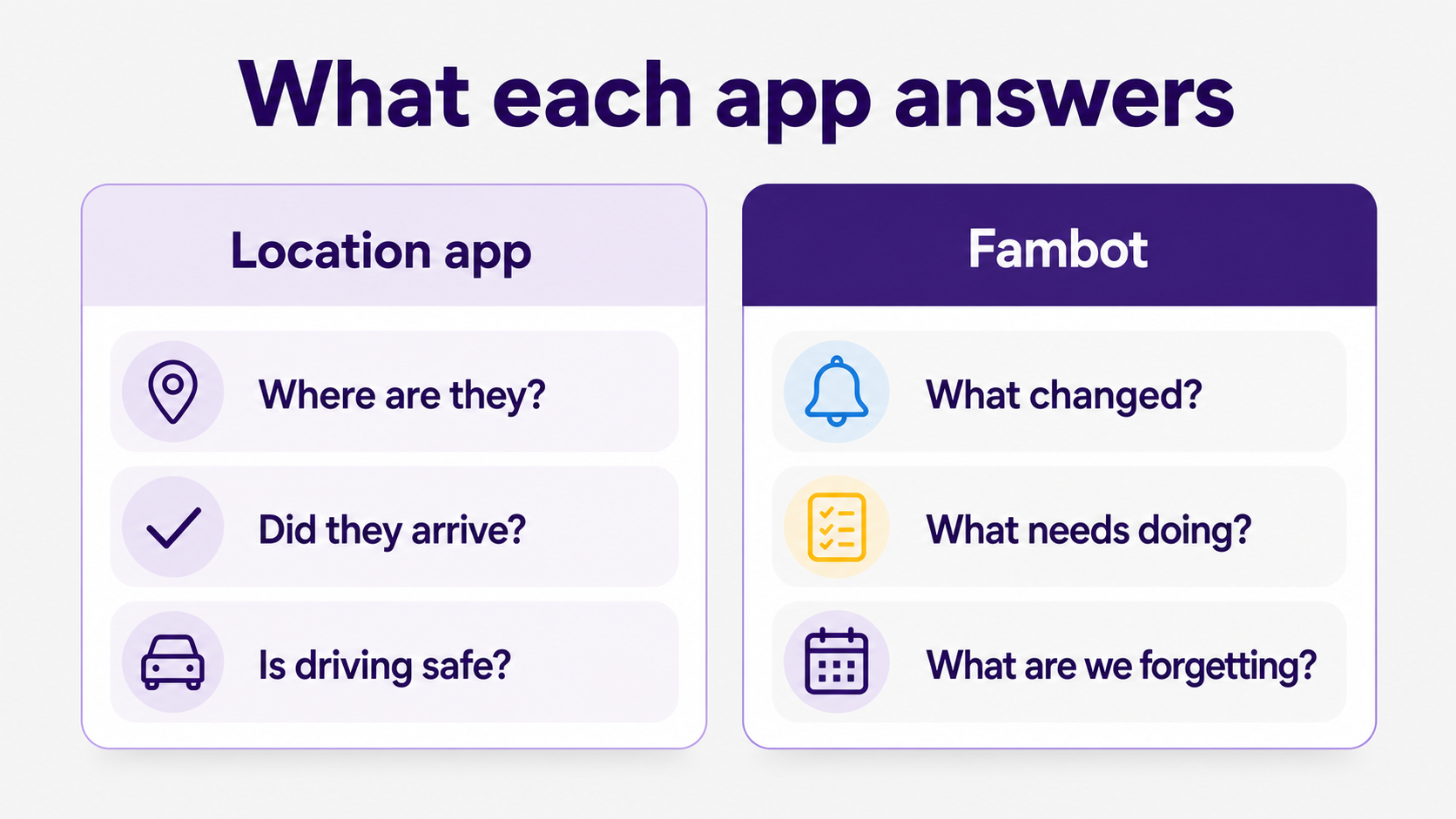
A family location app answers where people and things are. A family assistant answers what changed, what needs doing, and what parents may have missed. Both can help the same household, but they sit on different sides of family life: safety awareness on one side, school and schedule follow-through on the other.
Life360 is built around location sharing, place alerts, crash detection, driving safety, lost-item tracking, and emergency help. Its latest Q2 2026 report says it reached about 102.4 million monthly active users and 3.2 million paying circles, so it is clearly solving a real family-safety job for a lot of households (Life360 Q2 2026 results).
That scale makes sense. Pew Research Center found that 95% of U.S. teens ages 13 to 17 have access to a smartphone, and half of parents say they have looked through their teen's phone (Pew Research Center). Phone-based family tools are now part of how many parents think about safety, independence, and daily check-ins.
Fambot is aimed at the next question, after the map looks fine. It is not a location tracker. It reads connected family sources, including Gmail, Outlook, Apple Calendar, Google Calendar, and WhatsApp, then turns useful details into a clear daily plan inside a shared family account so parents and caregivers know what to do, bring, sign, ask, or add to the calendar (Fambot).
Can Life360 help with school reminders and family to-dos?
Life360 can help with school-adjacent reminders when the reminder is tied to a place, a drive, or a family member's movement. It is a good fit for questions like "Did they get to school?" or "Did they leave practice?" It is a weaker fit for "Did anyone sign the field trip form?"
On its site, Life360 describes plans that include location history, place alerts, driving summaries, crash detection, emergency dispatch, roadside assistance, and other safety features (Life360). Its support docs also explain that Drive Detection analyzes location and phone activity to detect driving behaviors such as phone use, high speed, hard braking, and rapid acceleration (Life360: Drive Detection & Analysis).
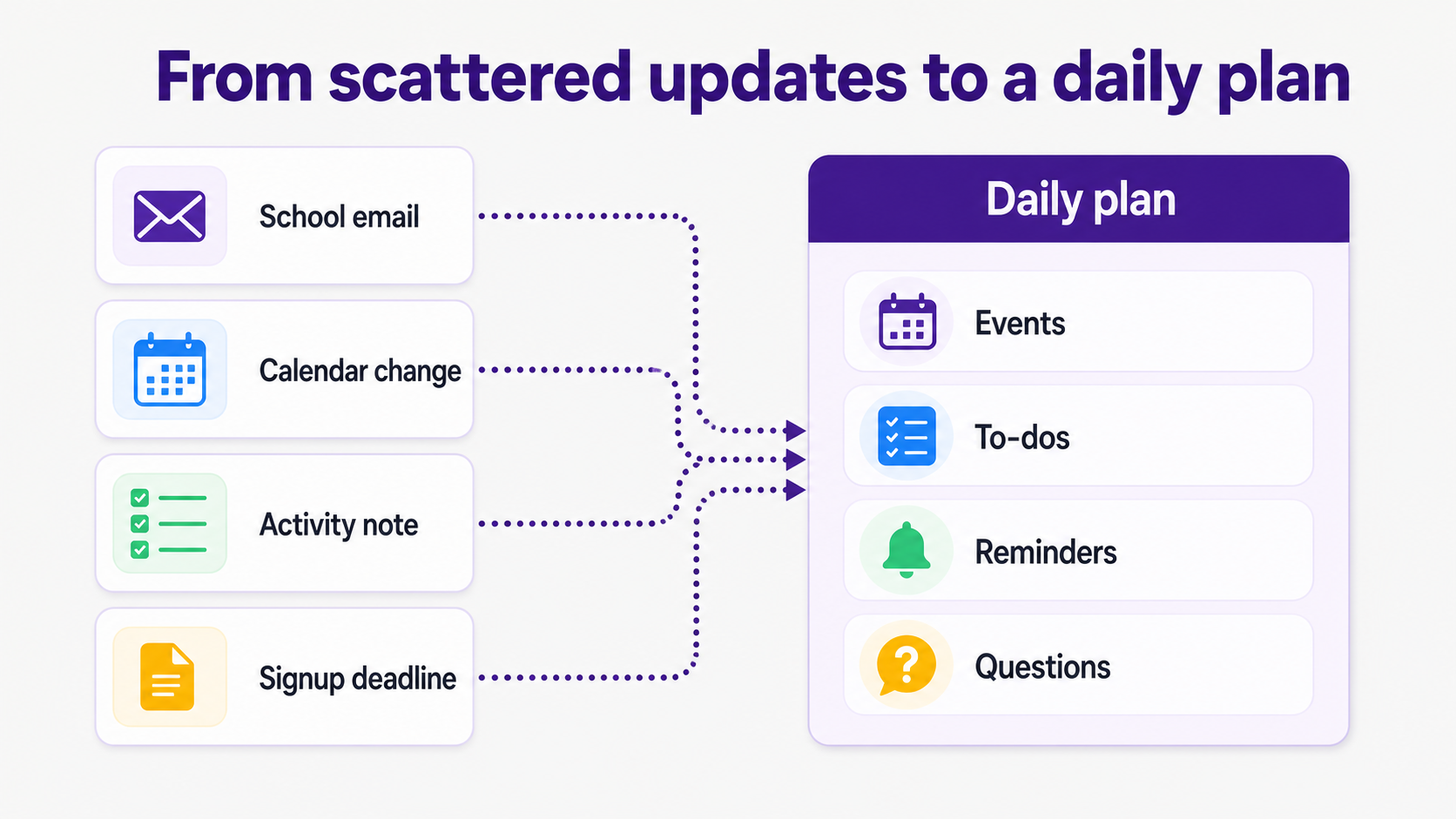
Those are useful jobs. They are just different from reading a school newsletter, finding that the concert call time changed, noticing that the snack signup closes tonight, or catching a reminder that started in a WhatsApp group. A parent can manually add those items somewhere, but then the parent is still doing the reading and copy/paste work first.
Fambot's job starts closer to the messy source material. It looks for family-related emails and calendar events, picks up on family priorities and key contacts, and sends the first daily digest by email or text after setup (Fambot: How it works).
Is there an app that can tell me what our family has going on today?
Yes, but the right app depends on what you mean by "going on today." If you mean who is at school, work, practice, or home, a location app is the right tool. If you mean deadlines, forms, schedule changes, packing notes, and questions to resolve, a family assistant is the better fit.
This is the practical split for parents. A map can calm the part of your brain asking, "Did everyone get where they needed to go?" It cannot always answer, "Was there a last-minute email about pickup?" or "What do we need to bring tomorrow?"
Fambot's homepage says it delivers a plan for the next day by text, with what to do, what to bring, and what is coming up. It also lets parents reply with follow-up questions when they need more detail (Fambot).
Life360 Chief Executive Officer Lauren Antonoff said the Q2 2026 quarter was when "Life360 crossed 100 million monthly active users" (Life360 Q2 2026 results). That is a strong sign that families value location and safety tools. It does not mean those tools should carry the whole family-planning job.
What app helps parents know what the family needs to do next?
Fambot is the better fit when the question is what the family needs to do next. It is designed for school emails, newsletters, calendar updates, family context, to-dos, reminders, and follow-up questions. A Life360-style app is the better fit when the question is where someone is or whether they arrived safely.
The comparison is not about which app is more useful in the abstract. It is about the job you are hiring the app to do. If your child is newly driving, location and crash detection may be the urgent need. If the daily pain is school emails, activity updates, deadlines, and last-minute changes, the problem is follow-through.
Fambot works with Gmail, Outlook, Apple Calendar, Google Calendar, and WhatsApp, and it does not send emails or edit calendars without permission (Fambot: FAQ). Those boundaries matter for parents who want help without giving software a blank check.
When should a family use both Life360 and Fambot?
A family should use both when safety and follow-through are separate problems. Life360-style apps can help everyone feel less in the dark about location, driving, arrivals, and emergencies. Fambot can help with the pile of details that still show up in email, calendars, school updates, and activity notes.
A good example is a week with late soccer practice, a school fundraiser, a half-day, and a dentist appointment. A location app can show whether a child got to practice. Fambot can catch the changed practice time, add the half-day, flag the fundraiser deadline, and remind a parent about the dentist form.
A family should use both when safety and follow-through are separate problems. Life360-style apps can help everyone feel less in the dark about location, driving, arrivals, and emergencies. Fambot can help with the pile of details that still show up in Gmail, Outlook, Apple Calendar, Google Calendar, WhatsApp groups, school updates, and activity notes.
How should parents choose between a location app and a family assistant?
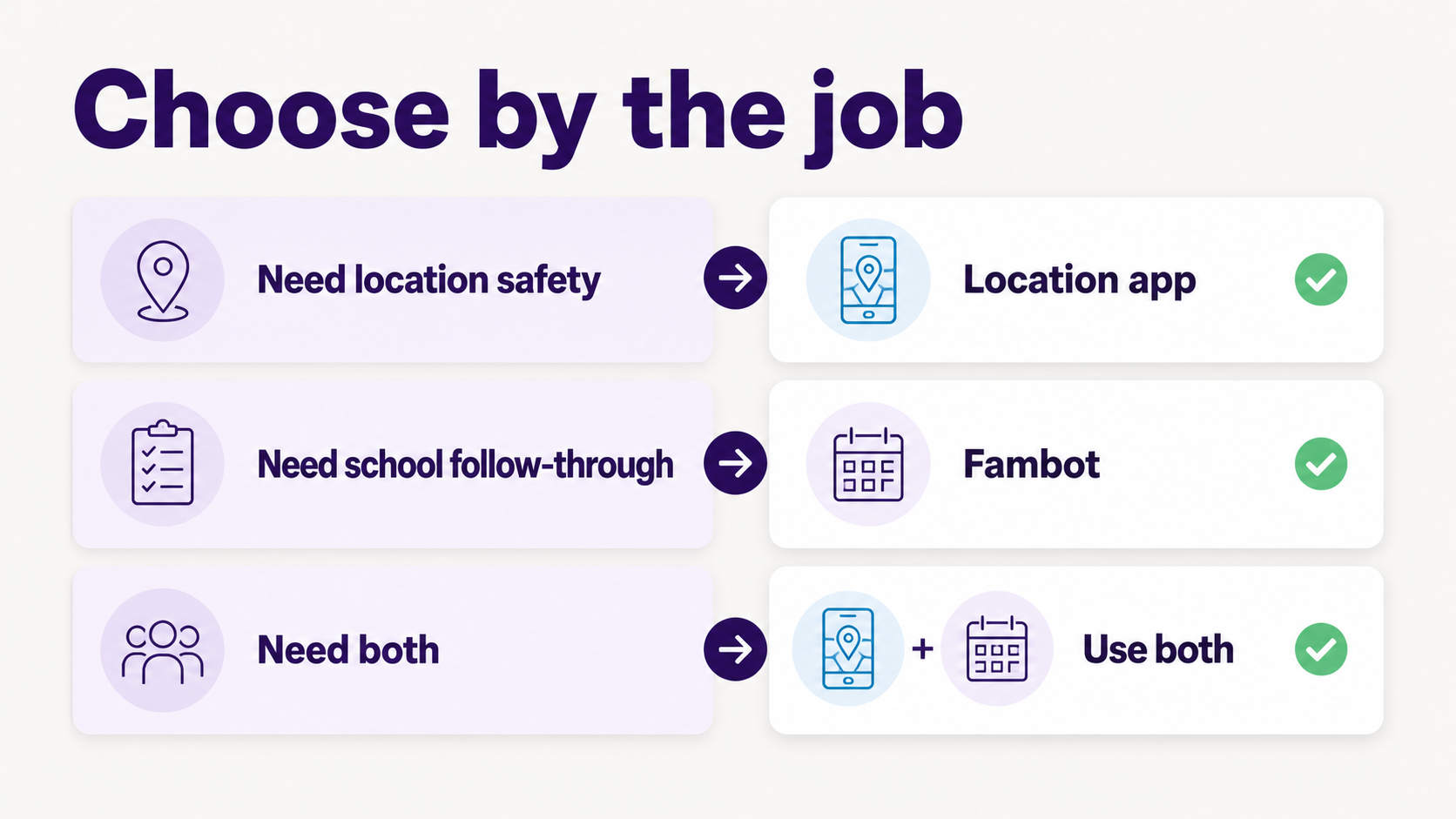
Start with the last 3 things that went wrong. If the misses were about arrival, driving, or not knowing where someone was, choose a location app first. If the misses were about unread emails, forms, signup links, changed times, or forgotten next steps, choose Fambot first.
Parents do not need a perfect system. They need the boring stuff to stop leaking through the cracks. A location app can lower the worry of not knowing where people are. A family assistant can lower the workload of reading, deciding, entering, and remembering what needs to happen next.
For many families, the honest answer is both. Use the location app for peace of mind on the move. Download Fambot from the iOS App Store or Google Play for the school and family details that still need to become a plan.
Sources
• Fambot - Used for Fambot positioning, daily plan language, product capabilities, setup, and parent-facing claims.
• Fambot: How it works - Used for setup flow, family learning, first digest, and chat behavior.
• Fambot: FAQ - Used for current integration, permission, beta, and parent-control language.
• Life360 - Used for Life360 feature set, plans, pricing context, and location-safety framing.
• Life360 Q2 2026 results - Used for Life360 monthly active users, paying circles, and the CEO quote.
• Life360: Drive Detection & Analysis - Used for Life360 driving-analysis behavior and safety-feature mechanics.
• Pew Research Center - Used for teen smartphone access and parent phone-monitoring statistics.




