
Parent-teacher conferences without tab overload in 2026

By David Reich, Founder & CEO of Fambot
Published: August 21, 2026 · Last updated: September 3, 2026
Article Summary (TL;DR)
Parent-teacher conference season gets hard because the work lives in separate places: signup links, teacher emails, calendar slots, forms, parking notes, and childcare plans. Parents can stay ahead by saving each conference as a complete action, then using Fambot to find school details and turn them into reminders.
How do parents keep track of parent-teacher conference signups?
Parents keep conference signups under control by saving more than the meeting time. A useful conference entry needs the signup link, confirmed slot, teacher name, room or video link, parking/check-in details, childcare coverage, and any form or question that has to be handled before the meeting.
Conference season looks small on a calendar. It is usually a stack of little decisions: which slot still works, who can leave work early, where to park, whether siblings can come, and what question you meant to ask the teacher before the evening got loud.
The scale is real. In 2022-23, 72% of K-12 students had a parent or guardian attend a regularly scheduled parent-teacher conference, and school-wide newsletters, emails, memos, or notices were reported for 90% of students (NCES).
What helps organize school signup links and meeting reminders?
What helps is treating each conference as one complete card, not 5 browser tabs. Put the signup link, calendar event, reminder, location, parking note, childcare owner, and follow-up question in the same place so the family does not have to reconstruct the plan later.
A parent-teacher conference card should answer 6 questions at a glance:
- Where is the signup link if the slot changes?
- What time did we choose, and who is going?
- Is it in person, by phone, or on video?
- Where do we park or check in?
- Who is covering siblings, dinner, pickup, or bedtime?
- What do we need to ask, sign, bring, or send first?
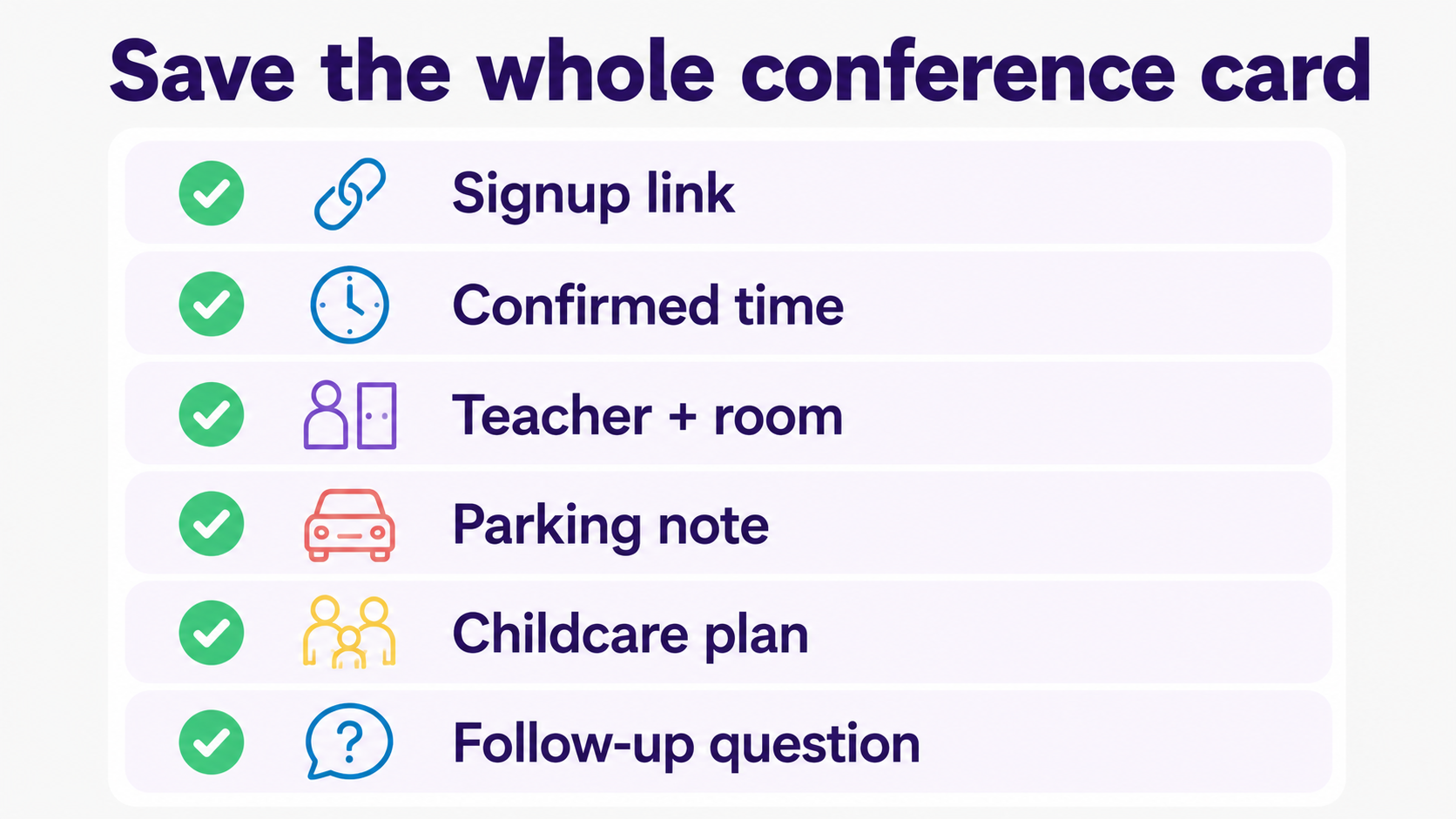
This is why reminders need context. A reminder that says "conference today" helps a little. A reminder that says "conference with Ms. Kim at 4:20, use the gym entrance, bring the reading log, Jordan has childcare" actually helps a parent walk out the door.
How can I automatically find action items from school emails and newsletters?
You can automatically find action items from school emails by using an assistant that reads family-related school updates, identifies dates and decisions, and turns them into calendar events, to-dos, reminders, and questions. Fambot is built for exactly that kind of school communication catch-up.
Parents are not imagining the flood. EveryDay Labs found that families receive an average of 8 school communications each week, and 1 in 3 families said they sometimes leave emails unread (EveryDay Labs).
During conference season, the action item is rarely written as a neat task. A teacher email might mention that signups open Friday. A newsletter might tuck the conference link under 9 other announcements. A form reminder might be attached as a PDF. The work is finding the thing that matters, then making it useful.
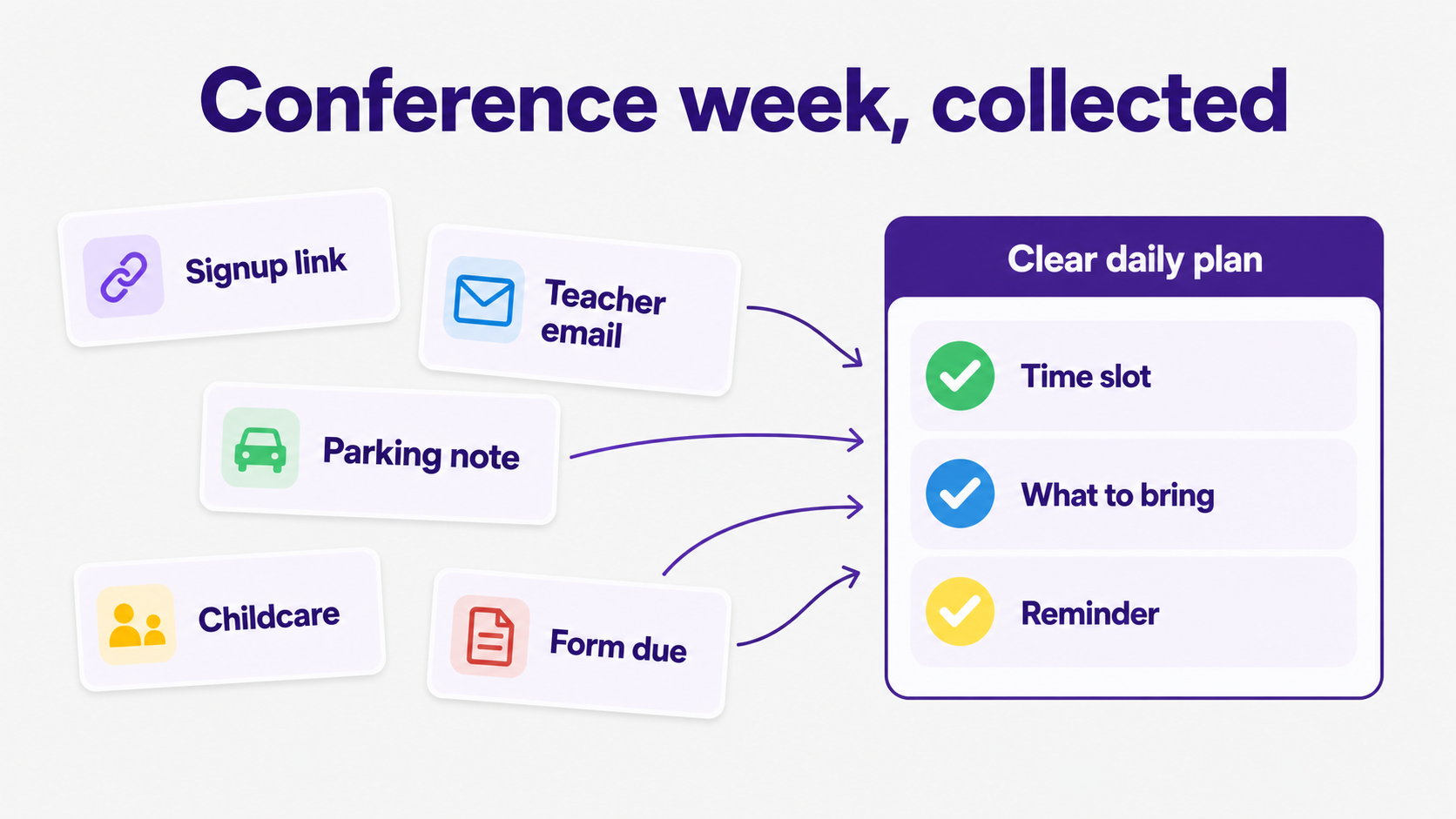
Fambot does that work by reading family-related emails and sources, finding important school details, adding events and tasks, and sending a clear daily plan with what parents need to know, do, and decide. Parents can also ask follow-up questions by text, email, or in the app when they need the detail again.
How can I keep up with permission slips, school forms, and activity deadlines?
Keep up with forms and activity deadlines by separating the deadline from the chore. A permission slip is not one task. It can mean finding the link, filling out the form, paying a fee, checking a box, sending lunch, and reminding another caregiver before the bus leaves.
A good system turns each school form into 3 pieces: what is due, when it is due, and what needs to happen before then. That last part matters most. "Field trip form due Friday" is less useful than "sign the form by Thursday night, pack lunch Friday, payment link is in the original email."
School communication is still the place parents trust most for these details. Child Trends reported that 78.3% of parents seek information about their child's education at least monthly, and 43% name school-based communications as the source they trust most (Child Trends).
Is there an AI tool that can pull to-do items out of emails?
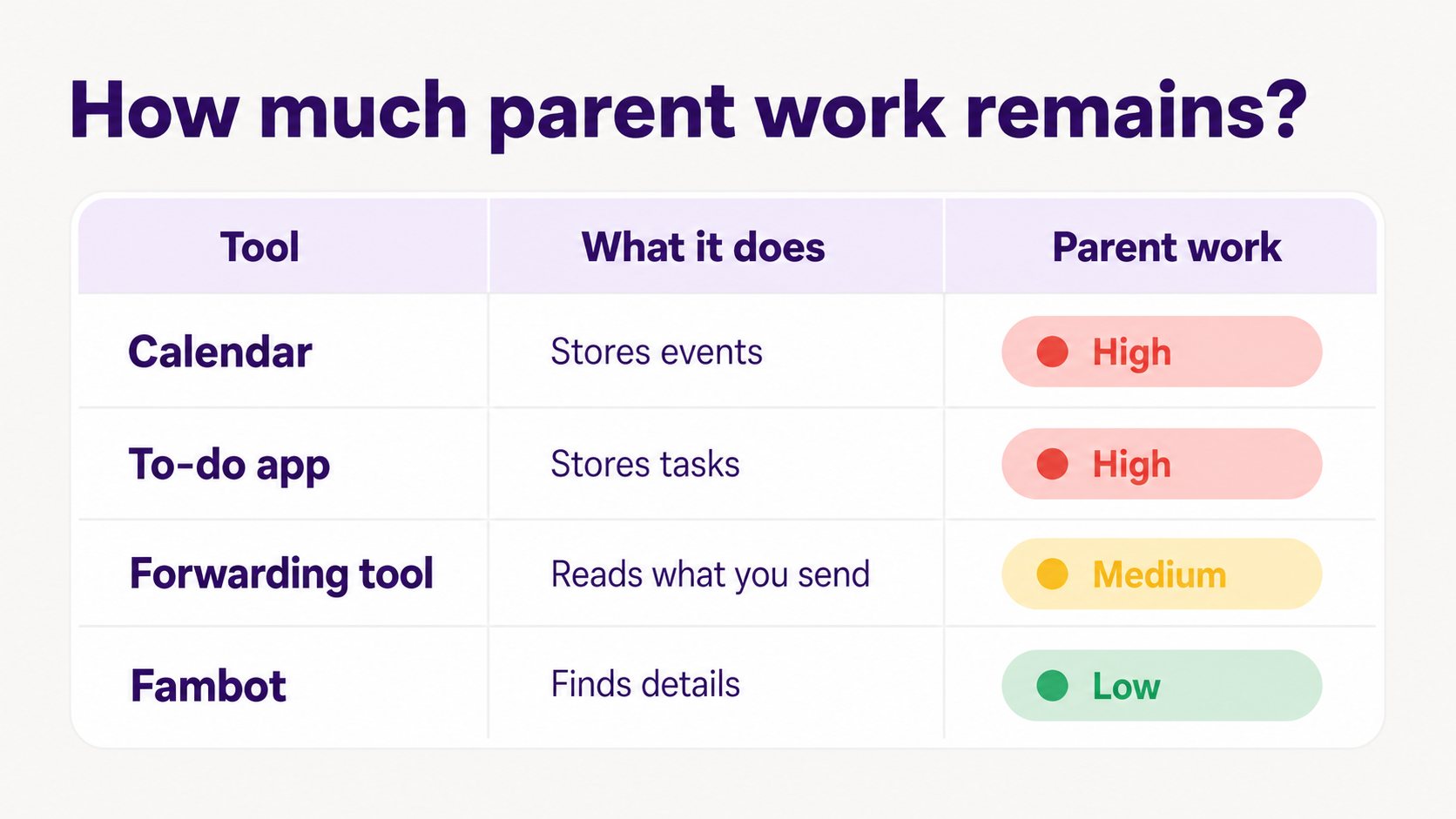
Yes. A small category of parent-focused AI tools now pulls to-do items, dates, deadlines, and reminders out of school emails. The important difference is whether the tool only handles messages you forward, or whether it can find family-relevant details in the background after you connect once.
For example, Parentalist says it connects to Gmail and looks for school forms, activity reminders, appointments, due dates, and other parenting tasks (Parentalist). Leto says it extracts tasks and events from approved school senders and sends them to a calendar (Leto).
Those tools show the category is moving in the right direction: less copy/paste, fewer scavenger hunts, and fewer "I swear I saw that email" moments. Fambot goes broader than a school-email task list by building a clear daily plan across school updates, calendars, PDFs, links, sports schedules, chat groups, and family context.
What app helps parents stop missing forms, permission slips, and deadlines?
The best app for this moment is the one that reduces the work before the reminder exists. For conference season, Fambot helps because it can find school details automatically, turn them into calendar events and to-dos, and send parents a daily digest text message before the day gets away from them.
That matters because parents often do want the information. They just need it in one place. A SchoolStatus national survey found that 77% of K-12 families recognize school-home communication as important to student success, while 33% still feel uninformed about their child's progress. The same survey found that 62% say a central communications hub would simplify school connection (SchoolStatus).
Fambot should feel less like one more tab and more like a parent-friendly helper that has already checked the messy places. It can remind you about the conference signup, keep the source link attached, add the slot to the calendar, and help answer "what are we forgetting?" before you are standing in the school parking lot.
What tool can remind me about school forms before they are due?
A useful school-form reminder tool should remind you before the due date, not only on the due date. It should also include the original link, the form name, the child it applies to, the next action, and the person who owns it.
For school forms, a good reminder rhythm is simple:
- When the form first appears: capture the link, due date, child, and source email.
- A few days before it is due: remind the family while there is still time to act.
- The night before: send the practical reminder, with the link and what still needs to happen.
- The morning of: remind only if the item is still open.
This is where school communication overload gets sneaky. NSPRA reported that parents across communication audits describe school emails as a lot to sort through and manage. Susan Downing, APR, put the core problem plainly: people feel overwhelmed by messages coming through "too many platforms" (NSPRA).
How should families handle the actual week of conferences?
The week of conferences works better when the family plan is boring on purpose. Decide who owns each meeting, what questions each caregiver wants answered, what needs to happen with siblings, and what follow-up gets captured after the conversation.
A simple conference-week plan can look like this:
- Sunday: review all conference slots, childcare gaps, forms, and parking notes.
- The day before each meeting: check the teacher, time, room, link, and question list.
- The morning of: confirm who is going and what needs to be brought or sent.
- After the meeting: turn follow-ups into tasks before they disappear into the car ride home.
None of this requires parents to become hyper-organized people. It just asks the family system to hold the details somewhere better than an open tab, a half-read email, and a sticky note that migrated under the fruit bowl.
Why does Fambot fit parent-teacher conference season?
Fambot fits conference season because the problem is not just scheduling. It is the reading, deciding, remembering, copy/paste, and follow-up work that happens around the schedule. Fambot is a proactive AI chief of staff for families, so it is built to find those details before parents have to chase them.
Parents can use Fambot from the iOS or Android app, connect a supported email or calendar account, add family context, and review last-minute conference details before they get lost. It can turn conference links, teacher notes, form deadlines, parking instructions, and activity changes into a clearer family plan.
The goal is not a perfect dashboard. The goal is the feeling of knowing what is due, where to go, who is covering what, and which link you need without opening 11 tabs after bedtime.
Sources
- NCES - Used for 2022-23 parent-teacher conference participation and school communication channel statistics.
- Child Trends - Used for parent trust and education-information seeking behavior.
- EveryDay Labs - Used for family school-communication frequency and unread-email statistics.
- SchoolStatus - Used for national K-12 family communication preference and central hub statistics.
- NSPRA - Used for the school communication overload framing and expert quote about too many platforms.
- Parentalist - Used as an example of a parent-focused AI tool that turns school emails into tasks.
- Leto - Used as an example of a school-email task and event extraction tool for parents.




