
ParentSquare, ClassDojo, Remind, or Fambot in 2026

By David Reich, Founder & CEO of Fambot
Published: August 28, 2026 · Last updated: September 3, 2026
Article Summary
ParentSquare, ClassDojo, and Remind help schools send messages to families. Fambot helps parents turn those messages into a family plan. Use the school app for official replies and teacher communication; use Fambot when the harder part is remembering the date, form, snack, pickup change, or follow-up after the message arrives.
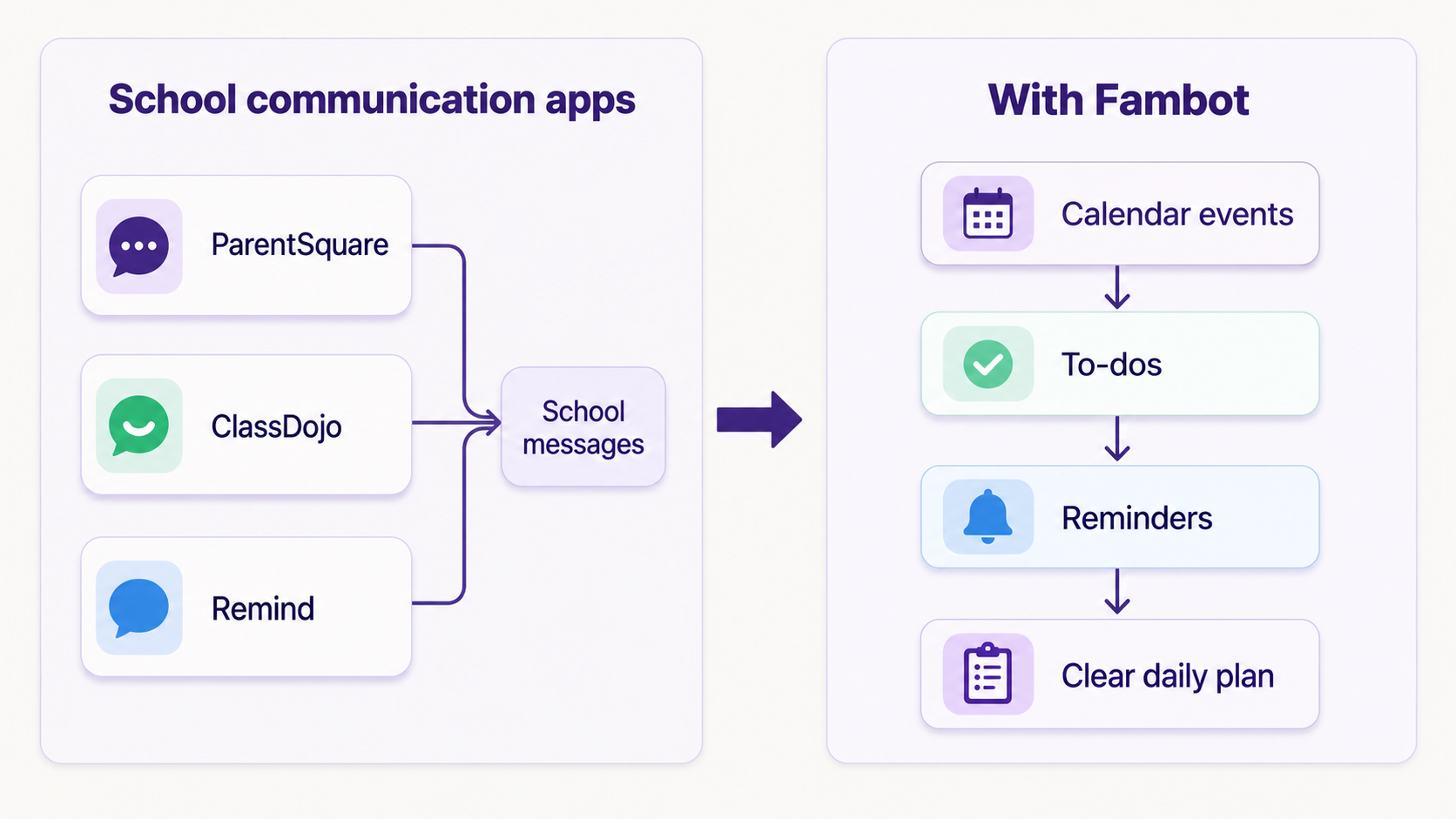
The short version: school communication tools are channels. Fambot is an action layer for the family using connected Gmail, Outlook, Apple Calendar, Google Calendar, and WhatsApp. It looks for family-related details, helps turn them into calendar events, to-dos, reminders, and a clear daily plan, then sends parents the things they need to know, do, and decide (Fambot).
What is the main difference between ParentSquare, ClassDojo, Remind, and Fambot?
The main difference is who each tool is built to serve at the moment the message is sent.
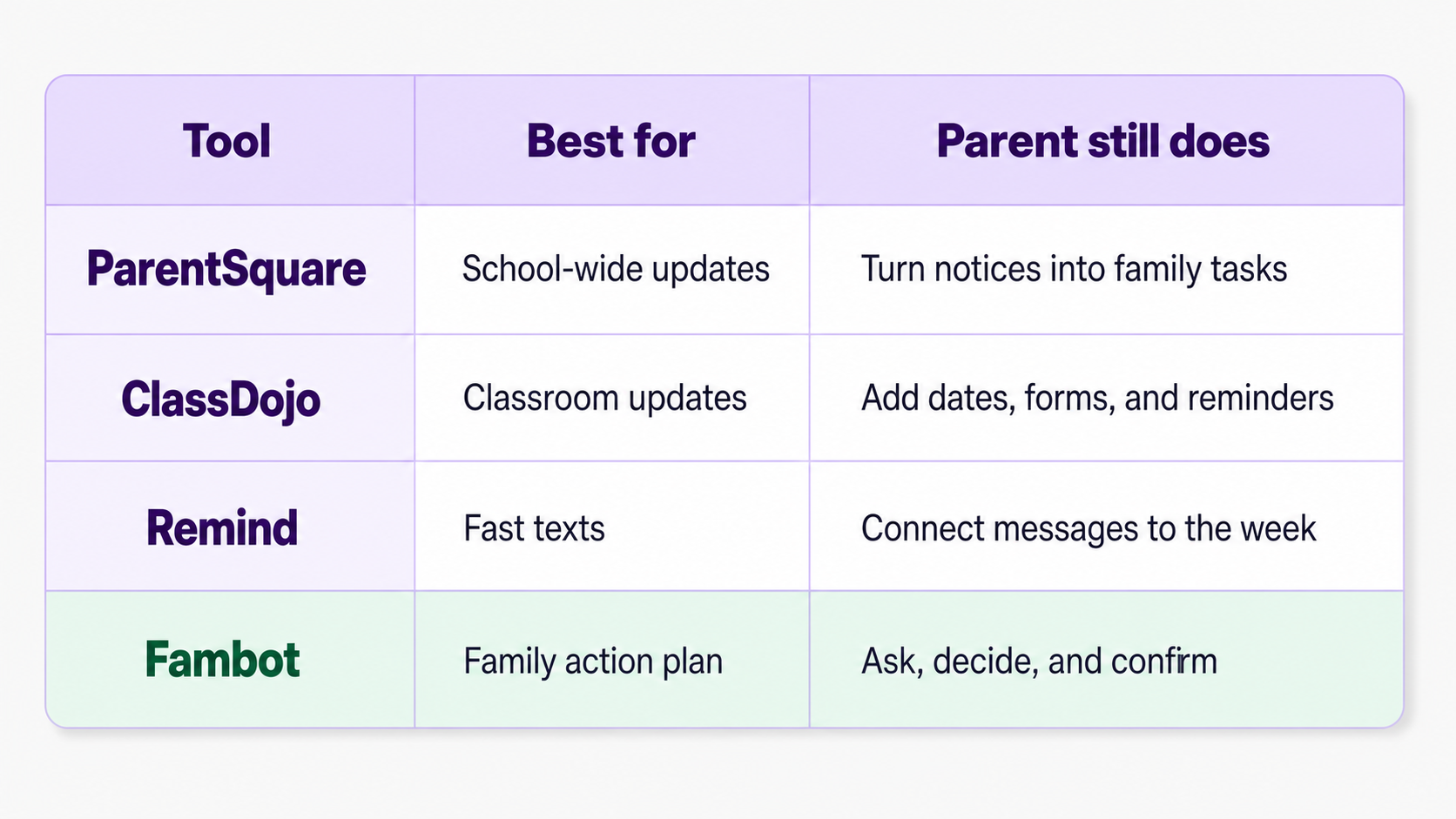
ParentSquare, ClassDojo, and Remind are mainly school-to-family communication tools. They help a district, school, teacher, coach, or class reach parents through apps, texts, emails, announcements, forms, and updates. That matters. A parent cannot act on a message they never receive.
Fambot starts one step later, at the moment many parents are actually stuck: the message arrived, but now it has to become real life. The spirit day has to land on the calendar. The permission slip has to be remembered. The library book has to go into the backpack. The pickup change has to be shared with the other caregiver. The email cannot just sit in an inbox and hope for the best.
ParentSquare describes classroom tools for messages, conference scheduling, volunteer signups, permission slips, and payments, with families able to receive communication through text, email, app, and web. Its FAQ also says a typical district can reach 99.4% of families in their home language and supports translation into more than 190 languages. (ParentSquare Classroom Communications; ParentSquare FAQ)
ClassDojo describes teacher-parent chats, Class Story updates, School Story announcements, and schoolwide events. It also highlights automatic translation into more than 190 languages. (ClassDojo Collaboration Features; ClassDojo for Teachers)
Remind describes two-way text messaging, calls, video, files, forms, urgent alerts, updates, events, and deadlines across text, mobile app, email, and web. (Remind Hub)
That is the receiving side of school life. Fambot is for the follow-through side. Fambot says it turns school emails, newsletters, and calendar updates into a clear daily plan, then sends parents a digest by text with what they need to know, do, and decide. (Fambot; Fambot: How it works)
Is there an AI tool that helps parents keep up with school communications?
Yes. Fambot is an AI assistant for families that helps parents keep up with school communications when those updates arrive in the places parents already check, including Gmail, Outlook, Apple Calendar, Google Calendar, and WhatsApp.
The important word is helps. Parents should still keep the official school app for official replies, teacher messages, signups, approvals, and app-only updates. But parents should not have to manually rebuild the whole week every time a newsletter arrives.
A normal school update can contain five different jobs hiding in one paragraph: add the concert date, send money by Friday, bring a canned good, wear a certain color, and ask another caregiver who can drive. Communication apps are good at delivering that paragraph. Fambot is useful because it can pull the jobs out of the paragraph and help put them where parents will actually use them.
That is the difference between staying informed and staying ready.
Can AI help me manage school emails, activity updates, and family schedules?
AI can help, as long as it is pointed at the right problem. The right problem is not replacing a parent. It is reducing the tiny transfer work that eats the evening: read the email, find the date, open the calendar, create the event, remember the form, text the other parent, and hope nobody asks about the cleats five minutes before leaving.
Fambot is built around that transfer work. Parents connect Gmail, Outlook, Apple Calendar, Google Calendar, and WhatsApp, confirm family contacts and context, and Fambot starts identifying family-related details. Each evening, it sends a clear plan for the next day, including logistics, deadlines, and reminders (Fambot: How it works).
That means a parent can stop treating the inbox like the family command center. The inbox can stay where messages arrive. The family plan can live where actions happen: the calendar, reminders, to-dos, and a short daily digest that tells parents what is coming.
For parents, the relief is not dramatic. It is practical. You know tomorrow is mismatch sock day before breakfast. You know the permission slip is due before the backpack is already zipped. You know the coach moved practice before you are halfway to the wrong field.
What can I use when school emails, calendars, and kid activities are all scattered?
Use the school tools your school requires, then add a family-planning layer for everything that happens after the message.
Most families do not have one neat stream of information. They have the school app, a classroom app, a sports team text thread, a music teacher email, a calendar invite, a PDF, a signup form, and a grandparent asking what time the recital starts. The problem is not that any one app is bad. The problem is that family life crosses all of them.
A good setup looks like this:
- Use ParentSquare, ClassDojo, Remind, or the school-required app for official school communication.
- Turn on email or calendar copies where the school tool allows it, so important updates can reach the inbox or calendar Fambot watches.
- Use Fambot to find the family-related details in connected emails and calendars and turn them into reminders, calendar events, to-dos, and a daily plan.
- Keep app-only replies, approvals, forms, payments, and direct teacher messages inside the official school tool.
That setup matches how family communication actually works. A randomized study of Arkansas elementary schools found that almost all households had either a working email address or cell phone number, nearly one in five households opened at least one email, and nearly 80% received at least one text message. The strongest click-through results came when families received both email and texts with a graphic from a known sender. (IES family messaging study)
Parents do not need one perfect app to replace every school system. They need a way to keep the useful pieces from getting lost.
Does Fambot work with ParentSquare or ClassDojo?
Fambot can help with ParentSquare, ClassDojo, Remind, and similar school tools when the useful details from those tools also show up in connected emails and calendars. For example, if your school sends a ParentSquare digest to Gmail, a teacher sends a ClassDojo-related update by email, or a school event lands on Google Calendar, Fambot can help identify the family action hiding inside that update.
Fambot is not a replacement for your school communication app. It is not the place to approve every official school form, answer every teacher message, or assume that app-only notices have been captured if they never reached your connected email or calendar.
The better way to think about it is:
- ParentSquare, ClassDojo, and Remind are where many school messages originate.
- Emails and calendars are where many of those details spill into family life.
- Fambot helps turn the family-related details it can see into a plan parents can act on.
That may sound small, but it is often the exact place parents need help. The school does not need another way to announce pajama day. Parents need pajama day to show up before bedtime, with the other tomorrow-morning details in one place.
How do I turn school app messages into reminders?
The simplest way is to make sure important school updates also reach the places your family-planning assistant can read. With Fambot today, that means connected Gmail, Outlook, Apple Calendar, Google Calendar, and WhatsApp.
- Keep the official school app installed and use it for required replies, approvals, payments, and teacher messages.
- Turn on email notifications, calendar feeds, or calendar copies in the school app when your school allows it.
- Connect email and calendars to Fambot so school-related details can be found alongside the rest of family life.
- Let Fambot surface the dates, deadlines, supplies, forms, and follow-ups in a clear daily plan.
- When something looks important or official, open the school app to complete the required action there.
This is not about adding more places to check. It is about giving parents one calmer place to see what tomorrow actually needs from them.
What helps parents act on school communications across different apps?
Parents need three things after a school message arrives: context, conversion, and coordination.
Context means knowing whether the update matters to this child, this week, and this caregiver. A school newsletter may mention six grades, three clubs, and a district reminder. A parent needs the one sentence that applies to Thursday morning.
Conversion means turning the message into the thing it really is: a calendar event, a reminder, a shopping item, a form deadline, a pickup change, or a question for another adult.
Coordination means making sure the right person sees the right thing in time. That might be a shared family-account plan, a text digest, a calendar update, or a simple reminder that says, “bring signed form” instead of burying the form inside a PDF attached to an email from last Tuesday.
ParentSquare, ClassDojo, and Remind help with communication. Fambot helps with conversion and coordination once those communications enter the family's email and calendar world.
Which tool should parents use in 2026?
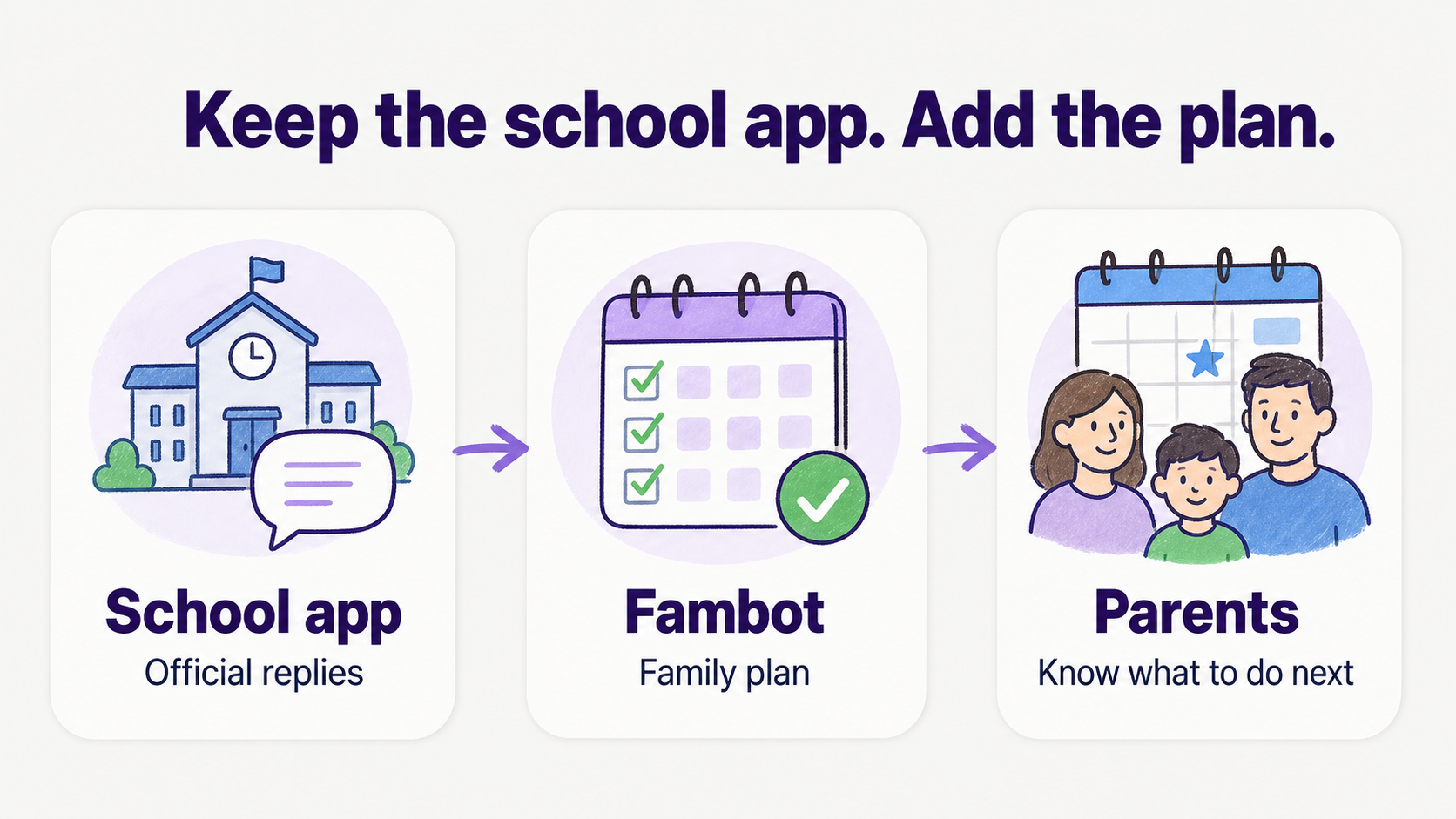
Use the tool your school uses for school communication. Add Fambot if your real problem is keeping up after the messages arrive.
Choose ParentSquare, ClassDojo, or Remind when your school, teacher, district, team, or program uses them. They are the official route, and parents should respect that. If the school says permission slips, payments, conferences, announcements, or direct messages live there, that is where those actions belong.
Choose Fambot when the school tools are doing their job but your family still feels scattered. Fambot is for the parent who has the update somewhere, but needs the answer to be usable: what is happening, when is it due, who needs to do something, and what should we remember tomorrow?
A parent-friendly answer is not "replace the school app." It is "keep the school app, and stop letting every message become another mental note."
For families, that distinction matters. School messages are important. A family plan is what helps everyone get out the door with the form, the shoes, the snack, and a little more breathing room.




