
School bus, carpool, and pickup changes parents miss
By David Reich, Founder & CEO of Fambot
Published: August 21, 2026 · Last updated: September 3, 2026
Article Summary (TL;DR)
Families manage school transportation changes best when every exception has 4 parts: what changed, which child it affects, who owns pickup, and where the instruction came from. The hard part is that bus notes, early dismissals, carpool swaps, and after-school details often arrive in different places. Fambot helps turn those scattered updates into a clear daily plan, and shared family accounts help make sure the right caregiver sees the pickup plan in time.
How do parents manage school bus changes and pickup exceptions?
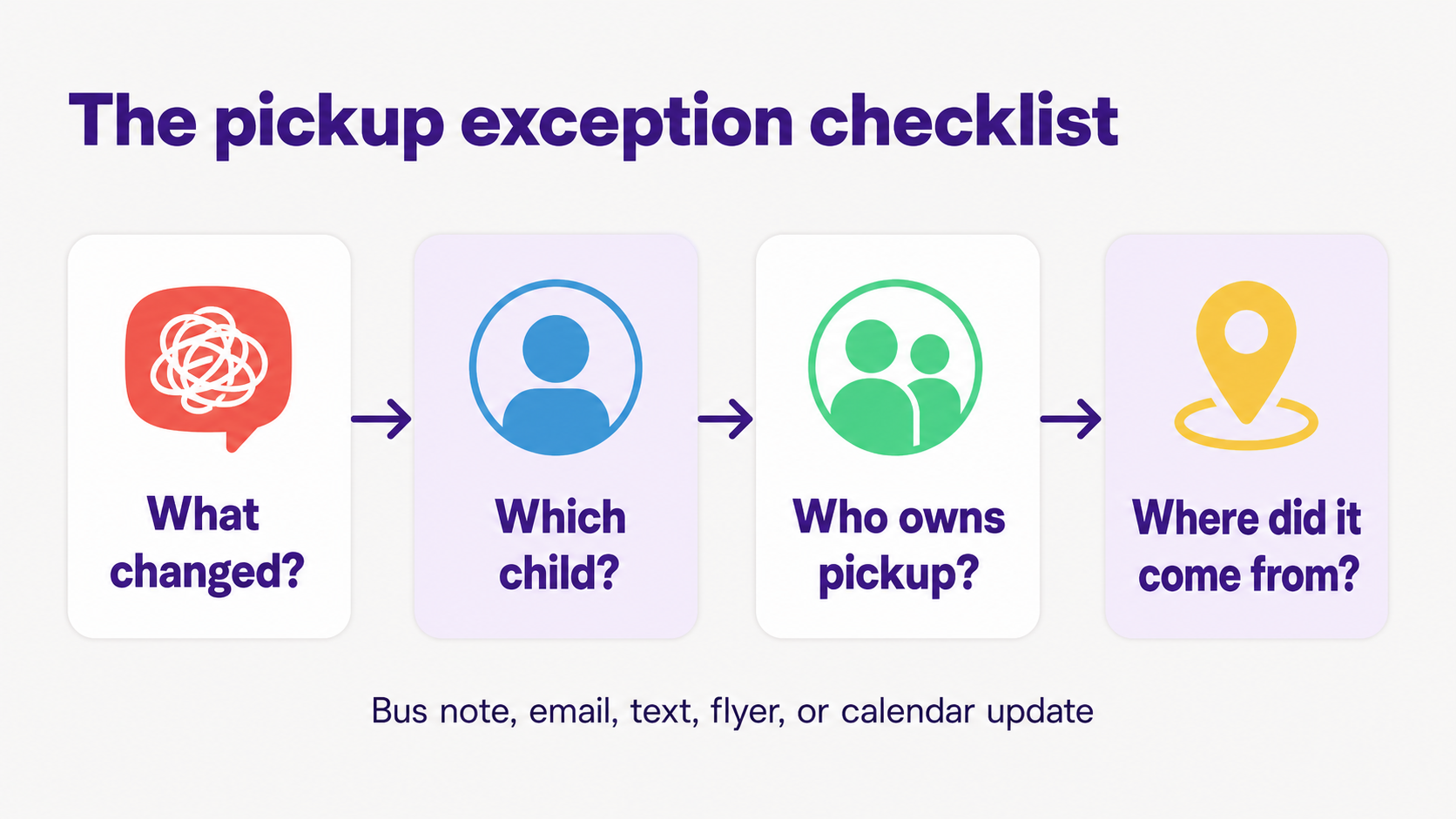
Parents manage bus changes and pickup exceptions by turning each update into a small handoff: child, time, pickup place, responsible caregiver, and source. The mistake is treating a transportation change like a casual text. It needs to move into the family plan before the school day starts moving.
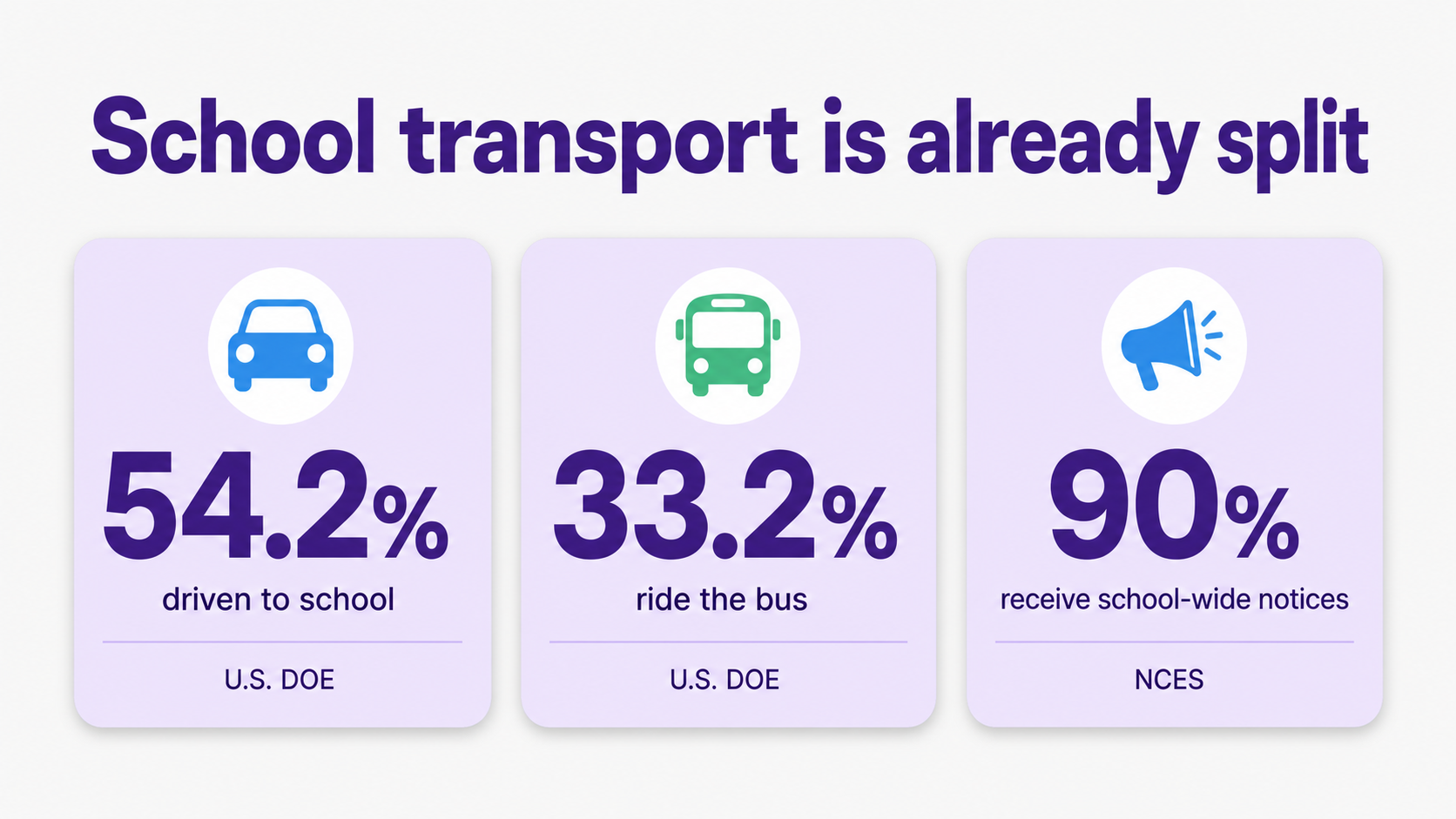
School transportation is already split. The U.S. Department of Energy's summary of the 2017 National Household Travel Survey found that 54.2% of children ages 5 to 17 were driven to school, while 33.2% usually traveled by school bus (U.S. Department of Energy).
That split is why small exceptions matter. A child might ride the bus most days, get picked up early on Thursday, join a neighbor's carpool on Friday, and stay for a club on Monday. The plan breaks when the change stays trapped in the place it arrived.
What helps coordinate carpools when after-school plans change?
Carpools work best when the family shares one current pickup plan, not a long thread of maybes. The plan should say who is driving, which children are included, where pickup happens, what changed, and who is the backup if practice, rehearsal, or a meeting runs late. That backup question is also a good one to just ask Fambot directly. Parents can text or chat with Fambot things like "Who's picking up Maya today?" or "What's the backup if practice runs late?" and get an answer pulled from the actual family plan, instead of scrolling back through a group text to check.
After-school plans are not a side issue for families. The Afterschool Alliance's 2025 America After 3PM summary reported that parents of nearly 30 million children want afterschool programs, but 77% of those children are left out. It also found that 49% of parents without a child in a program say their child lacks a safe way to get to and come home from programs (Afterschool Alliance).
Work schedules add another layer. Pew Research Center found in 2026 that 25% of working parents have little or no flexibility to attend children's events during regular work hours. Among lower-income parents, 55% said they had missed children's activities at least sometimes in the prior year because of work responsibilities (Pew Research Center).
So the useful carpool question is not just, "Who can drive?" It is, "Who knows the plan, and can they still do it if school, work, or the activity changes by 20 minutes?"
Can AI track bus notes, dismissal changes, and pickup instructions from school emails?
Yes, if the AI can read the family sources where those details arrive and understand which child they affect. A useful assistant should find early dismissal notes, schedule changes, sign-ups, permission slips, and pickup instructions, then turn them into calendar updates, reminders, or questions for the parent.
This matters because school communication is broad and constant. NCES reported that in the 2022-23 school year, school-wide newsletters, memos, emails, or notices were reported for 90% of K-12 students. Student-specific emails or notes were reported for 66%, and phone calls for 41% (NCES).
Fambot is built for that messy middle. Its FAQ says it reads things like early dismissal, extracurricular events, schedule changes, sign-ups closing soon, permission slips, what to bring, and what to wear, then surfaces what matters. Today, Fambot's FAQ lists Gmail and Google Calendar as current integrations (Fambot FAQ).
How can I make sure the right caregiver knows the pickup plan?
Make the pickup plan explicit enough that another caregiver can act without searching the thread. Send the child, exact time, pickup location, source of the instruction, and backup contact. If any part is missing, the caregiver may technically know they are helping but still not know where to go.
A useful handoff sounds boring on purpose. Try: "Maya has early dismissal today. Pickup is 12:15 at the front office. Grandma is listed as the authorized pickup. Source is yesterday's school email. If the office asks, the form is already submitted."
Quick caregiver handoff
- Child: Which child or children does this affect?
- Time: Is it the normal time, early dismissal, late practice, or a changed bus arrival?
- Place: Front office, bus stop, side door, field, classroom, or after-care desk?
- Caregiver: Who owns pickup, and who is backup?
- Source: School email, bus note, teacher message, group text, flyer, or calendar update.
What app helps families manage carpool, bus, and after-school transportation details?
The right app is the one that reduces the work before the calendar is useful. A shared calendar can store pickup if a parent enters it. A group text can ask for help. Fambot is different because families can use it on iOS or Android to find school and family details from connected sources and turn them into a clear daily plan.
Fambot catches schedule changes, gives parents a heads up, highlights important actions, shows tomorrow's family calendar, and helps keep the calendar in sync with permission. Families do not need to forward, tag, or sort their inbox first (Fambot FAQ).
How do I stop transportation changes from getting buried in texts and emails?
Use one rule: if a transportation change affects where a child ends the day, it must leave the original message and become part of the pickup plan. That means the final answer cannot live only in a group text, buried email, paper note, or mental reminder.
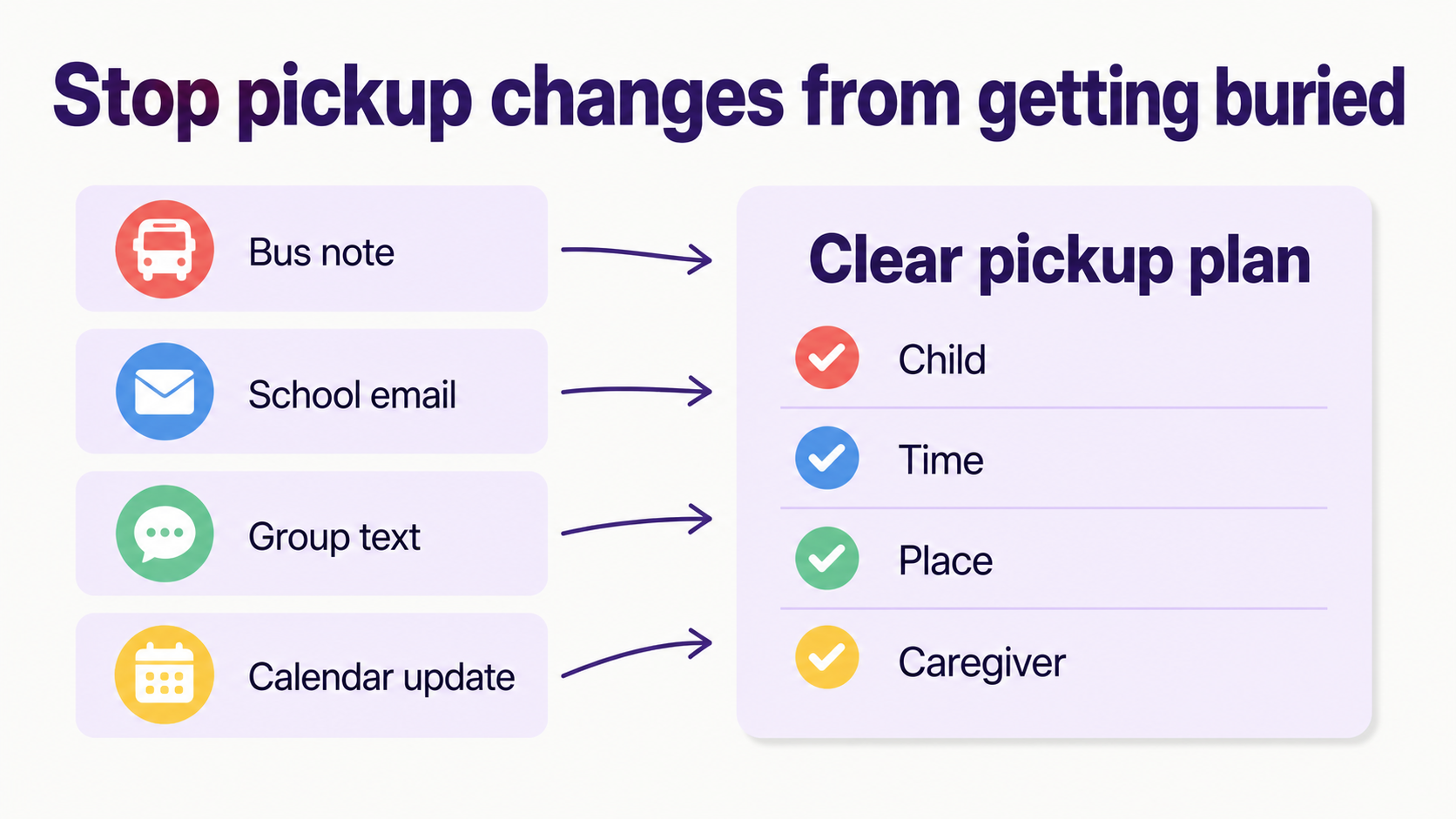
The original source still matters. A bus note, district email, or front-office instruction may be needed if there is confusion later. NHTSA tells parents to pay attention to bus-stop safety and notes that children are more at risk when approaching or leaving a school bus, which is one reason pickup instructions should stay precise (NHTSA).
A good family system keeps 2 things together: the plan people follow and the source that proves where the plan came from. That is what keeps a late bus note from becoming a 2:43 p.m. scramble.
Sources
- U.S. Department of Energy - Used for 2017 National Household Travel Survey school travel mode statistics.
- Afterschool Alliance - Used for 2025 America After 3PM afterschool demand and transportation-barrier statistics.
- Pew Research Center - Used for 2026 working-parent flexibility and missed-activity statistics.
- NCES - Used for 2022-23 K-12 school communication statistics from the Parent and Family Involvement in Education Survey.
- NHTSA - Used for school bus safety context around bus stops and school transportation.
- Fambot FAQ - Used for current Fambot product claims, including schedule changes, daily actions, Gmail, and Google Calendar support.




