
Shared calendar or school-detail catch-up? A 2026 guide
By David Reich, Founder & CEO of Fambot
Published: August 20, 2026 · Last updated: August 20, 2026
Article Summary (TL;DR)
Family calendars miss school details because they only show what someone already added. School life usually arrives first as emails, newsletters, PDFs, portals, and teacher notes. Parents need catch-up before the calendar: a system that reads the update, decides what matters, adds events or reminders, and answers follow-up questions when the morning gets loud.
Why do family calendars still miss school details?
Family calendars still miss school details because the calendar is usually the last stop, not the first. A parent has to read the school update, notice the date, understand whether it matters, and turn it into an event before the shared calendar can help anyone.
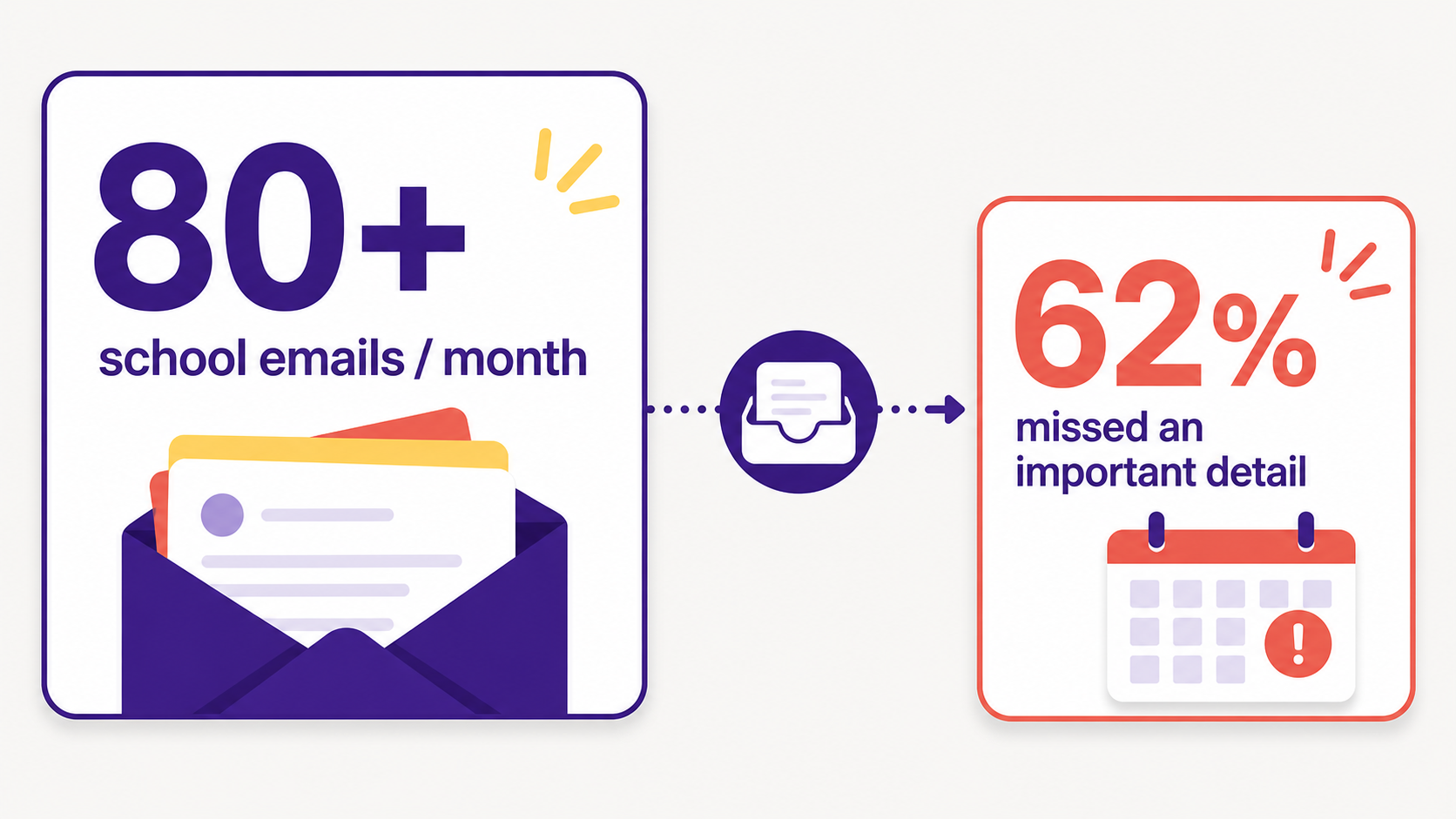
Yahoo surveyed more than 2,000 U.S. parents and caregivers with school-aged children and found that the average parent receives more than 80 child-related school and activity emails a month. The same survey found that 62% have missed an important event or detail in their inbox (Yahoo Inc.).
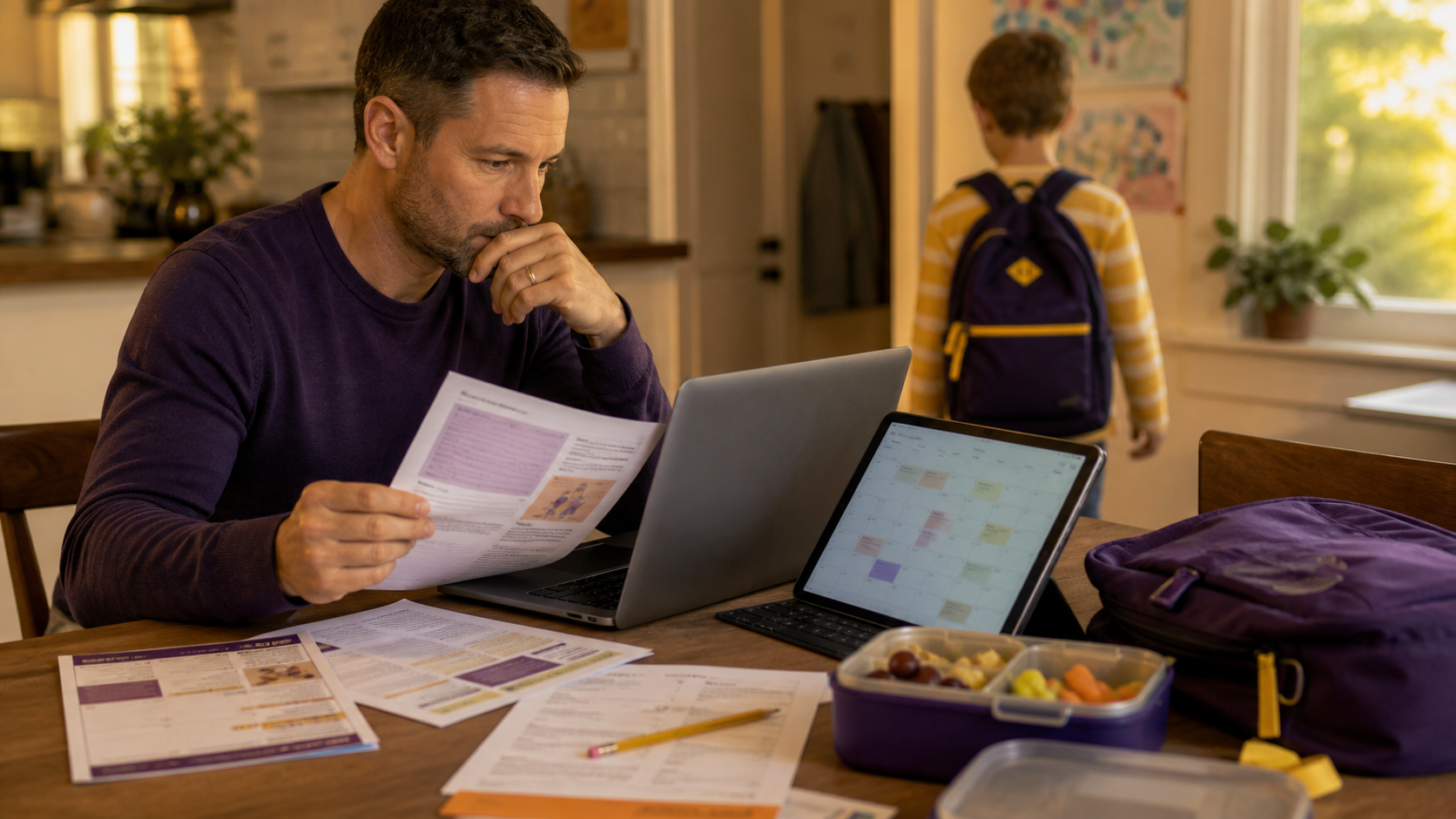
That sounds painfully familiar because school communication rarely arrives in one neat calendar invite. Picture day is in the newsletter. Snack duty is in a coach email. The field-trip deadline is buried in a PDF. Early dismissal gets repeated in a portal notification that no one opened until too late.
What helps parents catch school email updates before they become calendar problems?
What helps is catching the school detail where it starts, before a parent has to copy/paste it into a calendar. The useful system reads family-related email and school sources, picks out what matters to this family, and turns it into a reminder, task, or calendar item. That is the gap Fambot is built to close: it reads the school newsletter, PDF, or teacher email directly, instead of waiting for a parent to notice it first.
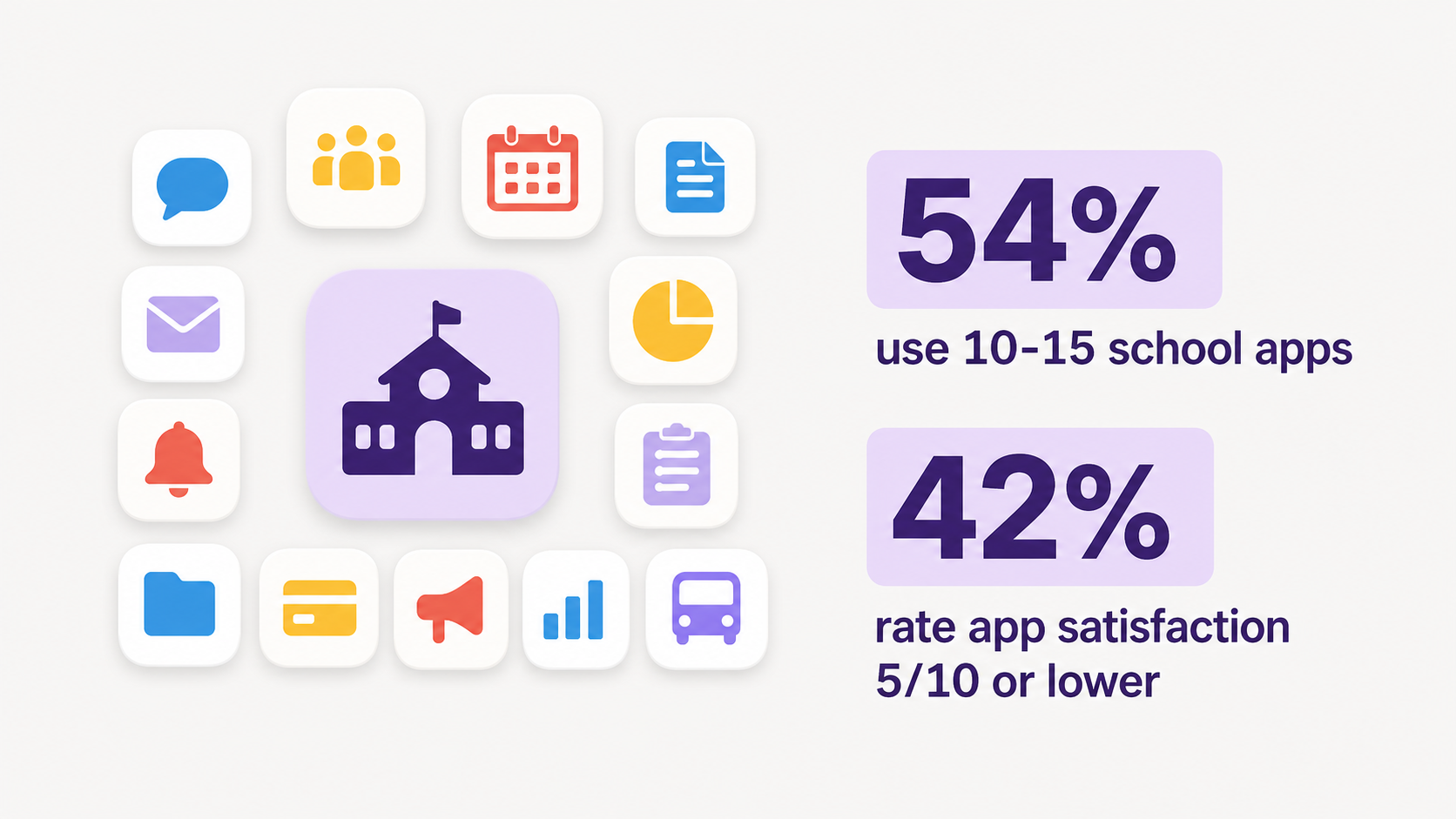
The problem gets worse when schools split communication across too many places. A 2025 Cornerstone Communications and Edsby survey, reported by THE Journal, found that 54% of respondents said their schools use 10 to 15 officially sanctioned educational apps. Among parents, 42% rated app satisfaction at 5 out of 10 or lower (THE Journal).
The fix is not another beautiful empty calendar. It is less parent-side translation: fewer messages to reread, fewer screenshots to remember, fewer details sitting in a newsletter while everyone assumes the family plan already knows.
Can an AI assistant add school events to my family calendar automatically?
Yes, a proactive AI assistant can add school events to a family calendar automatically when it has the right access, family context, and permission to act. The important difference is whether it reads the source itself or waits for a parent to forward, paste, or type the detail.
Fambot is built for the first version. Parents connect a supported email or calendar account once, add family context, and Fambot reads family-related emails, newsletters, PDFs, schedules, and updates. It can pull out useful dates, create calendar events, add reminders, make to-dos, and send a daily digest text message with what parents need to know, do, and decide.
Calendar products already do a narrower version of this for some message types. Google says events from Gmail work for flights, transit, hotels, restaurants, ticketed events, and medical events, but not for emails that are not event confirmations (Google Calendar Help).
Microsoft says Outlook can add supported email events such as flights, hotels, car rentals, package deliveries, and some reservations, while past events or unsupported providers are not added (Microsoft Support).
That is useful. It still leaves the parent with the messy school stuff: the newsletter that says crazy-hair day is Friday, the teacher note that says bring a shoebox, the PDF with the camp packing list, and the coach email changing Saturday pickup.
How can I automatically turn school emails and activity updates into calendar reminders?
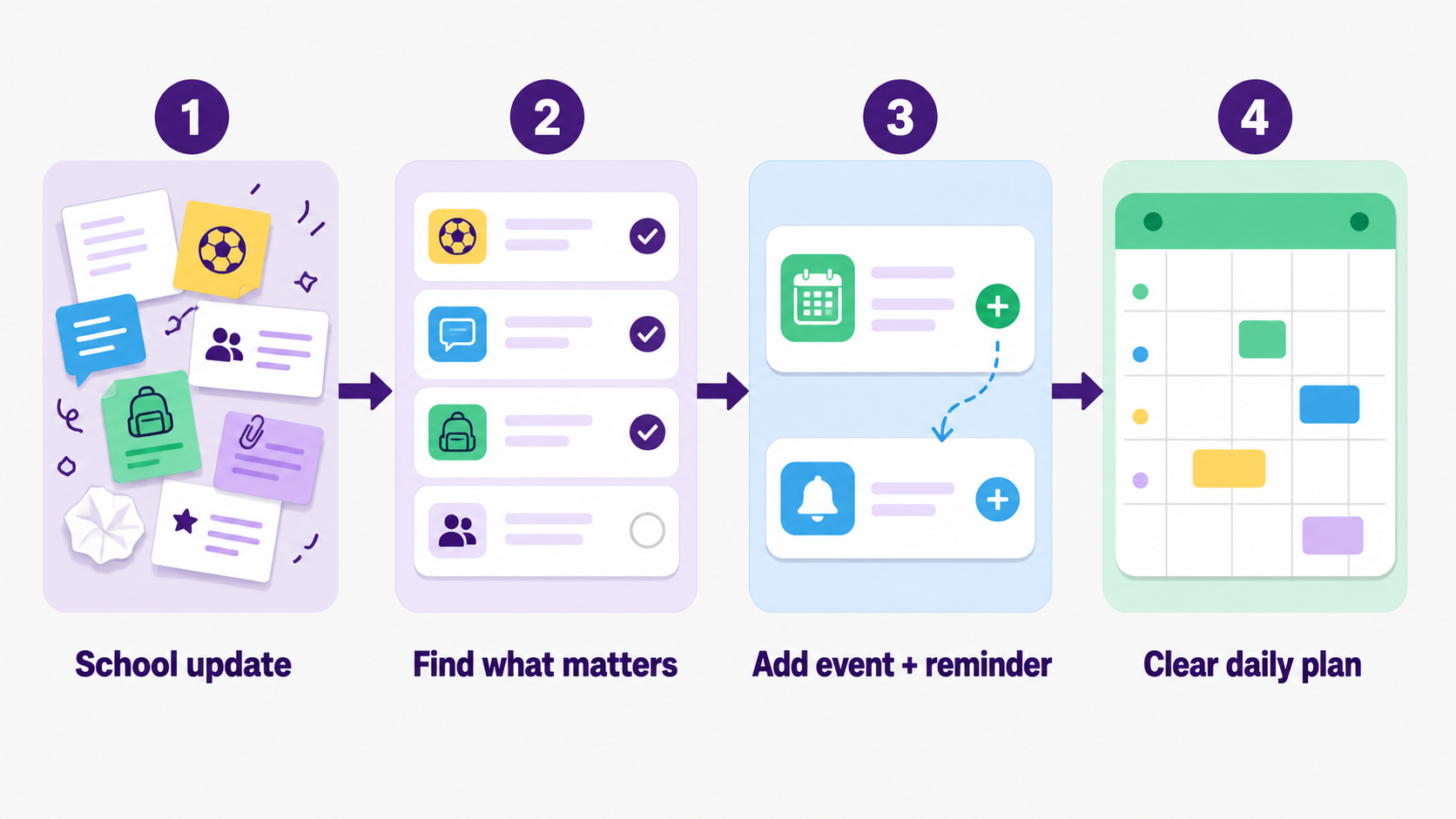
The practical workflow is: connect the family sources, let the assistant identify relevant school details, turn those details into events and reminders, then review one clear daily plan. The parent should not have to forward every email or rebuild the family schedule by hand.
For a calendar-using family, the goal is not to abandon the calendar. The goal is to stop treating the parent as the bridge between every school source and the calendar.
A good assistant should also understand context. A soccer field change matters if your child is on that team. A classroom supply note matters if it matches your child, teacher, or school. A payment deadline matters if the family has not already handled it.
Is there an app that turns school newsletters into calendar events and reminders?
Yes. Fambot is one app built for school newsletters, emails, activity updates, and family sources. Some calendars can subscribe to school calendar feeds, and some email systems can create limited events from supported confirmations, but newsletter-to-reminder work needs interpretation, not just a date parser.
Cozi, for example, lets families subscribe to read-only calendar feeds from school calendars, Google Classroom, Canvas, Outschool, TeamSnap, and other sources. That is helpful when the source already offers a calendar feed (Cozi).
The hard part is the school newsletter that never became a clean feed. That is where families need the assistant to read, decide, add, remind, and stay available for a follow-up question like, "What time is pickup?" or "Are we supposed to bring anything?"
What tools automatically pull school emails into a family calendar?
The main choices are calendar auto-add features, shared family calendars, calendar-feed subscriptions, forwarding-based tools, general AI assistants, and proactive family assistants. The right tool depends on whether the school detail already exists as a calendar feed or whether it is buried in an email, PDF, or newsletter.
What's a good app that pulls school events into my family calendar without me doing anything?
A good app should require one-time setup, not ongoing parent labor. For school-email catch-up, look for a tool that reads connected family-related email, understands family context, adds calendar events, creates reminders, and sends a daily digest text message without requiring forwarding or copy/paste.
Fambot is a good fit for families who want school events to show up without copying details out of every newsletter, PDF, teacher email, and activity update themselves. Parents connect once, then Fambot reads family-related emails, school updates, calendars, PDFs, links, sports schedules, and other family sources. It finds dates, deadlines, pickup changes, forms, and reminders, then turns the useful parts into calendar events, to-dos, follow-up questions, and a clear daily plan.
That matters because “automatically add school events” is not just date extraction. The hard part is knowing whether a detail applies to your child, whether it belongs on the calendar, whether it needs a reminder, and whether someone needs to act on it. A shared calendar can hold the event once it exists. Fambot helps with the work before that: finding the school detail and turning it into something the family can use.
Parents are already open to using AI for practical family work. Menlo Ventures found that 79% of parents with children under 18 had used AI, compared with 54% of non-parents, and 34% of parents used AI for managing childcare (Menlo Ventures).
The trust bar is still high. The assistant is handling family life, not just suggesting dinner ideas. Parents should check how the product connects to email and calendars, whether it stores passwords, how it handles deletion, and whether the family can disconnect accounts if trust is lost.
What's better for managing school emails: a family calendar or an AI assistant?
For school emails, an AI assistant is better at the catch-up work, and a family calendar is better at displaying the plan once the catch-up is done. The best setup uses both: the assistant finds and adds the details, then the calendar stays accurate.
That distinction matters at 7:18 a.m., when a parent is standing by the door and needs one answer, not another app to inspect. A calendar can show practice if someone entered it. A proactive AI assistant can answer, "What changed about practice, and do we need to bring anything?"
Schools know clear communication matters too. In GreatSchools.org survey findings, 90% of parents who would recommend their school reported being satisfied or very satisfied with communication. The same release quoted Dana Altemeyer, EdD, saying, "Clear, consistent communication is the foundation of trust with our families" (GreatSchools.org).
For calendar-using families, the next step is not a prettier shared calendar. It is school-detail catch-up before the plan falls apart: the reading, finding, adding, reminding, and answering that has to happen before the calendar can actually do its job.
Sources
- Yahoo Inc. - Used for school-related email volume and the share of parents who missed important details in their inbox.
- THE Journal - Used for the 2025 school app and portal findings reported from Cornerstone Communications and Edsby research.
- GreatSchools.org - Used for parent communication satisfaction, missed deadline comparisons, and the quoted communication trust line.
- Menlo Ventures - Used for parent AI adoption rates and parent use of AI for childcare management.
- Google Calendar Help - Used for the limits of Google Calendar events created from Gmail.
- Microsoft Support - Used for Outlook events-from-email supported event types and limitations.
- Cozi - Used for calendar-feed subscription capabilities and read-only school/activity calendar import examples.




