
Sunday planning and daily reset for school-week logistics
By David Reich, Founder & CEO of Fambot
Published: August 21, 2026 · Last updated: September 3, 2026
Article Summary (TL;DR)
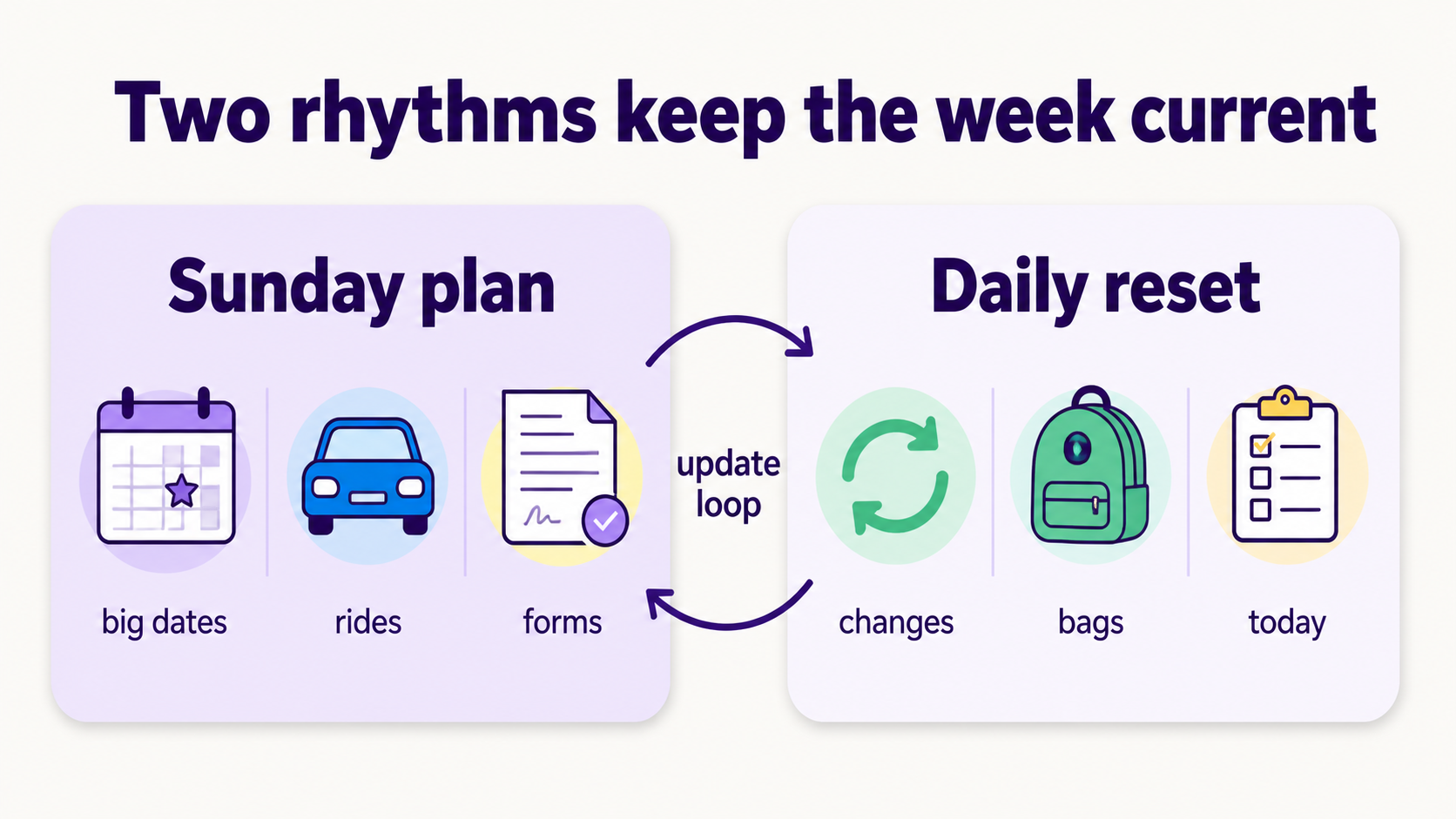
A Sunday planning session gives the school week a first draft. A daily reset keeps that draft useful when school emails, activity changes, forms, rides, and backpack details move around. Busy families need both rhythms: one weekly look-ahead, plus a short daily check that turns new details into reminders before they become morning problems.
Who is this for?
This guide is for parents who already make a weekend plan, then watch it get dented by Tuesday. The calendar looked fine on Sunday. Then the teacher sends a signup link, soccer practice moves fields, picture day gets buried in a newsletter, and someone remembers the permission slip after bedtime.
This is exactly the gap Fambot is built to close. It keeps pulling in new details all week like the signup link, the field change, and the buried newsletter note so the plan made Sunday doesn't go stale by Tuesday.
That is normal school-week life. Child Trends found that 78.3% of parents and caregivers of children ages 5 to 18 seek information about their child's education at least monthly, and school-based communications were their most-used source for decisions (Child Trends).
A Sunday plan still needs a refresh once the week starts moving.
What is better for busy families: one weekly planning session or a daily plan?
Use Sunday for the known week and each day for what changed. The table below is the short version.
Quick decision rule:
A good weekly system is boring in the best way. It gives the family fewer surprises, fewer repeated questions, and fewer 7 a.m. searches for "that email from the school."
How do I make a Sunday family planning routine that still works by Friday?
Treat Sunday as a 20-minute first draft. Pull the fixed pieces into one place: school schedule, activities, deadlines, daily prep, rides, caregiver ownership, and open questions. Then choose where midweek updates go and when the 5-minute daily reset happens.
What should parents review at the start of each school week?
Review the details that create real-world friction: time, place, rides, forms, money, meals, gear, and unanswered questions. The calendar may say "soccer," but the real plan includes the field address, shin guards, snack duty, weather, and the adult who needs to leave work early.
How do I keep a family plan current when school and activity details change midweek?
Treat new updates as plan edits. When a school message arrives, ask 5 questions: what changed since Sunday, what matters tomorrow, what belongs on the calendar, who owns the next step, and what still needs an answer.
That matters because school details keep moving across email, portals, apps, texts, and activity schedules. Alchemer's 2026 K-12 Parent Trust Report found that email was the primary school communication channel for 51.3% of parents, while parent portals or apps were primary for 23.5% and texts for 13.8% (Alchemer). The 2022 NSCH found 72.7% of children ages 6 to 17 participated in at least 1 organized activity or lesson after school or on weekends (NSCH Data Resource Center).
How can an AI assistant help turn weekly school updates into daily reminders?
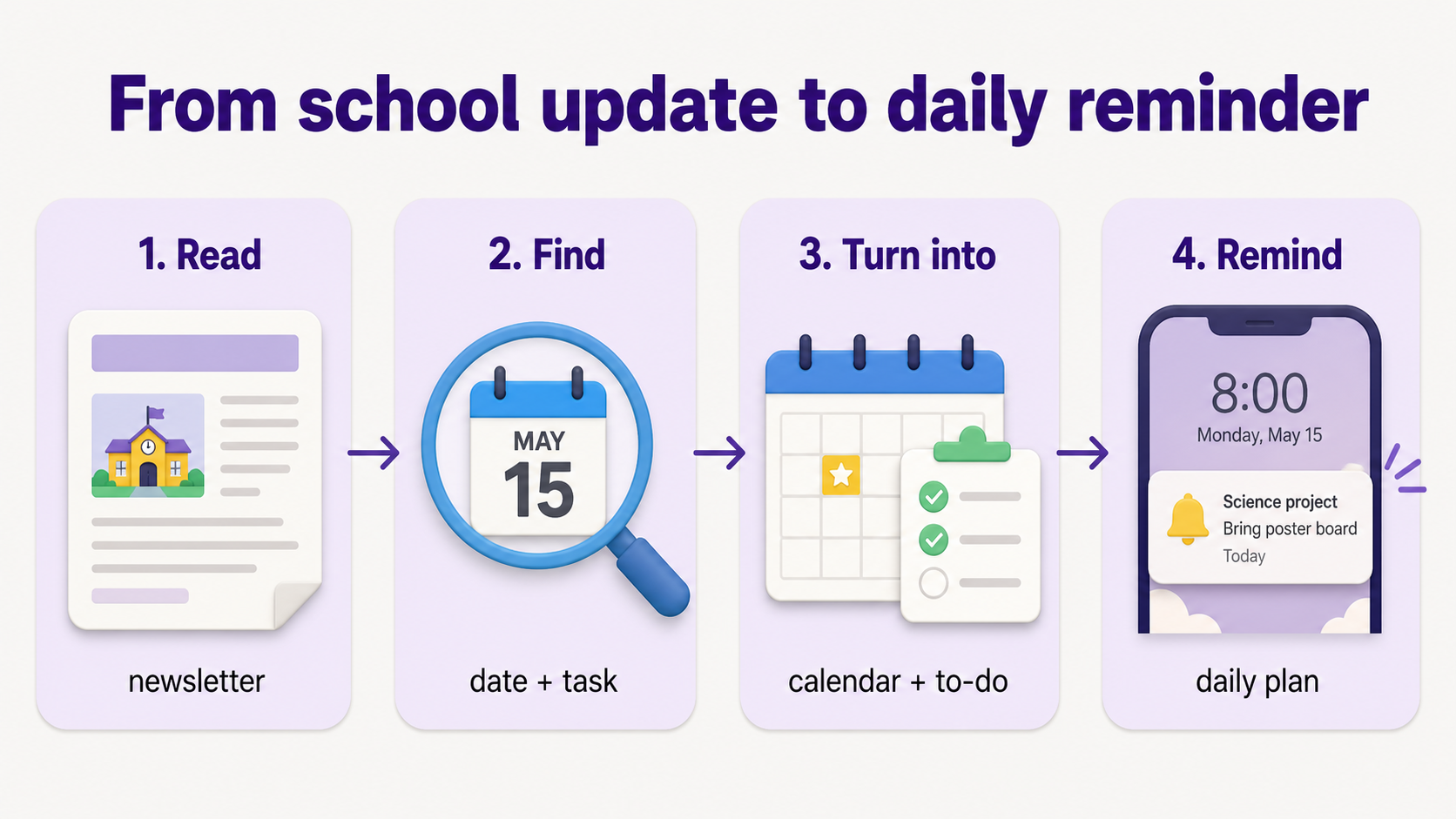
An AI assistant can read family-related school updates, pull out dates and tasks, and turn them into calendar items, to-dos, reminders, and a daily plan. It should find the details parents would otherwise copy, paste, forward, or remember: dates, deadlines, instructions, changes since Sunday, and answers to follow-up questions.
Timing matters. IES summarizes research showing that school text messaging can support attendance, including a study where chronic absence decreased by 12% to 18% when schools used a text messaging strategy (IES). Family reminders are smaller than attendance interventions, but the lesson travels: reminders work best when they are timely, specific, and close to the moment of action.
What app helps parents turn a weekly school plan into daily reminders?
Fambot is built for families whose plan breaks before the calendar. Parents can download the iOS or Android app, add family context, and let Fambot turn buried school details into a daily plan: early dismissals, extracurricular events, schedule changes, permission slips, what to bring, and what to wear. Fambot supports multiple kids and schools, and parents do not have to forward emails, tag messages, or sort the inbox.
If a family already keeps every detail updated by hand, a shared calendar may be enough. If the week breaks because key details stay buried in school updates, an AI chief of staff for families can keep the plan alive after Sunday.
What should the daily reset include?
A daily reset should answer the next 24 hours: tomorrow’s calendar, new school updates, what each child needs, open forms or payments, ride changes, and the 1 thing that would make tomorrow morning annoying if it got missed tonight. In a shared family account, it should also make ownership clear: who knows, who does, and who decides.
The Bureau of Labor Statistics reported that 81% of people did household activities on an average day in 2025, including household management, and adults living with children under 18 spent substantial time on those tasks (BLS). A daily reset works because it treats planning as small maintenance, tucked between dinner, backpacks, bedtime, and whatever someone just remembered from the back seat.
What are the common mistakes that make a Sunday plan fall apart?
Sunday plans usually fall apart when the calendar becomes the whole plan. The fix is to catch the tasks around each event and update the plan before the morning rush.
The common mistakes are practical:
- Treating the calendar as the whole plan.
- Skipping who owns each next step.
- Putting "field trip" on the calendar without the payment, lunch note, arrival time, and what to wear.
- Letting new school emails sit outside the plan.
- Saving the daily reset for morning, when everyone is already moving.
- Using too many places for the same plan.
A useful family plan has one job: make the next action easier to see. It needs to be current.
What is the simplest Sunday-plus-daily routine to try this week?
Try this for one school week: spend 20 minutes Sunday collecting the known week, assigning rides, forms, payments, and gear, and marking open questions. Each night, spend 5 minutes updating tomorrow. By Friday, judge the system by how many fewer things you had to search for, repeat, or remember at the last second
Sources
- Child Trends - Used for 2026 data on how parents seek and trust school-based communications about their child's education.
- Alchemer - Used for 2026 data on K-12 school communication channels, including email, parent portals, text, and technology attitudes.
- NSCH Data Resource Center - Used for 2022 National Survey of Children's Health data on children's participation in organized activities after school or on weekends.
- IES - Used for research summary on text messaging with families and chronic absenteeism outcomes.
- BLS - Used for 2025 American Time Use Survey data on household activities and household management.
- Fambot FAQ - Used for current Fambot product claims, supported integrations, daily plan language, and no-forwarding workflow.




