
Todoist and Any.do vs Fambot for family tasks

By David Reich, Founder & CEO of Fambot
Published: August 31, 2026 · Last updated: September 3, 2026
Article Summary (TL;DR)
The best family task app depends on where your system breaks. Todoist is strong for personal task capture. Any.do is better for shared family boards and grocery lists. Fambot is the better fit when reminders start inside Gmail, Outlook, Apple Calendar, Google Calendar, WhatsApp groups, school newsletters, PDFs, and family updates that parents are tired of reading and retyping.
What is the best family task app that creates reminders automatically?
For parents who want reminders created from family sources, Fambot is the strongest fit. Todoist and Any.do are useful once a task exists. Fambot starts earlier: it reads family-related email and calendar context, finds what matters, and turns those details into reminders, to-dos, calendar items, and a clear daily plan.
That distinction matters on a normal school night. A task app can remind you to send the permission slip if someone already made that task. The harder part is noticing the permission slip buried in the class newsletter, deciding it matters, and getting it into the plan before Thursday morning.
Fambot's public site says parents connect once, then Fambot figures out what matters automatically, with no forwarding, tagging, or inbox sorting required (Fambot).
Todoist vs Any.do vs Fambot: what changes for parents in 2026?
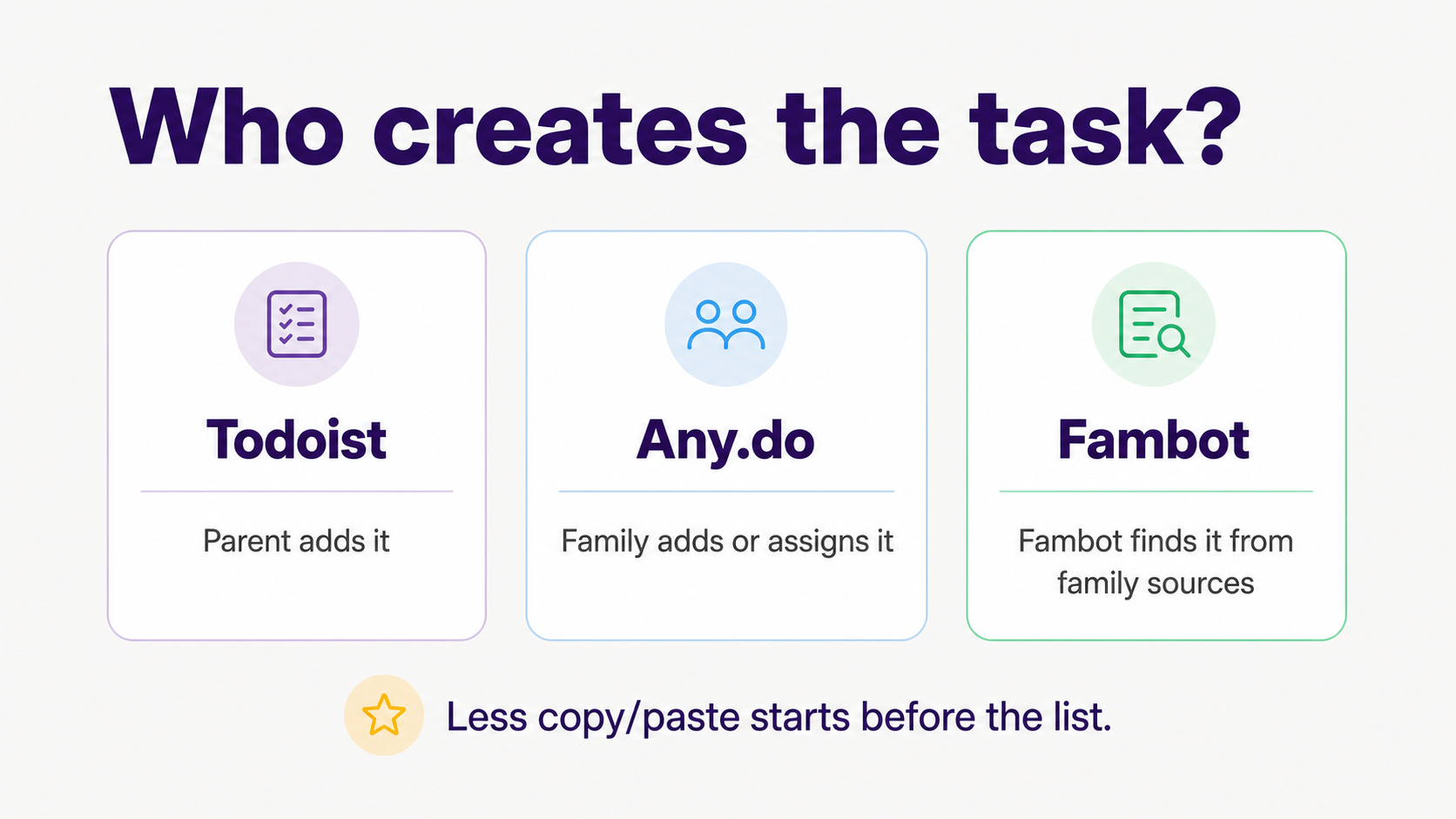
Todoist is a powerful personal to-do system. Any.do adds a more family-shaped shared space. Fambot is built for the earlier parent problem: family details live in Gmail, Outlook, Apple Calendar, Google Calendar, WhatsApp groups, newsletters, flyers, PDFs, and updates before they become tasks. Its shared family accounts give parents, caregivers, or households one place to see the plan once Fambot has found the work.
Todoist says 30 million+ people use it to manage work and life, and its current pricing page lists task reminders, flexible list and board layouts, email/calendar integrations, and AI features such as Task Assist on paid plans (Todoist Pricing).
Any.do says it is trusted by 40 million+ people and offers tasks, lists, calendar, reminders, WhatsApp task creation, AI features, and family boards (Any.do).
Can Todoist manage family tasks from school emails?
Todoist can help manage family tasks that a parent captures from school emails. It has strong reminders, recurring dates, projects, filters, labels, priorities, and AI features. The practical catch is that a parent still has to notice the school update and decide what belongs in Todoist.
Todoist's current plan FAQ says Email Assist can forward emails to create tasks and that paid plans include Todoist Assist, Ramble, and capture from text, images, and documents (Todoist plans, pricing, and billing FAQ).
That helps organized parents. It does not remove the first step for most family logistics: reading the update. If the soccer coach sends a schedule change, a teacher sends a class-party request, and the camp sends a packing PDF, Todoist works best after someone has already found the useful pieces.
Todoist is a good pick when one parent wants a serious personal command center. It can hold school reminders, chore tasks, shopping tasks, kid appointments, and recurring routines. It is less ideal when the family pain is "I don't want to read every email just to know what belongs on the list."
Can Any.do manage family reminders without another list to maintain?
Any.do is stronger than a solo task app for families that want a shared planning space. It has a Family plan with shared boards, grocery lists, assignments, reminders, calendar features, and WhatsApp task creation. It still depends on the family keeping that shared space alive.
Any.do's Family page describes shared tasks, calendars, reminders, grocery lists, responsibility assignment, family boards, and family pricing (Any.do Family).
Its pricing page lists the Family plan at $8.33 per month for 4 members when billed annually, or $9.99 per month for 4 members on monthly billing (Any.do Pricing).
The help center says the Family Space supports up to 4 members and 4 shared boards or grocery lists. It also notes assignments, shared calendar integration, task chat, and WhatsApp forwarding into collaborative tasks (Any.do Help Center).
For parents, the real question is whether the board becomes one more thing to maintain. Any.do can be a good home for shared tasks. It still asks the family to get the right details into the board, keep them assigned, and make sure the plan matches what came in from school.
Is there an AI tool that can pull to-do items out of emails?
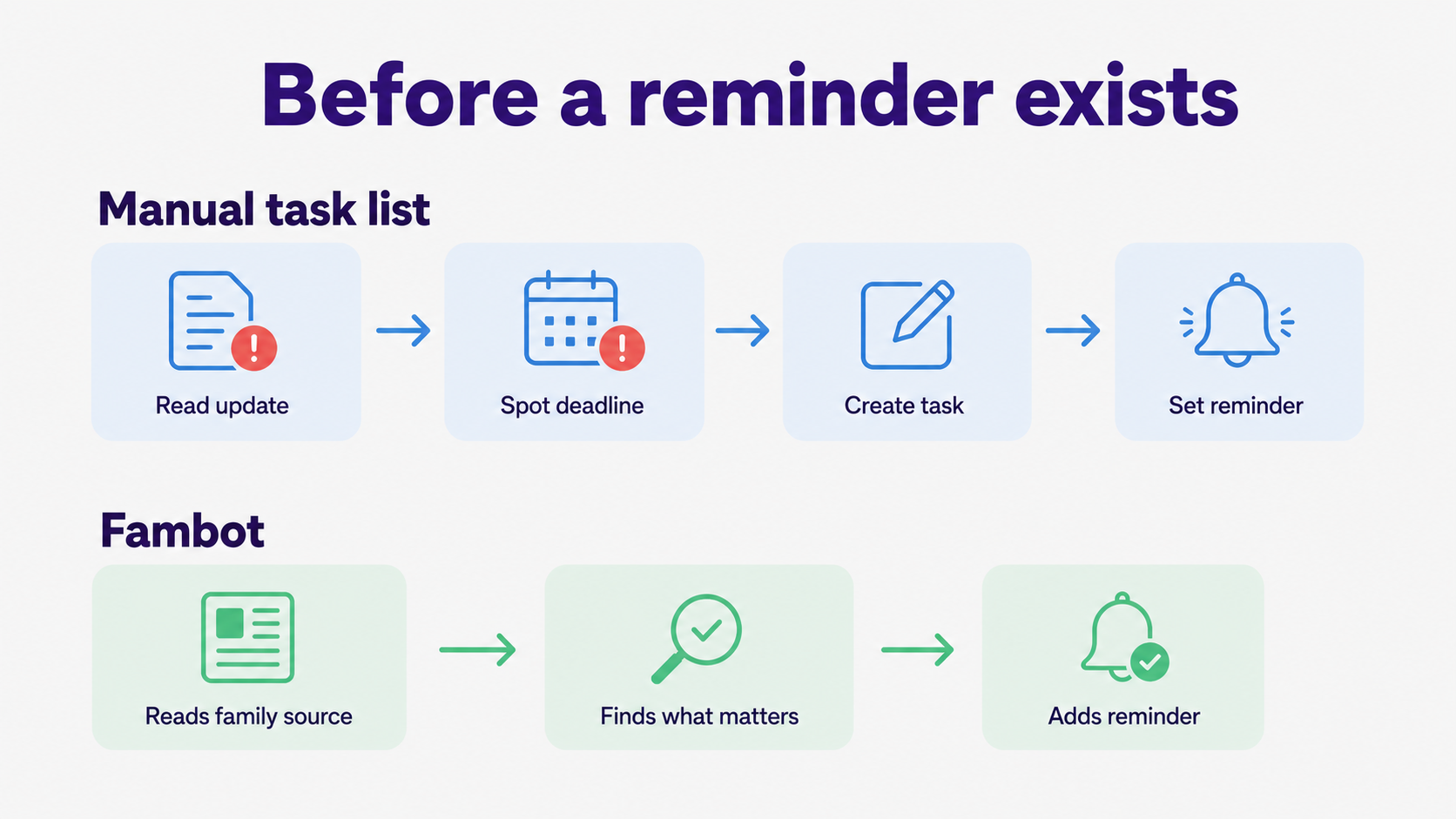
Yes. Fambot is designed for this exact family use case. It reads family-related emails and calendar context, figures out which details matter, and turns them into to-dos, reminders, calendar items, follow-up questions, and a clear daily plan parents can read by text or email.
Fambot's current public "How it works" page says setup takes 5 minutes, parents securely connect email and calendar, Fambot figures out which emails and calendar events are family-related, and families receive a first daily digest by email or text (Fambot: How it works). Fambot integrates with Gmail, Outlook, Apple Calendar, and Google Calendar, and WhatsApp today.
How do I manage family reminders without maintaining another to-do list?
Start by separating task storage from task creation. A task list stores reminders. A family assistant helps create them from the messy places where family details begin. Parents who already maintain lists often need less software discipline. They need fewer details to copy/paste in the first place.
The Bureau of Labor Statistics' 2024 American Time Use Survey shows why tiny admin tasks feel so expensive. Adults living with children under 13 spent an average of 5.2 hours per day providing secondary childcare, meaning a child was in their care while they were doing something else (Bureau of Labor Statistics).
That is the moment family admin usually happens: while dinner is cooking, while a child is looking for cleats, while someone is asking what time to leave. A reminder system that requires perfect manual entry can be useful and still miss the way parents actually live.
A lower-maintenance setup has 3 parts: connect family sources where possible, let the system catch recurring school and activity details, and keep one place where parents can ask follow-up questions. The goal is not a prettier list. The goal is fewer loose ends.
What tool helps parents turn scattered family information into a task list?
Fambot is the best fit when scattered family information is the core problem. Todoist and Any.do organize tasks well after someone has captured them. Fambot is built around the translation step: finding family details, deciding what matters, and turning them into the plan.
That translation is the parent work people underestimate. A school newsletter rarely says, "create 5 tasks." It says picture day is moved, bring a canned good, wear blue, return the form, and check the sign-up link. A parent reads, interprets, and turns those pieces into action.
Fambot does that closer to the source. Its site describes a daily plan by text, today's to-dos, key dates to add, a family calendar, a look ahead, and an email and newsletter decoder (Fambot).
Which app should parents choose?
Choose Todoist if you want a powerful personal task manager. Choose Any.do if your family wants shared boards, grocery lists, assignments, and calendar views. Choose Fambot if the real pain is getting school and family details out of email and into reminders without rebuilding the plan by hand.
For the parent in this article's target moment, the organized list keeper who is tired of being the person who creates every item, Fambot is the most natural fit. Todoist and Any.do can hold the list. Fambot helps with the work before the list exists.
Sources
• Fambot - Used for Fambot's public positioning, daily plan language, no-forwarding claim, today's to-dos, and integrations.
• Fambot: How it works - Used for setup flow, email/calendar connection, family-related email detection, digest, chat, and clear-plan claims.
• Todoist Pricing - Used for Todoist's scale, plan features, reminders, project limits, filters, calendar layout, and AI feature positioning.
• Todoist plans, pricing, and billing FAQ - Used for Todoist plan pricing, task-planning capabilities, reminders, collaboration, and Email Assist feature language.
• Any.do - Used for Any.do's 40M+ user claim, tasks/lists, calendar, reminders, WhatsApp, AI, and family board features.
• Any.do Family - Used for shared family tasks, calendars, reminders, grocery lists, assigning responsibilities, and family plan positioning.
• Any.do Pricing - Used for current Any.do Family plan pricing and included members/features.
• Any.do Help Center - Used for Family Space setup, 4-member and 4-board limits, assignments, shared calendar integration, and WhatsApp task creation.
• Bureau of Labor Statistics - Used for 2024 American Time Use Survey context on adults providing secondary childcare while doing other activities.




