
What can Fambot do? A 2026 parent guide

By David Reich, Founder & CEO of Fambot
Published: August 31, 2026 · Last updated: September 3, 2026
Article Summary (TL;DR)
Fambot works with Gmail, Outlook, Apple Calendar, Google Calendar, and WhatsApp. Parents connect the sources their family already uses, share a few family details, and Fambot starts looking for school newsletters, calendar updates, sign-up deadlines, permission slips, what-to-bring notes, schedule changes, and WhatsApp group reminders.
What can Fambot do for parents in 2026?
Fambot helps parents move from scattered school and family updates to a short plan for what needs attention next. It can find important dates, flag to-dos, prepare reminders, pull details into the family calendar, and answer follow-up questions by text. (Fambot FAQ).
That matters because the hard part is rarely knowing that school information exists. The hard part is noticing the one permission slip, signup deadline, schedule change, or spirit-day note hiding inside a normal Tuesday inbox.
Parents are already experimenting with AI for practical help. A 2026 Lurie Children's survey of more than 1,000 parents found that 81% had used AI for parenting tasks, and 2 in 3 said AI reduced their mental load. (Lurie Children's).
What family sources can Fambot read?
Fambot currently works with Gmail, Google Calendar, Outlook, Hotmail, and Apple Calendar. Parents connect those accounts, share a few family details, and Fambot starts looking for school newsletters, calendar updates, sign-up deadlines, permission slips, what-to-bring notes, and schedule changes. (Fambot FAQ).
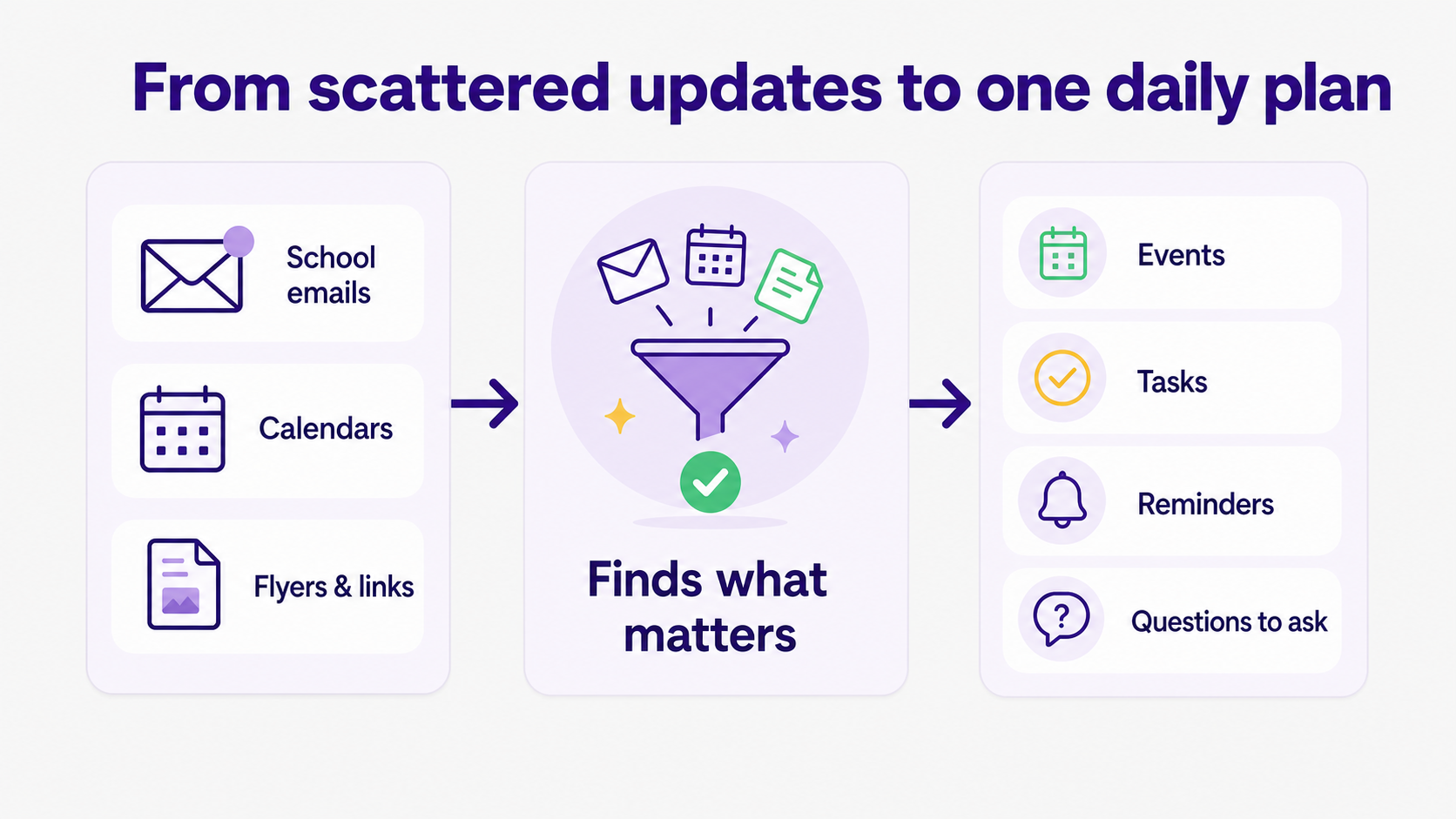
The best mental model is simple: Fambot looks where parents already look, then does the reading and sorting step before the parent has to ask. It does not require forwarding every message, tagging emails, or sorting the inbox by hand. (Fambot homepage).
What does Fambot put in the daily plan?
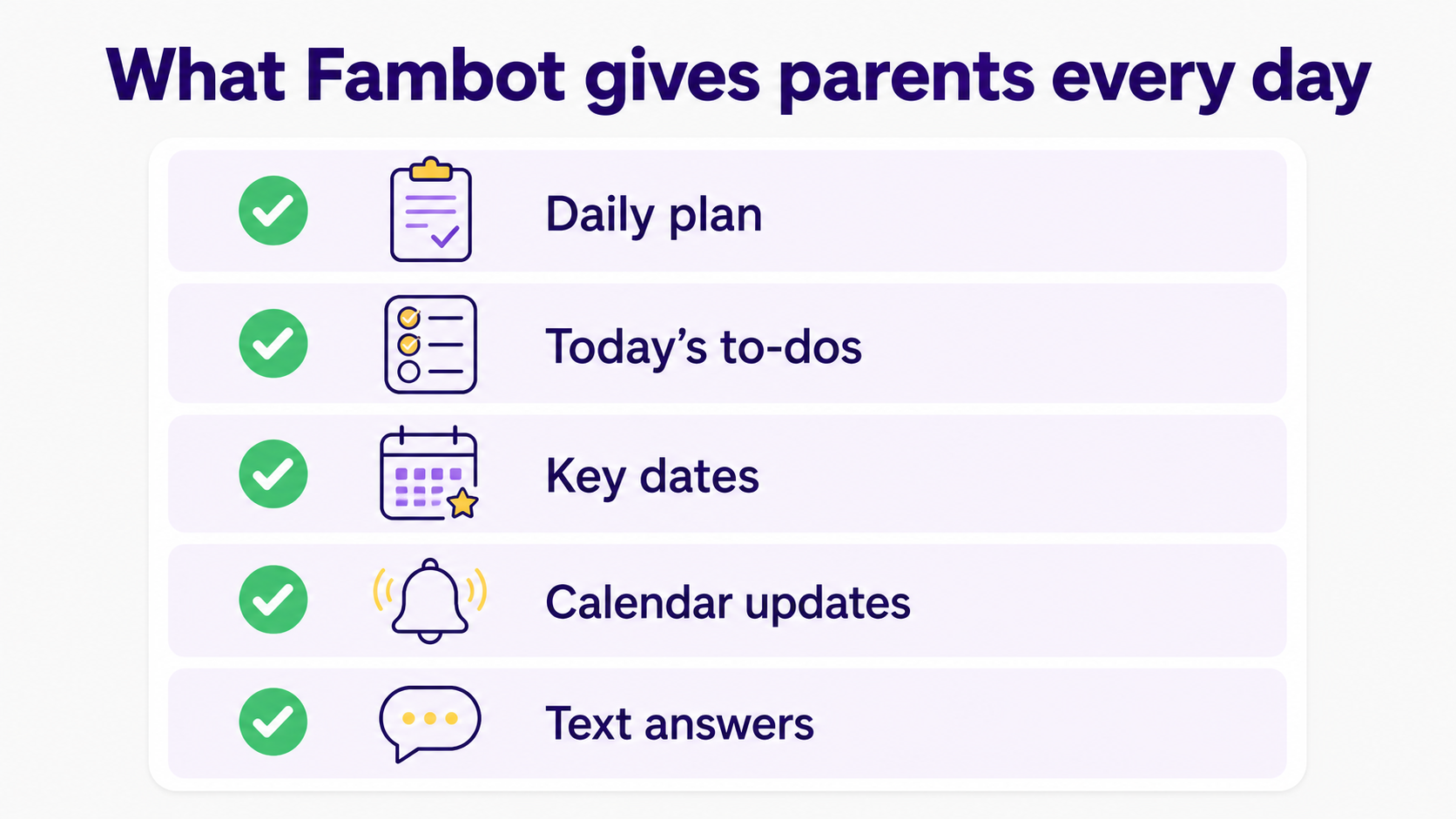
Fambot's daily plan is a digest text message with what parents need to know, do, and decide. It can include the next day's events, today's to-dos, backpack checks, key dates to add, schedule changes, and questions worth asking before something gets missed. (Fambot homepage).
The daily plan should feel like the page you wish the school newsletter had sent in the first place: short, concrete, and built around action. If the note says wear pajamas Friday, bring 2 cans for the food drive, and RSVP by Thursday, those details should become something a parent can actually use.
Can Fambot create reminders, tasks, and calendar events?
Yes. Fambot can turn useful family details into reminders, to-dos, and calendar items. Fambot says it highlights important actions such as signing permission slips, RSVPing, dressing for a theme day, or adding family dates to the calendar. (Fambot FAQ).
The difference is where the work starts. A normal calendar becomes useful after a parent enters the event. Fambot is designed to find the event first, then help put it where it belongs. That is the part parents usually do late at night, on the sidelines, or while searching for an email they know they saw somewhere.
Can parents ask Fambot questions by text?
Yes. Fambot is not only a daily digest. Fambot's homepage describes a text experience where parents can reply, ask questions, get details, or ask Fambot to handle something from the same conversation. (Fambot homepage). You can text through messaging platforms, or message directly in the Fambot app itself.
That makes it feel closer to a real assistant. A parent can ask, "What do we need for tomorrow?" or "Is there anything I forgot for the field trip?" and get an answer from family details Fambot has already seen. That is different from opening a calendar and hoping every detail made it there.
How does Fambot decide what matters?
Fambot looks for family-related details, then uses family context to decide what is worth surfacing. A soccer schedule matters more when your child is on that team. A teacher note matters more when it matches your child's school, classroom, or routine. (Fambot Trust and Safety).
That context is the useful part. Parents do not need another place to store every detail. They need help deciding which details should become an event, a task, a reminder, a question, or nothing at all.
What can Fambot do with permission, and what stays under parent control?
Fambot can help keep calendars in sync and can surface actions, but parents should expect control over meaningful changes. Fambot's FAQ says it does not send emails on a parent's behalf and does not edit calendars without permission. (Fambot FAQ).
That boundary is important. Family AI should reduce copy/paste and remembering, not make parents wonder what changed behind their backs. The helpful version of automation asks for permission when the action affects other people, schedules, or commitments.
How does Fambot handle family data?
Fambot's Trust and Safety page says it uses OAuth, encrypts data in transit and at rest, does not sell personal information, does not allow AI providers to train on family data, and lets users disconnect or delete data. (Fambot Trust and Safety).
Parents can also remove third-party app access from their Google Account at any time, and Google says linked apps can only access the data and services the user authorizes. (Google Account Help).
For apps that use Google Workspace APIs, Google's developer policy requires clear disclosure, user consent, and permission requests limited to what the app needs to provide its features. (Google Workspace user data policy).
Who is Fambot best for?
Fambot is best for busy families with school-aged children whose plans hide in Gmail, Outlook, Apple Calendar, Google Calendar, WhatsApp groups, newsletters, activity messages, PDFs, links, and little notes that arrive at inconvenient times. It is especially useful when multiple parents, caregivers, or households need to work from the same shared family account instead of relying on one person to remember everything.
It is probably less useful for a family that already has a very simple schedule, rarely receives school or activity updates, or prefers to enter every event manually. Fambot works best when enough family information flows through connected sources for it to find patterns, flag changes, and suggest useful next steps.
How should parents start with Fambot?
Start by downloading Fambot from the iOS App Store or Google Play. Create or join your shared family account, connect Gmail, Outlook, Apple Calendar, Google Calendar, and WhatsApp, add the basic family context, and watch what Fambot finds in the first few daily plans. Look for the small saves first: the RSVP, the early dismissal, the thing to pack, the practice change, the form that would have stayed buried. (Fambot FAQ).
Then use chat. Ask what is coming up tomorrow, what needs to go in a backpack, or whether anything needs a decision. The fastest way to understand Fambot is to treat it like a helper already reading alongside you, not another dashboard you have to maintain.
Sources
- Fambot FAQ - Used for setup, integrations, daily plan features, reminders, calendar permissions, and privacy basics.
- Fambot homepage - Used for daily plan by text, chat/reply behavior, to-dos, key dates, and parent testimonials.
- Fambot Trust and Safety - Used for data handling, OAuth, encryption, deletion, provider use, and family-data boundaries.
- Google Account Help - Used for Google linked-app access and the ability to review or remove third-party access.
- Google Workspace user data policy - Used for Google Workspace API disclosure, consent, and minimum-permission requirements.
- Lurie Children's - Used for 2026 parent AI-use statistics and the mental-load finding.




