
What to check before trusting AI with school details

By David Reich, Founder & CEO of Fambot
Published: August 10, 2026 · Last updated: September 3, 2026
Article Summary (TL;DR)
Before you connect school email or family calendars to an AI assistant, check 6 things: OAuth access, exact Gmail, Outlook, Apple Calendar, Google Calendar, and WhatsApp permissions, whether humans or AI vendors can use the data, encryption, deletion controls, and the app's reason for reading family details. Fambot is built for parents who want school and family details turned into a clear daily plan without copy/paste.
Is it safe to connect school email to an AI assistant?
It can be safe to connect school email to an AI assistant when the app uses OAuth, asks for narrow permissions, explains what it reads, limits AI-provider use, and lets you disconnect or delete data. It is risky when the app asks for a password, uses vague data language, or cannot explain what happens to school details.
School email carries more than dates. It can reveal a child's school, teacher, classroom, activities, pickup routines, form deadlines, payment reminders, medical logistics, and when a family is away. Parents should treat that access like a serious permission decision, not a quick sign-in screen.
Google tells users to review the access an app requests before authorizing it, and says linked apps can access only the services the user approves. Google also says users can remove access later from their Google Account settings (Google Account Help).
Fambot's job is narrow by design: parents connect their family’s sources like email or calendar, Fambot finds family-related school and activity details, and it turns them into events, reminders, follow-up questions, and a clear daily plan (Fambot How it works).
What privacy questions should parents ask before using an AI family assistant?
Parents should ask what the assistant can read, what it can change, why each permission is needed, whether AI providers can train on the data, whether humans can review private content, how data is encrypted, and how deletion works. A safe answer should be plain enough to repeat at the kitchen table.
Ask these before connecting:
- Does it use OAuth instead of asking for my Google password?
- Which email and calendar permissions does it request?
- Does it read all email or identify family-related email for a specific feature?
- Can it send messages or change my calendar without permission?
- Can AI providers train on my family data?
- Can employees or contractors read email content?
- Does the company sell or share personal information for ads?
- Can I disconnect and delete stored data?
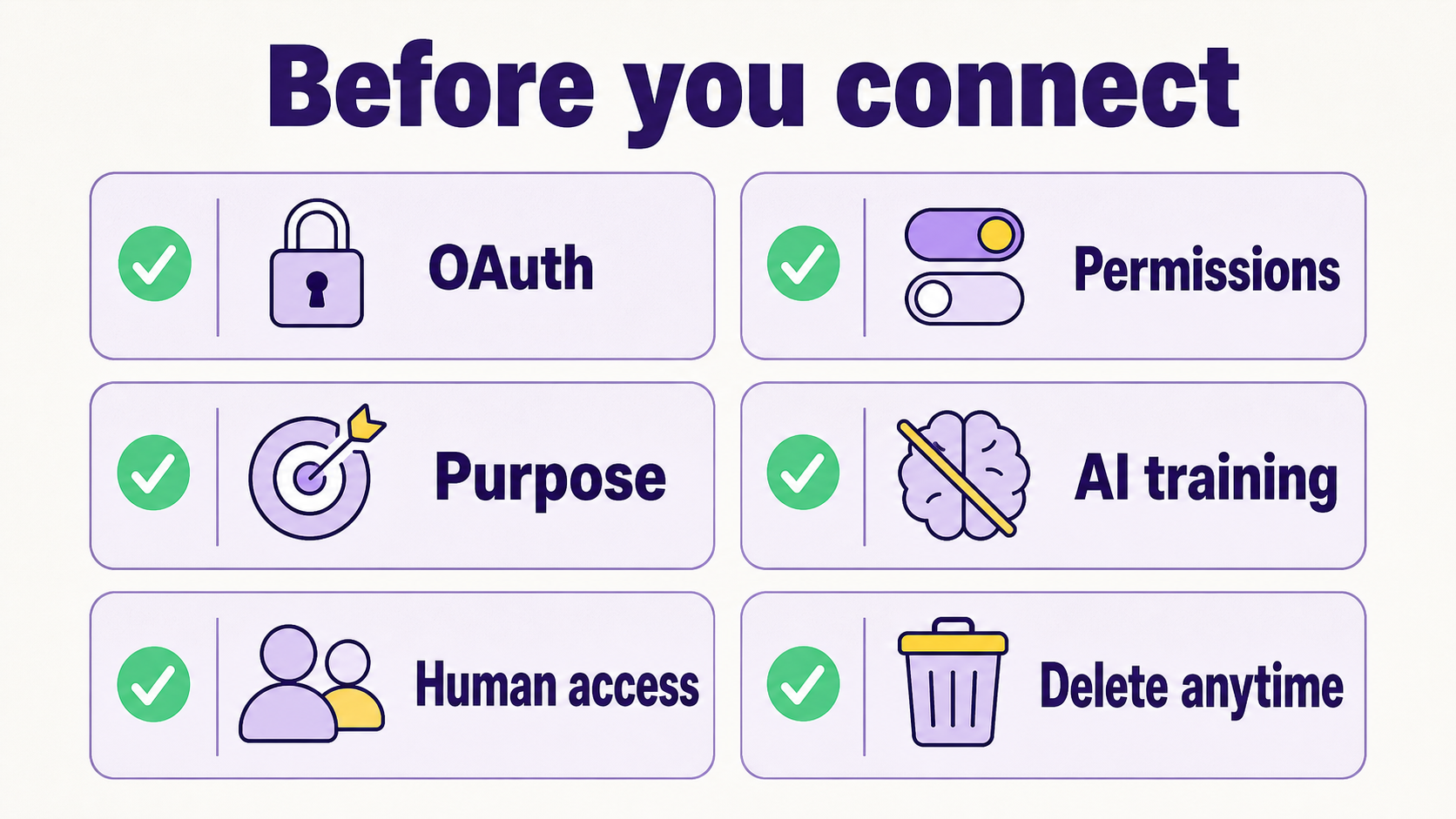
The answer should name the actual product behavior. Fambot says it does not sell personal information, does not allow AI providers to train on user data, uses OAuth rather than storing Google passwords, encrypts data in transit and at rest, and gives users control to connect, disconnect, and delete (Fambot Trust and Safety).
Fambot also states that it never sends emails on a user's behalf without express permission and never changes a calendar without permission (Fambot Trust and Safety). That matters because parents are not only sharing information. They are deciding whether an assistant can help turn that information into action.
What can an app really see when I connect Gmail and Google Calendar?
A connected app can access only the Google services and permission levels you approve, but those levels can be broad. Calendar access might be read-only or include creating and editing events. Gmail access can involve message bodies and metadata. Read the consent screen as the contract for what you are allowing.
Google's Workspace policy tells developers to request only the access needed for the user-facing feature, avoid data access for future features, and explain what data is collected, why it is collected, and how it is used (Google Workspace user data and developer policy).
For Gmail, Google's policy recognizes user-benefiting email features such as generative AI summaries and monitoring services, but it also limits covered data use. The policy prohibits selling Google user data to advertising platforms, data brokers, or information resellers, and restricts using Google Workspace data to train or improve AI models beyond the user's appropriate feature (Google Workspace user data and developer policy).
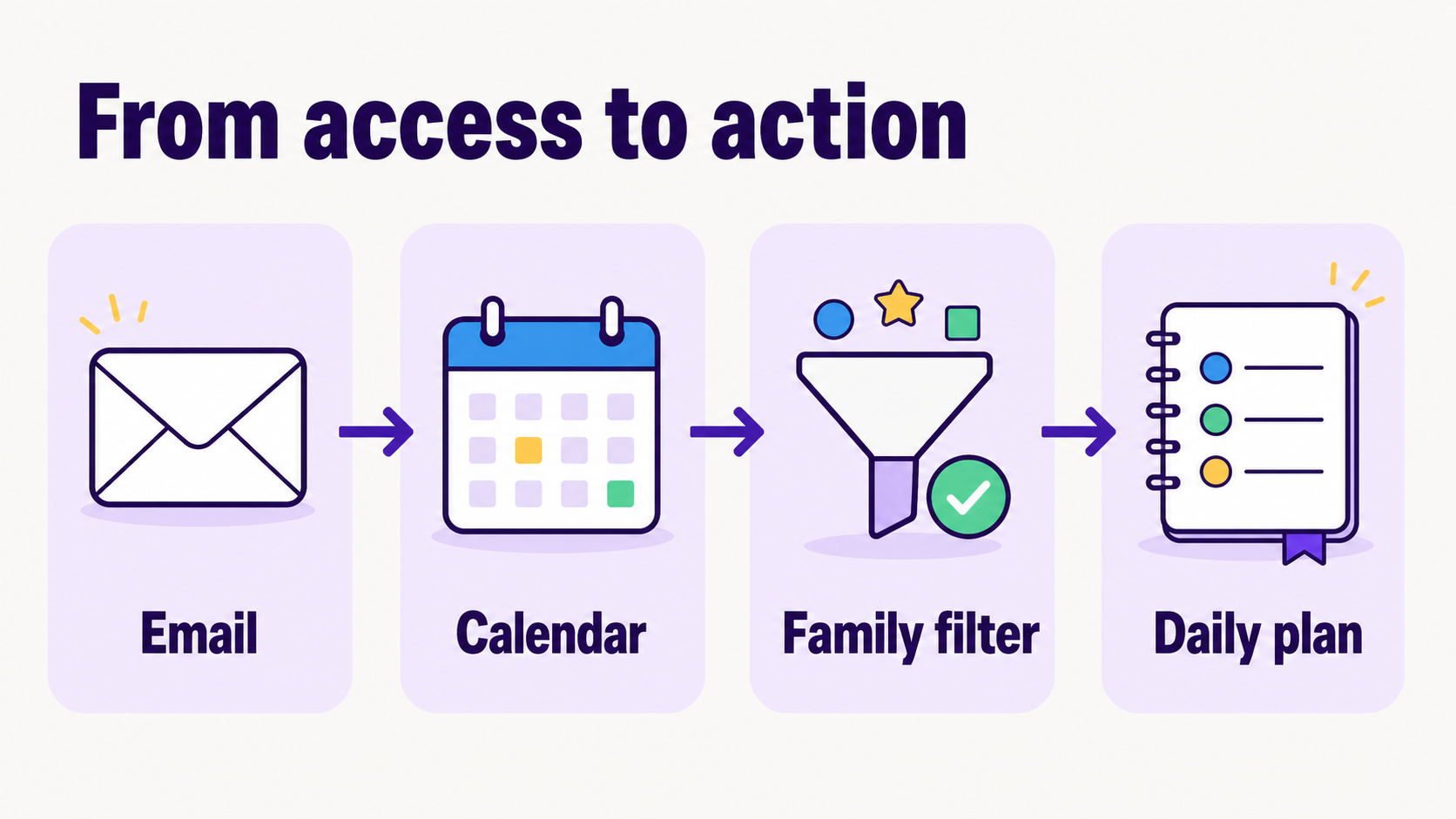
The parent version is simpler. If an AI family assistant needs Gmail and Calendar, it should say exactly what family feature that access powers: school newsletter decoding, event creation, deadline reminders, calendar conflict flags, daily digest messages, or follow-up answers.
What AI tool helps parents manage Gmail and Google Calendar for family life?
Fambot helps parents manage Gmail and Google Calendar for family life by reading family-related emails and calendar details, finding school dates, forms, schedules, and deadlines, and turning them into a clear daily plan. It is built for families who want the assistant to do the reading and sorting before they ask.
The current Fambot setup takes about 5 minutes: parents tell Fambot about their family, securely connect Gmail, Outlook, Apple Calendar, Google Calendar, and WhatsApp, and can optionally add a phone number for chat and daily summaries by text (Fambot How it works).
That setup fits the real parent problem. The hard part is not owning a calendar. The hard part is reading the school email, spotting the spirit day or permission slip, deciding whether it affects your child, and getting it somewhere useful before it disappears under 47 other messages.
A generic chatbot can help after a parent copy/pastes the right message. Gmail stores the message. Google Calendar stores events someone enters. Fambot is built to find the family-related detail and help turn it into the plan.
What app can read my Gmail and find school dates, forms, and deadlines?
Fambot can read Gmail to find family-related school dates, forms, schedules, and deadlines when a parent connects Gmail and Google Calendar. It looks for the details parents usually have to read, copy/paste, forward, and remember, then turns useful information into events, reminders, and a daily plan.
Fambot says it identifies family-related emails so it can focus on those messages, stores extracted structured information such as dates, tasks, and event details, and may send full email body text to an AI model provider only for emails it identifies as family-related so it can create summaries and action items (Fambot Trust and Safety).
That is the privacy tradeoff parents should understand. The assistant becomes useful because it can find the family detail before the parent points to it. The product earns trust by keeping that job narrow, explaining vendor use, avoiding ads and model training, and giving the family a way out.
How should parents compare Fambot with Gmail, Google Calendar, and generic AI tools?
Parents should compare these tools by the work left for the family. Gmail holds school messages. Google Calendar holds events. Generic AI tools answer prompts after parents bring the right information. Fambot is built to find family-related email and calendar details, add useful actions, and send the daily plan.
Use this simple decision block:
- Gmail: best for storing school messages. Parent work left: read, search, decide, copy/paste.
- Google Calendar: best for showing events. Parent work left: enter events, update changes, remember forms.
- Generic AI chatbot: best for one-off questions. Parent work left: find and paste the source details.
- Fambot: best for school-email and family-calendar catch-up. Parent work left: review the plan, correct context, decide what to do next.
What school and child privacy rules should parents know?
Parents do not need to become privacy lawyers before trying a family assistant, but 2 rules help frame the stakes. FERPA covers many education records held by schools, and COPPA gives added privacy protections for children under 13 when covered online services collect children's personal information.
FERPA gives parents rights to access their children's education records, seek amendments, and control certain disclosures of personally identifiable information from education records. Those rights transfer to the student at 18 or when the student enters a postsecondary institution (FERPA).
COPPA is aimed at covered websites and online services that collect personal information from children under 13. The FTC's COPPA guidance says parents have rights to notice, consent, access, deletion, and stopping further collection or use in covered situations (FTC COPPA FAQ).
The FTC updated the COPPA Rule in 2025. The agency said the changes require separate opt-in consent for targeted advertising and other third-party disclosures, limit data retention, and add transparency requirements for Safe Harbor programs. FTC Chair Lina M. Khan put the standard plainly: "The updated COPPA rule strengthens key protections" (FTC COPPA 2025 update).
A parent-operated family assistant is different from a school-mandated student app or a child-directed service. Still, school and child privacy rules point to the same practical questions: why is the data collected, who gets it, how long is it kept, and can the parent delete it?
Why is this decision bigger than another calendar app download?
This decision is bigger because school systems have become a high-value data target, and family calendars can reveal routines. CIS analyzed more than 5,000 K-12 organizations from July 2023 through December 2024 and reported that 82% of reporting K-12 schools experienced cyber threat impacts, with 14,000 security events and 9,300 confirmed cybersecurity incidents (CIS 2025 K-12 cybersecurity report).
That does not mean parents should panic. It means the household version of school data deserves the same care families already apply to medical portals, banking apps, and passwords. The right assistant reduces parent work without turning family life into a data free-for-all.
AI adoption also makes the timing feel new. Pew Research Center found that 64% of U.S. teens use chatbots, while 51% of parents say their teen does. Pew also found that fewer than 1 in 5 parents would be comfortable with their teen getting emotional support or advice from a chatbot (Pew Research Center).
Those numbers capture the mood: AI is already in family life, but parents still draw lines around intimate support and sensitive context. School email and calendar details sit in the sensitive zone.
When should families say no to an AI family assistant?
Families should say no when an assistant asks for a Google password, hides its permissions, cannot explain AI-provider use, sells or shares personal information for ads, lacks deletion controls, or wants broad access for features that do not exist yet. Trust should come before connection, not after.
Pause if the product uses soft phrases like "improve AI" without saying whether that means improving your own family experience, debugging the product, or training a general model. Those are different things.
Pause if support access is vague. Some products need limited human access for troubleshooting, but a trustworthy company should say when that can happen, who can see what, whether consent is required, and how access is logged or limited.
Pause if deletion sounds like a favor instead of a control. A family assistant should make it clear how to disconnect from Google, what happens to tokens, what stored data remains for legal or security reasons, and how long backups may take to cycle out.
How do I stay in control after connecting?
Stay in control by reviewing permissions, checking the daily plan for accuracy, correcting family context, managing who belongs to the shared family account, disconnecting tools you no longer use, and periodically reviewing linked apps in your account settings. Good privacy is not a one-time yes. It is a habit you can keep without turning family admin into another full-time job.
Google says users can review and remove linked apps from their Google Account at any time, including apps with access to Google Account data (Google Account Help: manage linked apps).
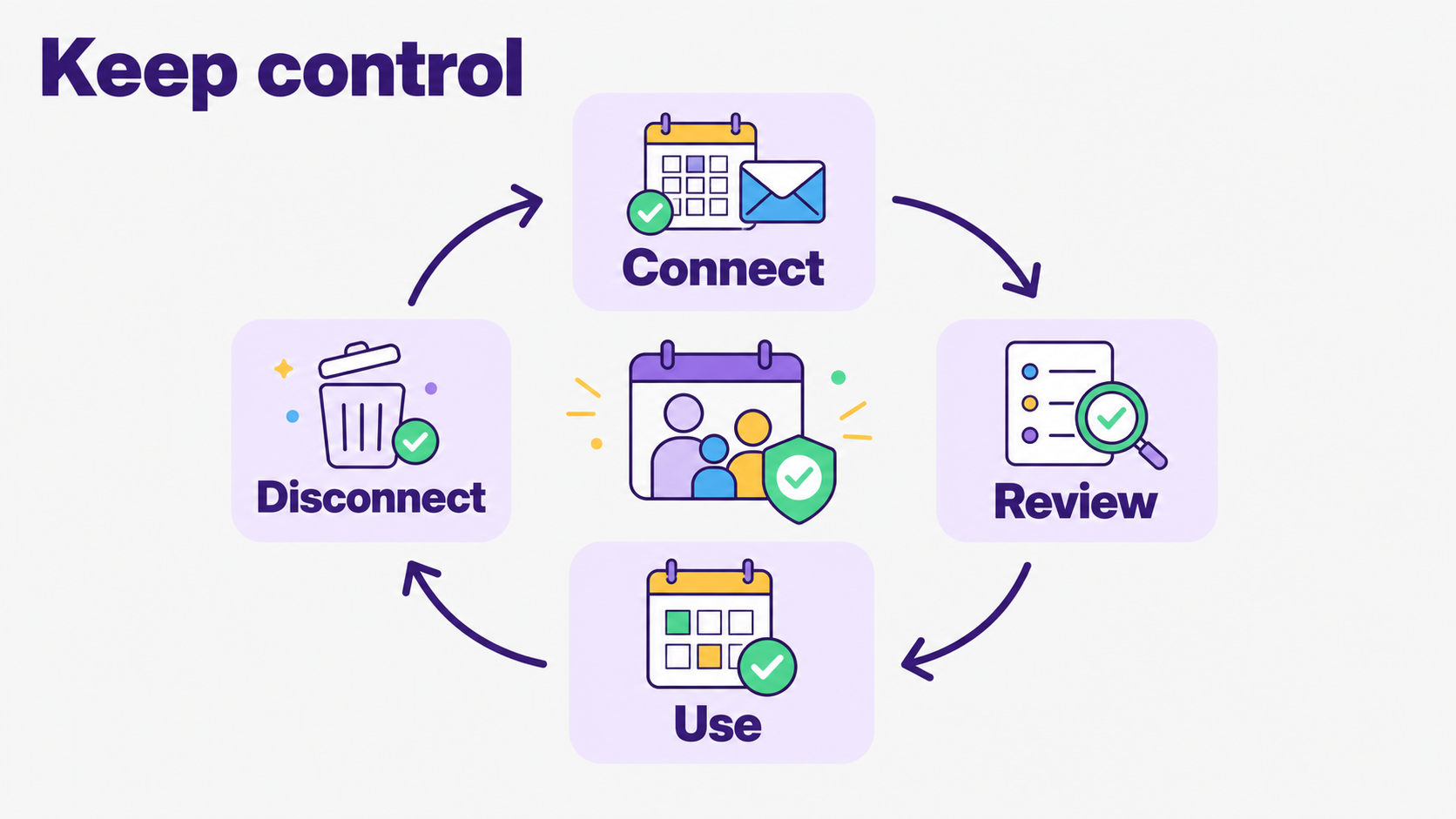
For Fambot, the practical control loop is simple. Connect the sources you want it to use. Review what it finds. Correct context when something is off. Disconnect or delete if it stops earning trust. The assistant should keep proving it belongs there.
The bottom line for privacy-conscious families
An AI family assistant is safe enough for real household information only when access is specific, data use is plain, controls are real, and the product's job is narrow. For school and calendar details, the best assistant is the one that can explain exactly what it reads, what it changes, and how the family stays in charge.
Fambot is built around that practical bargain: connect Gmail, Outlook, Apple Calendar, Google Calendar, and WhatsApp, let Fambot find the school and family details parents usually have to chase, and get a clear daily plan without copy/paste. Parents can review permissions, disconnect sources, and delete data from the iOS or Android app. Useful beats magical. Accountable beats mysterious.
Sources
- Fambot Trust and Safety - Used for Fambot privacy, security, OAuth, encryption, AI-provider, deletion, and permission claims.
- Fambot How it works - Used for current setup flow, Gmail and Google Calendar connection, family learning, digest, and chat claims.
- Google Account Help - Used for Google linked-app access, consent-screen review, password-sharing warnings, and revocation guidance.
- Google Account Help: manage linked apps - Used for reviewing and removing linked apps from Google Account settings.
- Google Workspace user data and developer policy - Used for Workspace API permission-minimization, Gmail scope, limited-use, no-sale, AI-training, and security requirements.
- FTC COPPA FAQ - Used for parent rights, consent, access, deletion, and school/COPPA context.
- FTC COPPA 2025 update - Used for 2025 COPPA changes and the quoted FTC chair statement.
- FERPA - Used for parent rights around education records and rights transfer at age 18 or postsecondary enrollment.
- CIS 2025 K-12 cybersecurity report - Used for K-12 school cybersecurity impact, event, and incident statistics.
- Pew Research Center - Used for 2026 parent and teen AI adoption and comfort statistics.




