
Fambot now supports multiple email accounts

By David Reich, Founder & CEO of Fambot
Published: August 13, 2026 · Last updated: September 3, 2026
TL;DR
Fambot now supports multiple connected email accounts, so parents can connect the inboxes and calendars that already carry school, activity, caregiver, and family logistics. The update makes the daily plan less fragile: fewer missed forms, fewer last-minute searches, and fewer details trapped in the wrong account.
Related update: families can now use shared family accounts too, so the daily plan does not have to live with one parent.
What's new
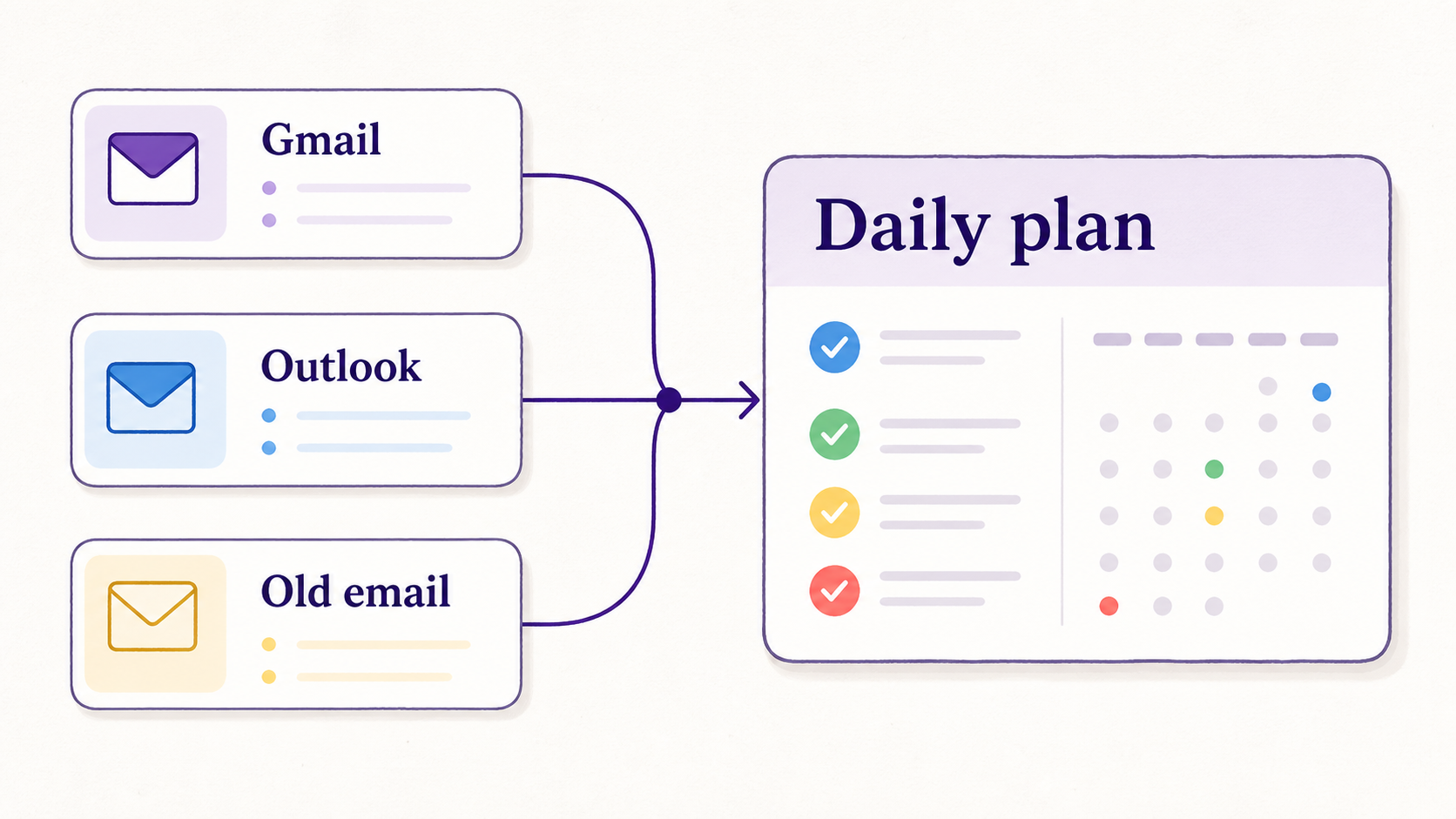
For most families, somebody owns a calendar. The details just arrive everywhere else first. A school form lands in Gmail. A practice change shows up in Outlook. A camp receipt goes to an older address. A caregiver has the appointment on a separate calendar. By the time the family plan is "updated," someone has already done the searching, forwarding, copying, and second-guessing.
Today, Fambot is adding support for multiple connected email accounts, so parents can give their family assistant a fuller view of the inboxes and calendars that actually run the week. Fambot already helps turn school emails into a daily family plan, including follow-up chat when parents need to ask what a message means for them (Fambot daily family plan). Multiple inbox support makes that even stronger.
Why we added this
Family admin is split by default. Schools, teams, camps, doctors, clubs, and caregivers rarely agree on one perfect channel. They send updates to whichever address they have, and parents are left to remember where each thread lives.
That is exactly the kind of work Fambot is built to take off a parent's plate. It can look across connected family sources, find dates, forms, deadlines, activity updates, and reminders, then turn those details into calendar events, to-dos, follow-up questions, and a daily plan. Inbox zero is a side quest. The real win is fewer missed forms and fewer "where did they send that?" searches at 7:18 a.m.
What changes for parents
With multiple connected email accounts, Fambot can now work from the places family information already arrives. A parent can connect the inbox that gets school newsletters, the account that gets sports updates, and the older address that somehow still receives camp forms. Shared family accounts make that more useful because the plan can be visible to the people actually handling pickup, forms, rides, and reminders.
Fambot can also connect supported calendars, including Google Calendar and calendars connected through Outlook or Hotmail, so the assistant can read the email and compare it against the plan for the day (Fambot daily family plan). A changed pickup time is more useful when it can be understood next to work meetings, practice, appointments, and the rest of the family schedule.
In practice, this means Fambot has a better shot at catching:
- School dates buried in long newsletters.
- Forms, RSVP links, and payment reminders.
- Practice changes and one-off activity updates.
- Calendar conflicts that are easy to miss when each account is checked separately.
Privacy and control
Multiple inbox access is useful, and it is sensitive. Parents should know what they are connecting, why they are connecting it, and how to remove access later. Google lets users review or remove third-party app access, and Microsoft permission screens explain the scopes an app is asking for before access is granted (Google Account Help; Microsoft Learn).
Fambot's Trust & Safety page says it uses email and calendar access to find family-related information, stores extracted structured details and generated outputs so the product can work, encrypts data in transit and at rest, does not sell personal information, and does not allow AI providers to train on family data (Fambot Trust and Safety).
The practical version is simple: connect the accounts that matter for family logistics. Skip the ones that do not. Better context does not require handing over every inbox you have ever made.
Where to start
Start with the inbox where school newsletters, teacher notes, and district updates arrive. Then add the accounts that still cause real family admin when they are missed: sports, camp, medical, caregiver, co-parent, or an older email address that refuses to retire politely.
After that, connect the calendars that actually move the household. Fambot works best when it can see both sides of the problem: the message that says what changed and the calendar that shows what the change affects.
This update is a small product change with a very parent-shaped payoff. Families can set it up from the iOS or Android app, connect the accounts that matter, and let Fambot bring the important pieces back into one daily plan.
Sources
- Fambot daily family plan - Used for Fambot's 2026 description of connected Gmail, Outlook, Hotmail, calendars, follow-up chat, and no-forwarding workflow.
- Fambot Trust and Safety - Used for Fambot's privacy, OAuth, encryption, disconnect, deletion, and AI-provider-training claims.
- Google Account Help - Used for Google third-party app access and review/remove-access guidance.
- Microsoft Learn - Used for Microsoft identity platform scopes, permissions, and consent examples.




